
Node.js in Practice: Using Robust FS

Preface
The fs module is the most common module in Node.js,
but using fs often comes with various unexpected pitfalls.
High-Performance FS
One issue is not using high-performance fs,
which causes lag in Electron applications.
The fs module has 3 ways to use it:
Callback Approach
1. Writing leads to callback hell
2. Embodies Node.js event-driven, non-blocking IO
3. Best performance
Promise Approach
1. Writing requires async / await
2. Also embodies event-driven, non-blocking IO
3. Performance is very close to callback, with slight overhead
Sync Approach
1. Simplest to write, no async / await needed
2. Blocking usage
3. Very poor performance, use with caution
Therefore, high-performance FS recommends using the promise approach.
See: https://blog.insistime.com/nodejs-fs
mkdir
The mkdir method is used to create directories. Code:
const { mkdir } = require('node:fs/promises');

async function test() {
  const dir = './1/2';
  const res = await mkdir(dir);
  console.log(res);
}
test();
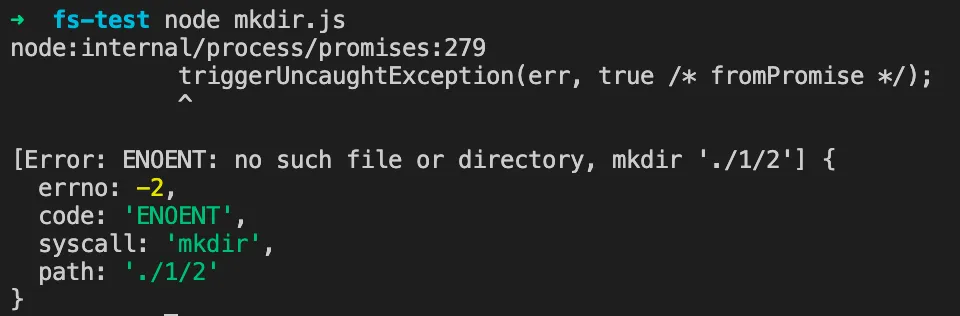
But this will throw an error, as shown below,
because directory 1 does not exist, so directory 2 cannot be created.
Solution: Add the recursive property
The recursive property can recursively create non-existent directories.
const { mkdir } = require('node:fs/promises');

async function test() {
  const dir = './1/2';
  const res = await mkdir(dir, { recursive: true });
  console.log(res);
}
test();
copyFile
The copyFile method is used to copy files. Code:
const { copyFile } = require('node:fs/promises');

async function test() {
  await copyFile('mkdir.js', './3/4/mkdir.js');
}
test();
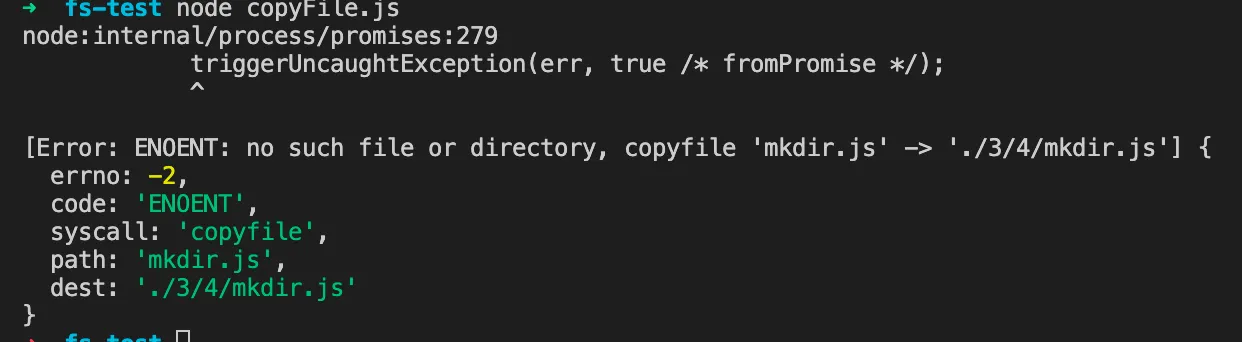
This will also throw an error, as shown below,
because directories 3 and 4 do not exist.
Solution: Create the target directory before copying
// path
const path = require('node:path');

// fs
const { mkdir, copyFile } = require('node:fs/promises');

async function test() {
  const src = 'mkdir.js';
  const dest = './3/4/mkdir.js';

  await mkdir(path.dirname(dest), { recursive: true });
  await copyFile('mkdir.js', './3/4/mkdir.js');
}
test();
cp
The cp method is used to copy directories. Code:
const { cp } = require('node:fs/promises');

async function test() {
  const src = './3/4';
  const dest = './33/44';
  await cp(src, dest);
}
test();
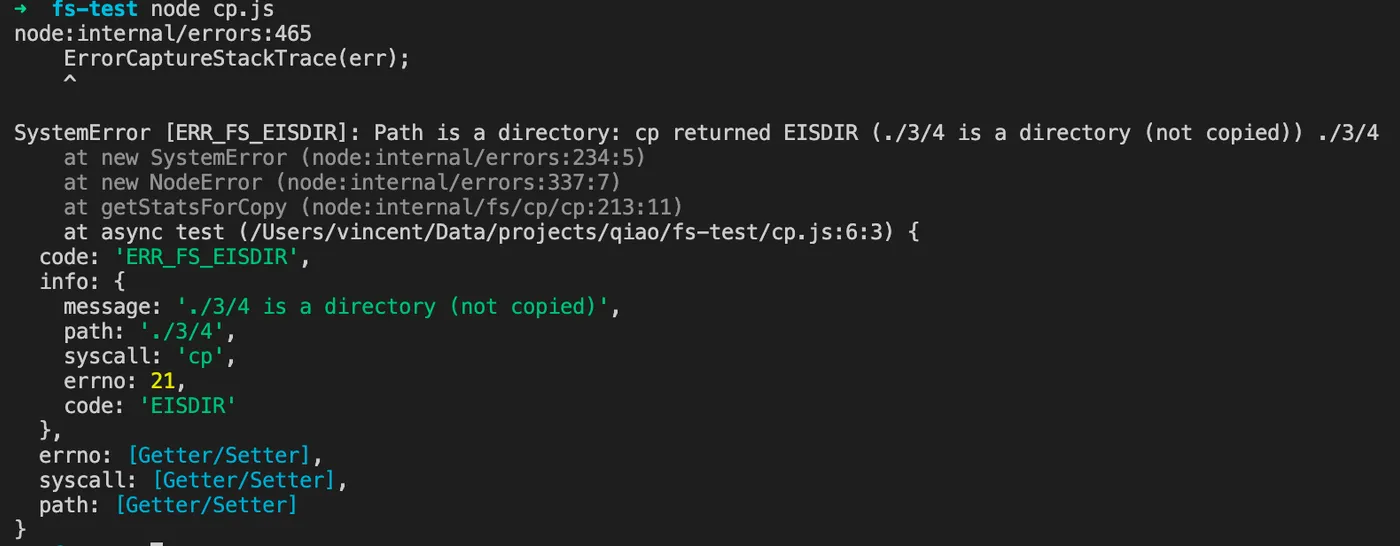
This also throws an error, as shown below,
because src is a directory.
Solution: Use the recursive property
Similar to mkdir, just use the recursive property.
const { cp } = require('node:fs/promises');

async function test() {
  const src = './3/4';
  const dest = './33/44';
  await cp(src, dest, { recursive: true });
}
test();
rm
The rm method is used to delete files or directories. Code:
const { rm } = require('node:fs/promises');

async function test() {
  const src = '/not/exists/';
  await rm(src);
}
test();
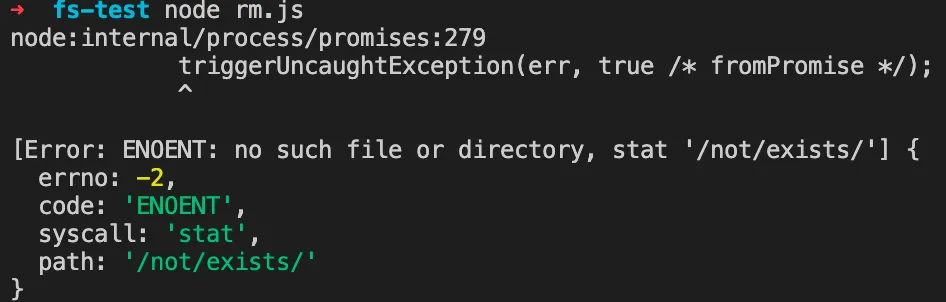
Using it directly will throw an error, as shown below:
Solution: Check if the path exists before deleting
const { access, rm } = require('node:fs/promises');

async function test() {
  const src = '/not/exists/';
  if (!(await isExists(src))) {
    console.log(`${src} not exists`);
    return;
  }

  await rm(src);
}
test();

async function isExists(path) {
  try {
    await access(path);
    return true;
  } catch (error) {
    return false;
  }
}
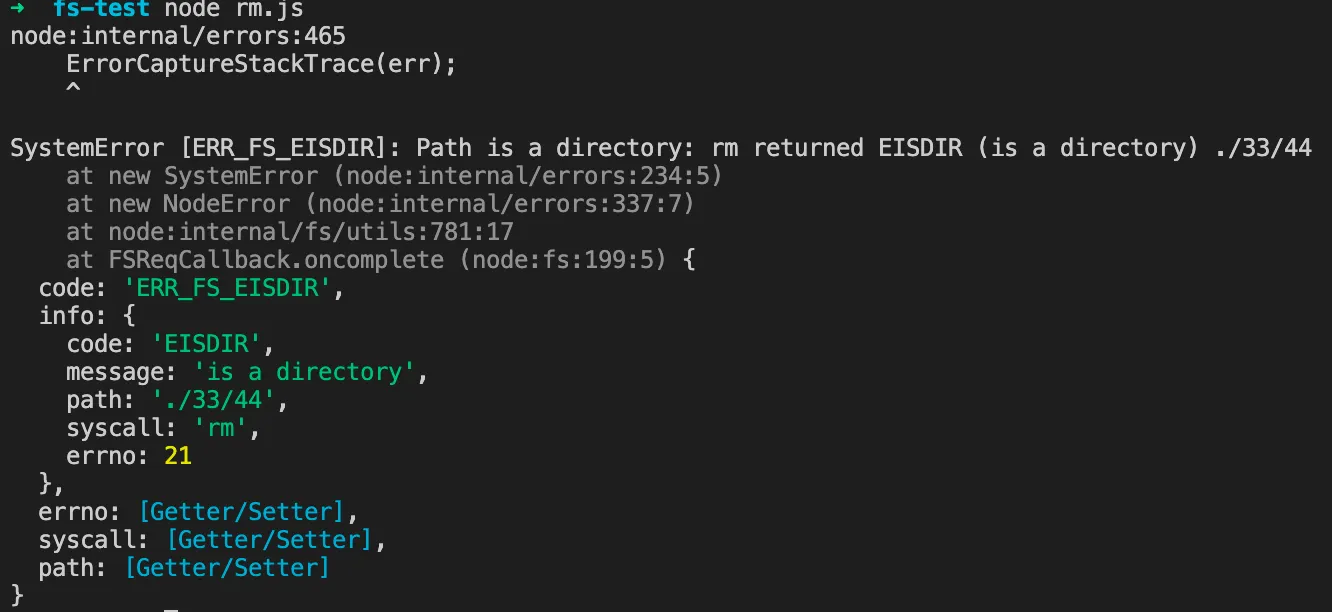
If the target to delete is a directory, it will still fail.
Solution: Use the recursive property
const { access, rm } = require('node:fs/promises');

async function test() {
  const src = './33/44';
  if (!(await isExists(src))) {
    console.log(`${src} not exists`);
    return;
  }

  await rm(src, { recursive: true });
}
test();

async function isExists(path) {
  try {
    await access(path);
    return true;
  } catch (error) {
    return false;
  }
}
rename
The rename method is used to rename paths. Code:
const { rename } = require('node:fs/promises');

async function test() {
  const src = './3/4';
  const dest = './333/333';
  await rename(src, dest);
}
test();
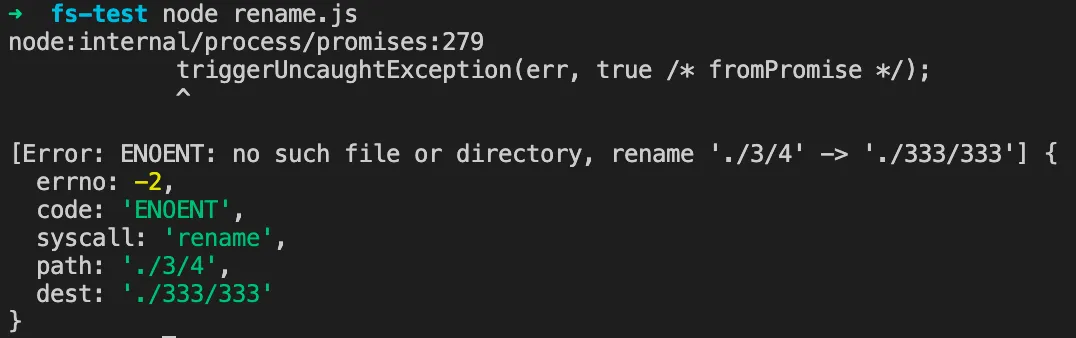
This also throws an error, as shown below:
Solution: Check if src exists and create dest’s parent directory
const { access, mkdir, rename } = require('node:fs/promises');

async function test() {
  const src = './3';
  const dest = './333/333';

  if (!(await isExists(src))) {
    console.log(`${src} not exists`);
    return;
  }

  await mkdir(dest, { recursive: true });
  await rename(src, dest);
}
test();

async function isExists(path) {
  try {
    await access(path);
    return true;
  } catch (error) {
    return false;
  }
}
fs-extra
To summarize, there are several categories of issues:
1. Operations require recursion
For example, mkdir for /3/4/5
2. Operations require checking if the path exists
For example, rm on /not/exists
3. Operations require checking if it’s a file or directory
In practice, there are far more exceptions than these.
Here is a recommended npm package: https://www.npmjs.com/package/fs-extra
Simply put, it is a superset of fs.
It supports fs methods,
and also wraps some commonly used methods,
including the robustness improvements mentioned above.
Common fs-extra methods:
