
Node.js Web Server in Practice: Scheduled Tasks
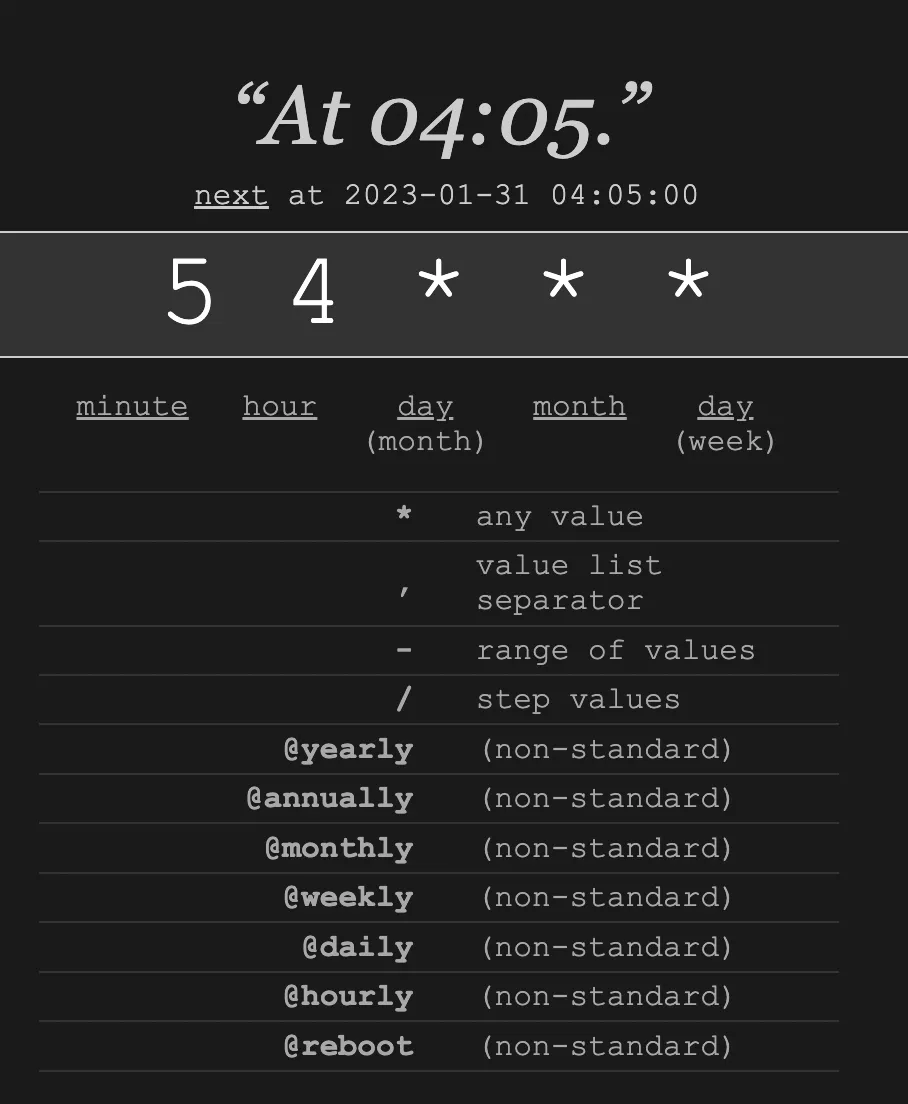
Table of Contents

Preface
Scheduled tasks are an essential capability in server-side development.
In Node.js web server development,
you can use cron to implement scheduled tasks.
qiao-timer
You can refer to the official documentation for cron usage.
Here is a packaged npm module for convenience: https://code.insistime.com/#/qiao-timer
Usage is simple:
1. Configure a cron-compliant time expression
2. Set the function to be executed on schedule
const { run } = require("qiao-timer");

const time = "*/1 * * * * *";
const tick = () => {
  console.log(new Date());
};

console.log("-" + new Date());
run(time, tick);
The time follows the cron specification.
The common cron specification has 5 fields.
Here, the cron npm package uses a 6-field time specification,
where the first field is seconds, following the same rules as the other fields.
For quick cron editing, you can use this website: https://crontab.guru/
Enter a rule and it will show the actual execution schedule.
For example, entering:
5 4 * * *It will indicate execution at 4:05 AM every day.
Using in qiao-z
qiao-z is a minimalist Node.js web server framework.
See: https://qiao-z.vincentqiao.com/#/
In qiao-z, you can conveniently use qiao-timer to implement scheduled tasks.
1. Pass in the cron plugin during initialization
// options
const options = {
  cron: require("qiao-timer"),
};

// app
const app = qz(options);
2. Create *Task.js files. qiao-z will automatically scan files ending with Task.js on startup.
exports.time = "*/1 * * * * *";
exports.tick = function () {
  console.log(1);
};
As shown above, this is a scheduled task that executes every second, printing a log.
3. If you need to execute the task immediately once, you can use the following code:
exports.runAndInit = true;
exports.time = "*/1 * * * * *";
exports.tick = function () {
  console.log(1);
};
Summary
1. Introduction to cron, https://www.npmjs.com/package/cron
2. Introduction to qiao-timer, https://code.insistime.com/#/qiao-timer
3. Using the qiao-timer plugin in qiao-z, https://qiao-z.vincentqiao.com/#/plugins/cron
Related Articles
Node.js Web Server in Practice: Using PM2 Cluster Mode to Boost API QPS
Preface: pm2 is a Node.js process management tool. This article introduces pm2 cluster mode and uses it to boost Node.js API QPS.
Node.js Web Server in Practice: API Load Testing with autocannon
Preface: AutoCannon is a Node.js-based API load testing tool. https://www.npmjs.com/package/autocannon
Node.js in Practice: Image Processing
Using sharp for image processing in Node.js — covering common image libraries, installation, format conversion, resizing, and the qiao-img wrapper package.
Node.js in Practice: Downloading Files
Preface: Downloading files is one of the most common features in Node.js, but in practice, file downloading can hide various pitfalls.
Node.js in Practice: Using Robust FS
Preface: The fs module is the most common module in Node.js, but using fs often comes with various unexpected pitfalls.