Initializing a Frontend Monorepo Project
Preface
This article documents the process of initializing a frontend Monorepo project.
LICENSE
If it’s an open-source project,
you need to add a LICENSE.
The MIT LICENSE is generally recommended.
Template:
MIT License

Copyright (c) 2023 qiaowenbin<uikoo9@qq.com>

Permission is hereby granted, free of charge, to any person obtaining a copy
of this software and associated documentation files (the "Software"), to deal
in the Software without restriction, including without limitation the rights
to use, copy, modify, merge, publish, distribute, sublicense, and/or sell
copies of the Software, and to permit persons to whom the Software is
furnished to do so, subject to the following conditions:

The above copyright notice and this permission notice shall be included in all
copies or substantial portions of the Software.

THE SOFTWARE IS PROVIDED "AS IS", WITHOUT WARRANTY OF ANY KIND, EXPRESS OR
IMPLIED, INCLUDING BUT NOT LIMITED TO THE WARRANTIES OF MERCHANTABILITY,
FITNESS FOR A PARTICULAR PURPOSE AND NONINFRINGEMENT. IN NO EVENT SHALL THE
AUTHORS OR COPYRIGHT HOLDERS BE LIABLE FOR ANY CLAIM, DAMAGES OR OTHER
LIABILITY, WHETHER IN AN ACTION OF CONTRACT, TORT OR OTHERWISE, ARISING FROM,
OUT OF OR IN CONNECTION WITH THE SOFTWARE OR THE USE OR OTHER DEALINGS IN THE
SOFTWARE.
You can replace the copyright line with your own information.
Git
Some basic git settings.
Set Git Account Info
git config user.name xxx
git config user.email xxx
Configure .gitignore
Configure based on your needs,
or refer to templates here:
https://github.com/github/gitignore
This article uses 3 gitignore templates:
https://github.com/github/gitignore/blob/main/Global/macOS.gitignore
https://github.com/github/gitignore/blob/main/Global/VisualStudioCode.gitignore
https://github.com/github/gitignore/blob/main/Node.gitignore
Initialize package.json
Use the following command to initialize package.json:
npm initRoot package.json for the Monorepo
{
  "name": "",
  "private": true,
  "scripts": {},
  "devDependencies": {}
}
package.json for Individual Packages
{
  "name": "",
  "version": "",
  "description": "",
  "keywords": [],
  "author": "",
  "homepage": "",
  "license": "MIT",
  "main": "index.js",
  "repository": {
    "type": "git",
    "url": "git+https://github.com/xx/xx.git"
  },
  "bugs": {
    "url": "https://github.com/xx/xx/issues"
  },
  "scripts": {}
}
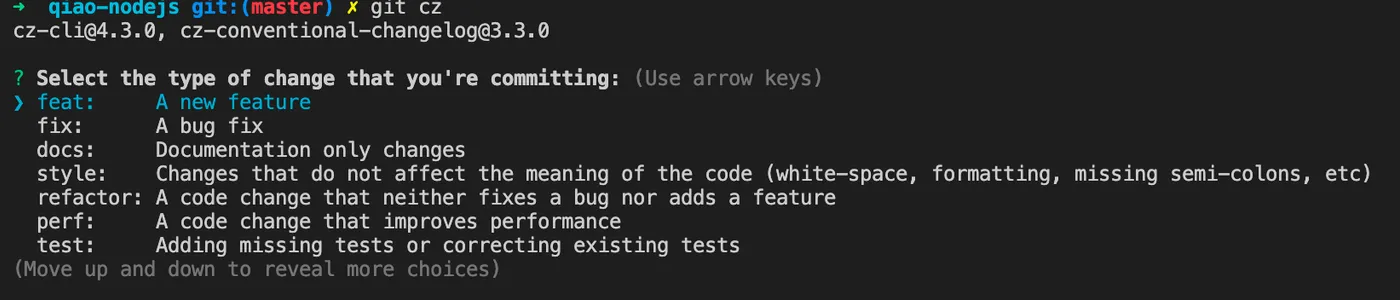
Commitizen
Use commitizen to make standardized commits.
See: Standardized Code Commits: Conventional Commits
Install Commitizen Globally
# Install commitizen, then use git cz instead of git commit to make conventional commits
npm i -g commitizen
Install cz-conventional-changelog
# Tell commitizen which convention to use
npm i -D cz-conventional-changelog
echo '{ "path": "cz-conventional-changelog" }' > .czrc
Now you can use the git cz command to commit:
Commitlint
Use husky + commitlint to validate that each commit follows the convention.
Install Husky
# Install husky to configure git hooks
npm i -D husky

# Initialize husky
npx husky install

# Add husky's prepare script so other users automatically register husky after npm install
npm pkg set scripts.prepare="husky install"

# If the above command isn't supported in your npm version, manually add this to package.json
"prepare": "husky install",
Install Commitlint
# Install commitlint
npm i -D @commitlint/config-conventional @commitlint/cli

# Add commitlint git hook via husky
npx husky add .husky/commit-msg 'npx --no -- commitlint --edit "$1"'

# Add commitlint.config.js config file
echo "module.exports = {extends: ['@commitlint/config-conventional']};" > commitlint.config.js
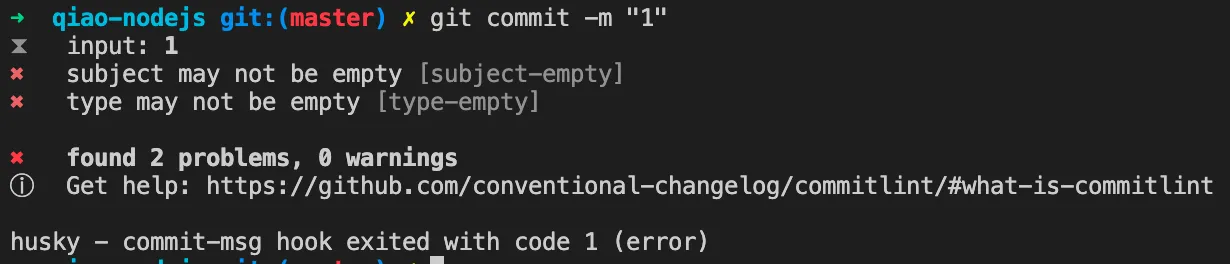
Now, non-conventional commits will be blocked with a warning:
Rollup
Use rollup to build ES6 files.
Install
npm i -D rollupConfiguration
Add rollup.config.js under packages/xx:
/**
 * rollup.config.js
 */
module.exports = {
  input: 'src/index.js',
  output: {
    file: 'index.js',
    format: 'cjs',
  },
  external: ['fs', 'fs-extra', 'path', 'readline'],
};
Modify package.json
Modify packages/xx/package.json, add the following:
{
  "main": "index.js",
  "module": "src/index.js",
  "sideEffets": false,
  "files": [
    "src"
  ],
  "scripts": {
    "build": "rollup -c",
  },
}
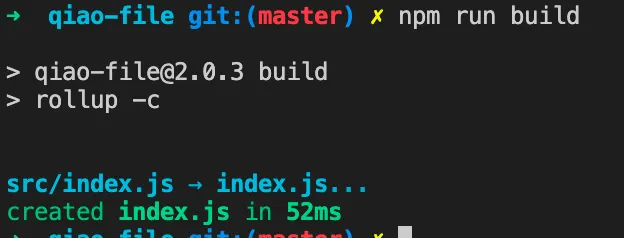
Build
AVA
Use AVA to manage test cases.
See: Lightweight JS Testing Framework: AVA
Install
npm i -D avaConfiguration
Add ava.config.js under packages/xx:
/**
 * ava config
 *  https://github.com/avajs/ava/blob/main/docs/06-configuration.md
 */
module.exports = {
  files: ['__tests__/ava/**/*'],
  failFast: true,
  failWithoutAssertions: false,
  concurrency: 2,
};
Modify package.json
Modify packages/xx/package.json, add the following:
{
  "scripts": {
    "test": "ava"
  },
}
Test
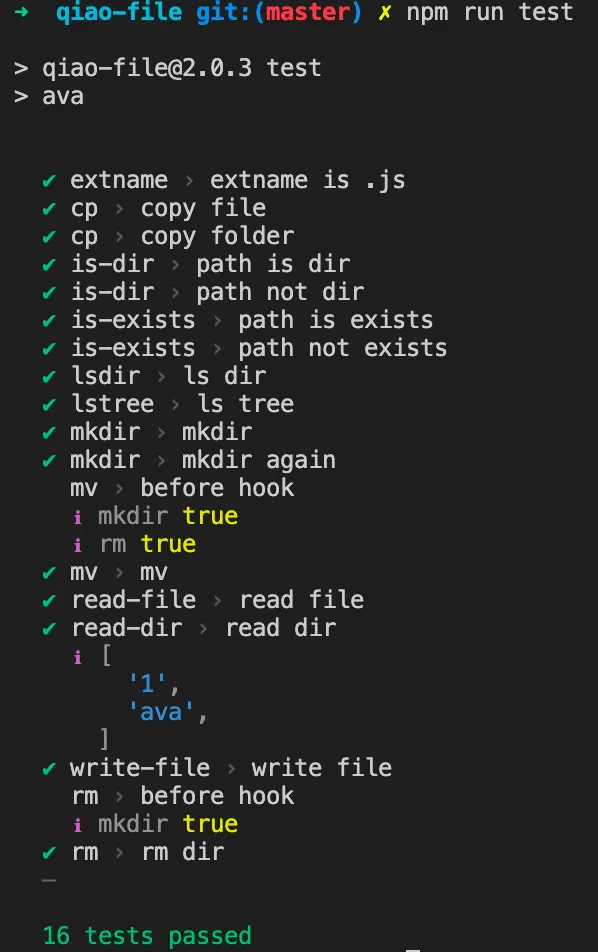
Lerna
Use Lerna to manage monorepo projects.
See: Learn to Manage Multiple npm Packages with Lerna
Install
npm i -D lernaConfiguration File
Create a lerna.json file:
{
  "$schema": "node_modules/lerna/schemas/lerna-schema.json",
  "packages": ["packages/*"],
  "version": "independent",
  "command": {
    "version": {
      "allowBranch": "master"
    },
    "publish": {
      "allowBranch": "master",
      "message": "chore(release): publish"
    }
  }
}
Modify package.json
Modify the root package.json, add the following:
{
  "scripts": {
    "build": "lerna run build",
    "test": "lerna run test"
  },
}
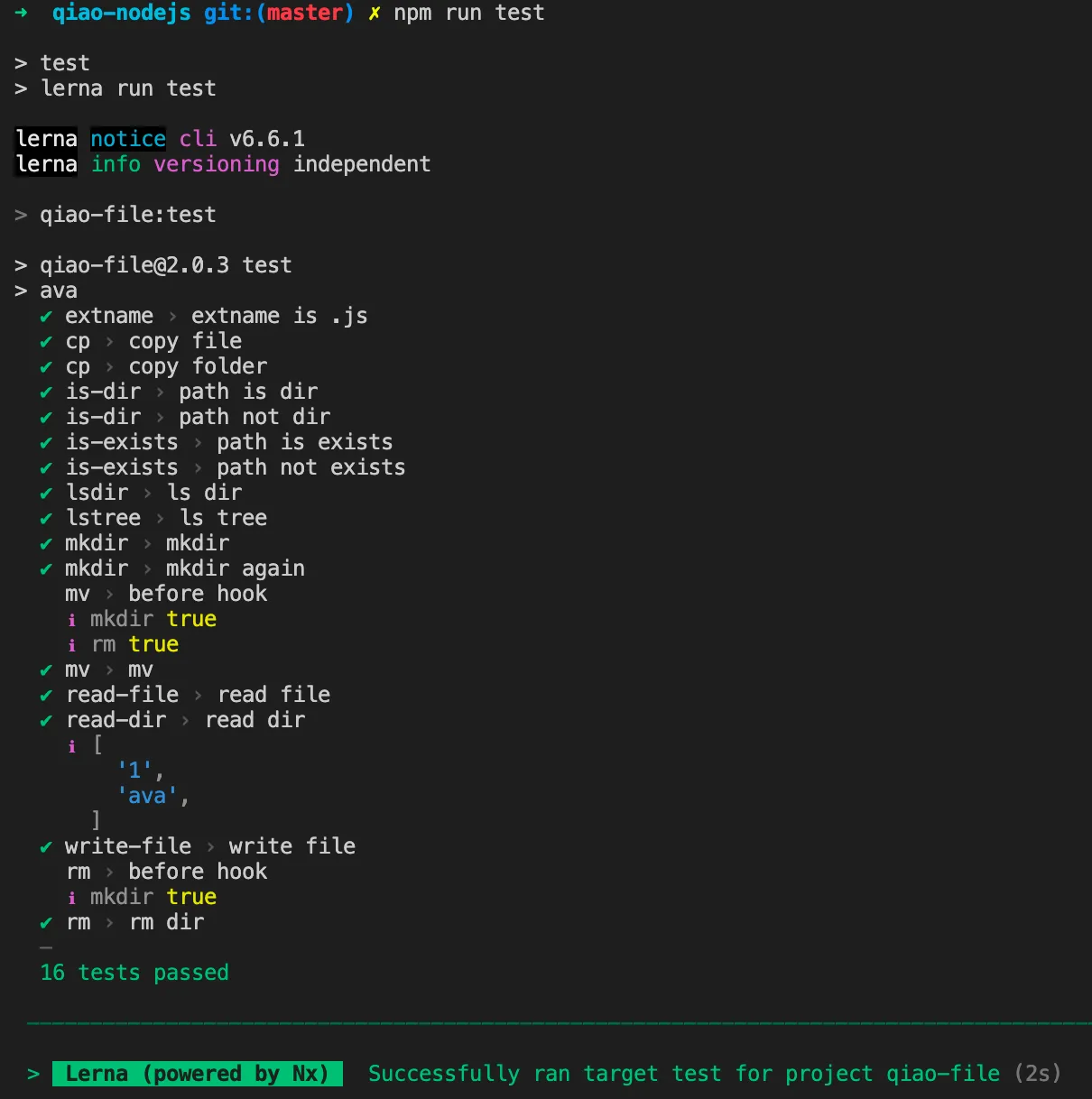
Run Tasks with Lerna
Use Lerna to run commands across packages:
Build:
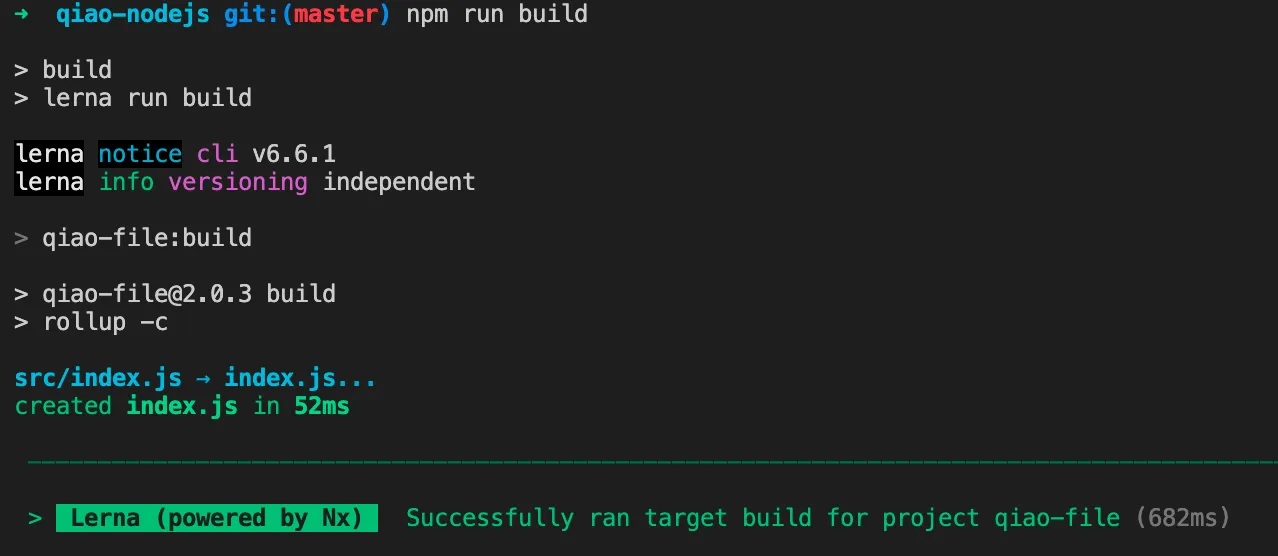
Test:
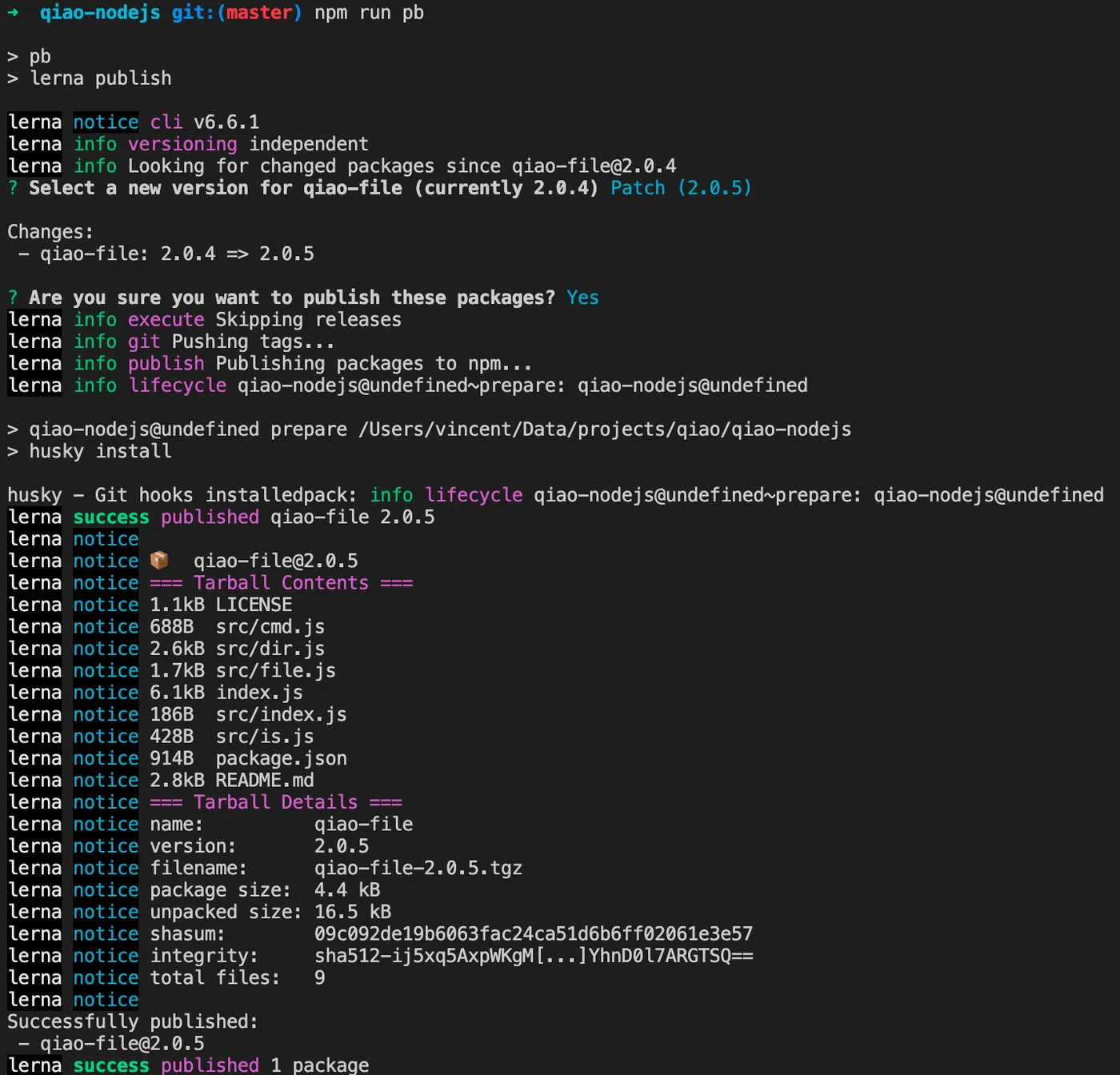
Publish npm Packages with Lerna
Add the following to the root package.json:
{
  "scripts": {
    "pb": "lerna publish"
  },
}
Run the publish command:
NX
Use NX to manage task caching.
See: Powerful Build System: NX
Install
Since Lerna is based on NX,
if you’ve already installed Lerna,
there’s no need to install NX separately.
Configuration File
Add nx.json at the root:
{
  "tasksRunnerOptions": {
    "default": {
      "runner": "nx/tasks-runners/default",
      "options": {
        "cacheableOperations": ["build"]
      }
    }
  },
  "targetDefaults": {
    "build": {
      "dependsOn": ["^build"]
    },
    "test": {
      "dependsOn": ["build"]
    }
  },
  "defaultBase": "master"
}
Modify package.json
Modify packages/xx/package.json, add the following:
{
  "nx": {
    "namedInputs": {
      "default": [
        "{projectRoot}/src/**/*"
      ]
    },
    "targets": {
      "build": {
        "inputs": [
          "default"
        ],
        "outputs": [
          "{projectRoot}/index.js"
        ]
      }
    }
  },
}
Using NX
Run the Lerna test command again:
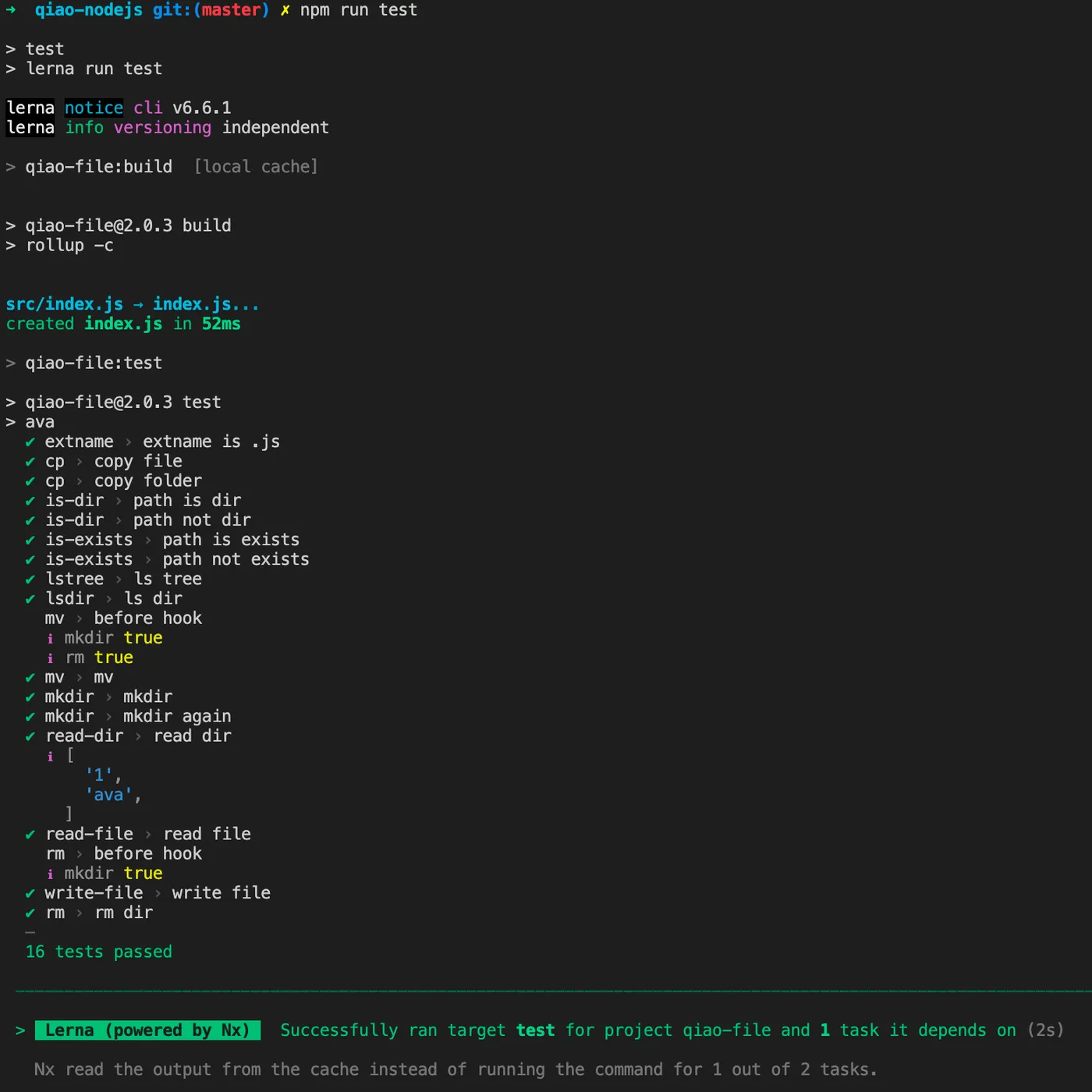
You can see that the dependent build command was automatically executed,
and the build command hit the local cache.
Prettier
Use Prettier to format code.
Install
npm i -D prettierConfiguration File
Create .prettierrc.json at the root:
{
  "printWidth": 120,
  "tabWidth": 2,
  "useTabs": false,
  "semi": true,
  "singleQuote": true,
  "quoteProps": "as-needed",
  "jsxSingleQuote": false,
  "trailingComma": "all",
  "bracketSpacing": true,
  "arrowParens": "always",
  "requirePragma": false,
  "insertPragma": false,
  "proseWrap": "preserve",
  "htmlWhitespaceSensitivity": "css",
  "vueIndentScriptAndStyle": false,
  "endOfLine": "lf",
  "embeddedLanguageFormatting": "auto"
}
Create .prettierignore at the root:
# project
package-lock.json

# packages
packages/qiao-file/__tests__/1
Modify package.json
Modify the root package.json, add the following:
{
  "scripts": {
    "prettier": "prettier --write .",
  },
}
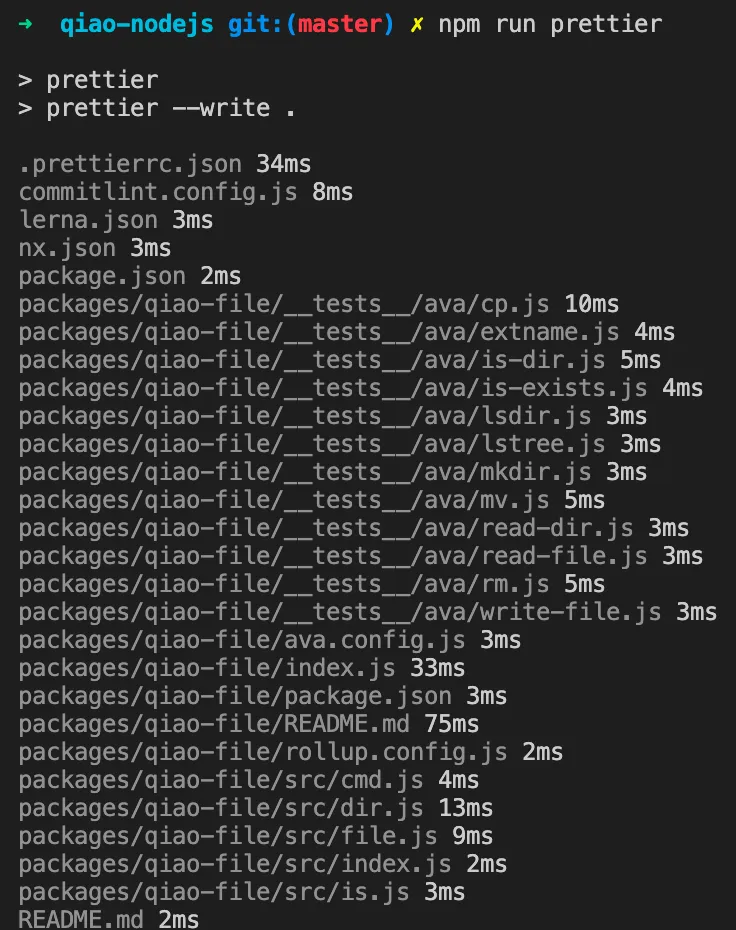
Run Prettier
ESLint
Use ESLint to check for code errors.
Install
npm i -D eslintConfiguration File
Add .eslintrc.js at the root:
module.exports = {
  env: {
    browser: true,
    node: true,
    commonjs: true,
    es2022: true,
  },
  extends: ['eslint:recommended', 'plugin:react/recommended', 'plugin:react-hooks/recommended', 'prettier'],
  parserOptions: {
    ecmaVersion: 'latest',
    sourceType: 'module',
  },
  ignorePatterns: ['dist'],
  rules: {
    indent: ['error', 2, { SwitchCase: 1 }],
    'linebreak-style': ['error', 'unix'],
    quotes: ['error', 'single'],
    semi: ['error', 'always'],
  },
};
Add .eslintignore at the root:
# project
node_modules
package-lock.json

# packages
packages/qiao-file/__tests__/1
Modify package.json
Modify the root package.json, add the following:
{
  "scripts": {
    "eslintfix": "eslint . --ext .js --fix",
  },
}
Run ESLint
lint-staged
Use lint-staged to check code before commits.
Install
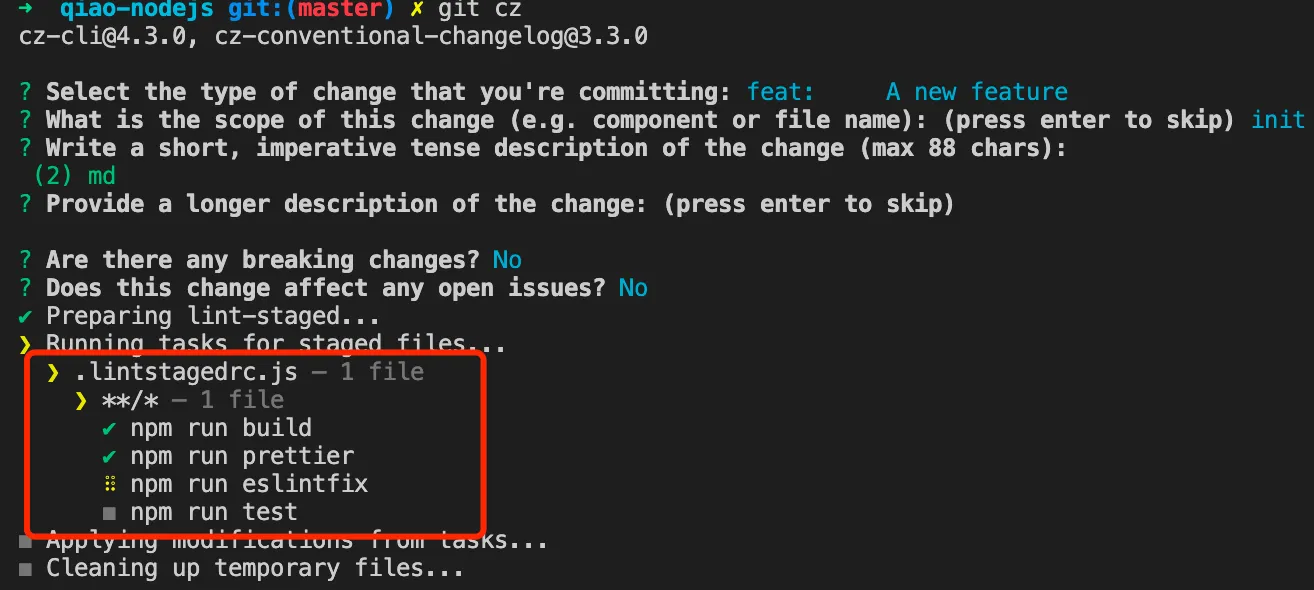
npm i -D lint-stagedAdd Husky Hook
npx husky add .husky/pre-commit "npx lint-staged"Configuration File
Create the lint-staged config file .lintstagedrc.js at the project root:
module.exports = {
  '**/*': () => ['npm run build', 'npm run prettier', 'npm run eslintfix', 'npm run test'],
};
Result