
A Lightweight JS Testing Framework: AVA

Table of Contents
- Preface
- Installation
- Configuration File
- Test Cases
- Basic Test Case
- Running Multiple Test Cases in Parallel
- Running Multiple Test Cases Serially
- Promise Test Cases
- Async / Await Test Cases
- Running Only a Specific Test Case
- Skipping a Test Case
- Todo Test Cases
- Expected-Failing Test Cases
- Hooks: before, after, etc.
- Test Context
- Macros
- Execution Context (t)
- Assertions
- Setting Timeouts
- Summary

Preface
Common JS testing frameworks include Jest, Mocha, etc.
Today we’ll introduce a lightweight JS testing framework: AVA.
Installation
Installation is straightforward:
npm i -D avaAfter installation, add an npm script:
{
	"name": "awesome-package",
	"type": "module",
	"scripts": {
		"test": "ava"
	},
	"devDependencies": {
		"ava": "^5.0.0"
	}
}
Configuration File
AVA supports adding configuration in package.json,
or using an ava.config.js file:
module.exports = {
  files: ["!__tests__/**/*"],
  match: [],
  concurrency: 5,
  failFast: true,
  failWithoutAssertions: false,
  environmentVariables: {
    MY_ENVIRONMENT_VARIABLE: "some value",
  },
  verbose: true,
  require: [],
  nodeArguments: ["--trace-deprecation"],
};
For detailed configuration usage, see:
https://github.com/avajs/ava/blob/main/docs/06-configuration.md
Test Cases
AVA supports common test cases.
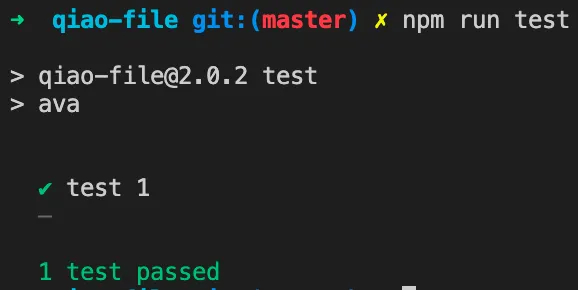
Basic Test Case
// ava
const test = require("ava");

// test 1
test("test 1", (t) => {
  t.pass();
});
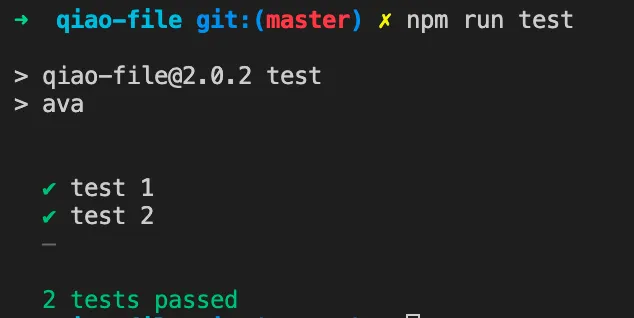
Running Multiple Test Cases in Parallel
// ava
const test = require("ava");

// test 1
test("test 1", (t) => {
  t.pass();
});

// test 2
test("test 2", (t) => {
  t.pass();
});
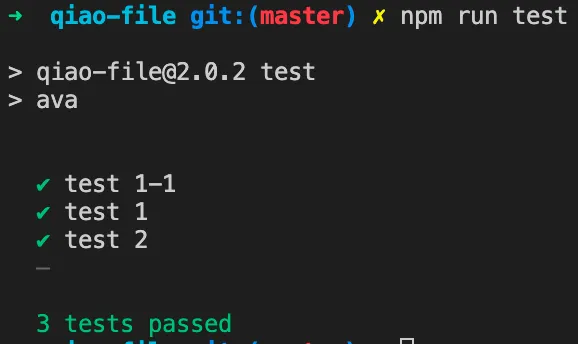
Running Multiple Test Cases Serially
// ava
const test = require("ava");

// test 1
test("test 1", (t) => {
  t.pass();
});

// test 1-1
test.serial("test 1-1", (t) => {
  t.pass();
});

// test 2
test("test 2", (t) => {
  t.pass();
});
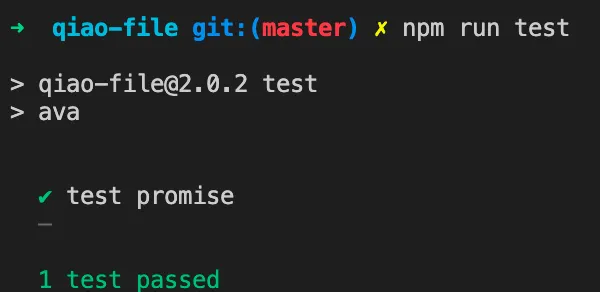
Promise Test Cases
// ava
const test = require("ava");

// q
const { isExists } = require("../../index.js");

// test promise
test("test promise", (t) => {
  const fpath = "/path/not/exists";
  return isExists(fpath).then((result) => {
    t.falsy(result);
  });
});
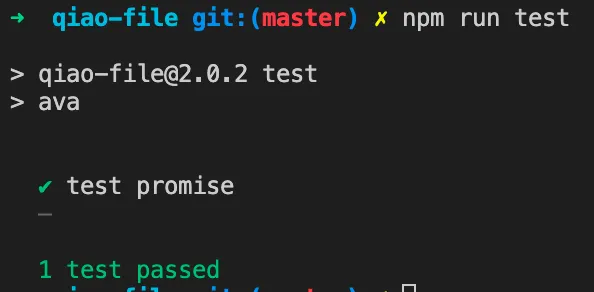
Async / Await Test Cases
// ava
const test = require("ava");

// q
const { isExists } = require("../../index.js");

// test promise
test("test promise", async (t) => {
  const fpath = "/path/not/exists";
  const res = await isExists(fpath);
  t.falsy(res);
});
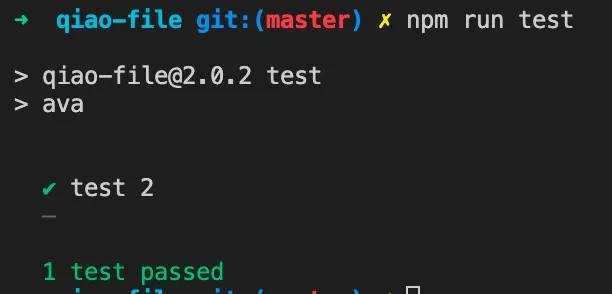
Running Only a Specific Test Case
// ava
const test = require("ava");

// test 1
test("test 1", (t) => {
  t.pass();
});

// test 2
test.only("test 2", (t) => {
  t.pass();
});
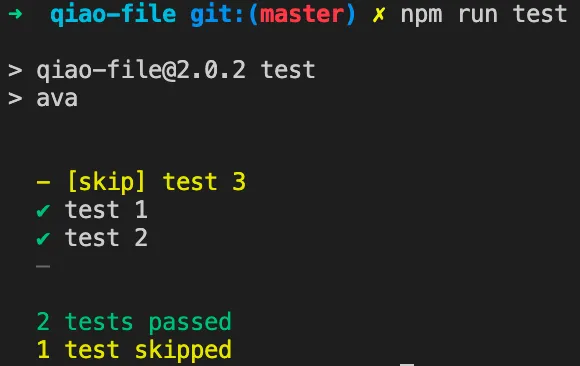
Skipping a Test Case
// ava
const test = require("ava");

// test 1
test("test 1", (t) => {
  t.pass();
});

// test 2
test("test 2", (t) => {
  t.pass();
});

// test 3
test.skip("test 3", (t) => {
  t.fail();
});
Todo Test Cases
// ava
const test = require("ava");

// test 1
test("test 1", (t) => {
  t.pass();
});

// test 2
test("test 2", (t) => {
  t.pass();
});

// test 3
test.skip("test 3", (t) => {
  t.fail();
});

// test 4
test.todo("test 4");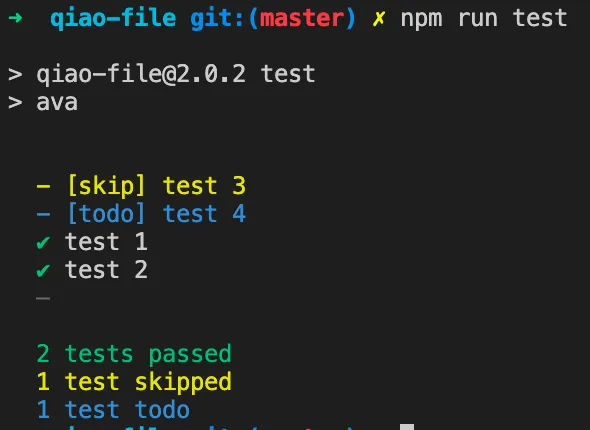
Expected-Failing Test Cases
// ava
const test = require("ava");

// test 1
test("test 1", (t) => {
  t.pass();
});

// test 2
test("test 2", (t) => {
  t.pass();
});

// test 3
test.skip("test 3", (t) => {
  t.fail();
});

// test 4
test.todo("test 4");

// test 5
test.failing("test 5", (t) => {
  t.fail(); // Test will count as passed
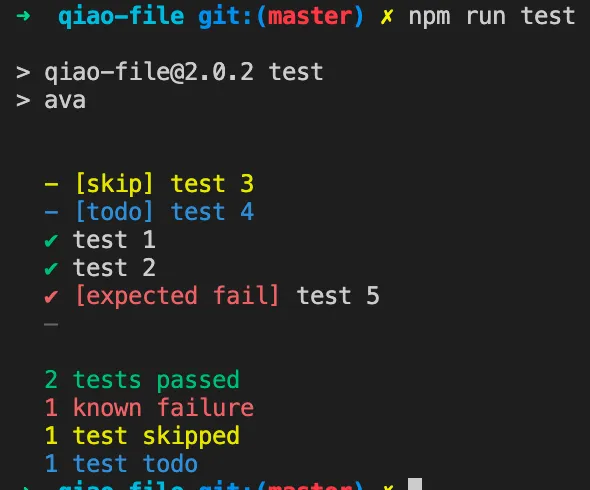
});
Hooks: before, after, etc.
The before hook runs before all test cases:
// ava
const test = require("ava");
// before
test.before(() => {
console.log("before 1");
});
// test
test("test 1", (t) => {
t.pass();
});
test("test 2", (t) => {
t.pass();
});
test.serial("test serial", (t) => {
t.pass();
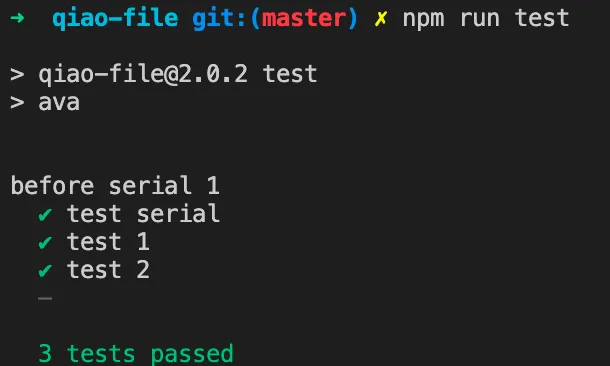
});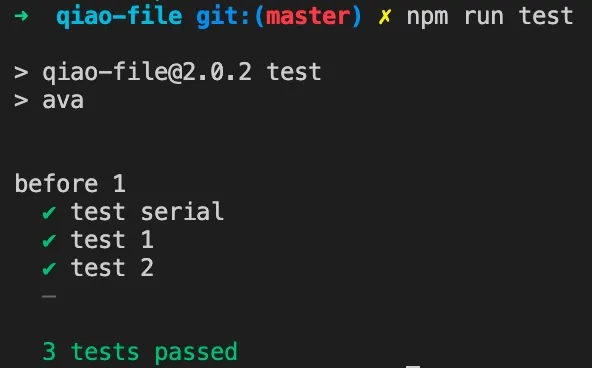 The serial before hook runs serially before all test cases:
// ava
const test = require("ava");

// serial before
test.serial.before(() => {
  console.log("before serial 1");
});

// test
test("test 1", (t) => {
  t.pass();
});
test("test 2", (t) => {
  t.pass();
});
test.serial("test serial", (t) => {
  t.pass();
});
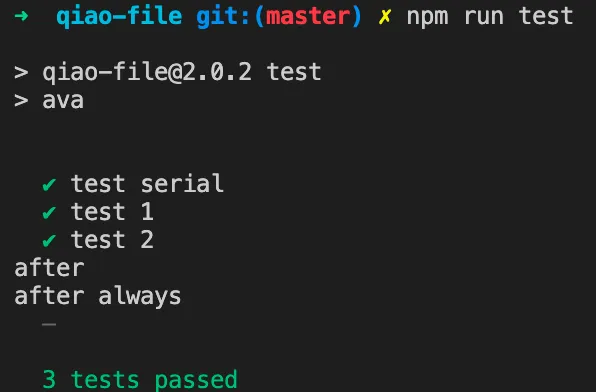
The after and after.always hooks run after all test cases:
// ava
const test = require("ava");

// after
test.after(() => {
  console.log("after");
});
test.after.always(() => {
  console.log("after always");
});

// test
test("test 1", (t) => {
  t.pass();
});
test("test 2", (t) => {
  t.pass();
});
test.serial("test serial", (t) => {
  t.pass();
});
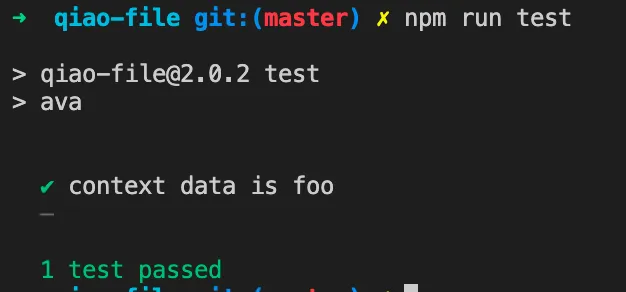
Test Context
// ava
const test = require("ava");

test.beforeEach((t) => {
  t.context.data = "foo";
});

test("context data is foo", (t) => {
  t.is(t.context.data + "bar", "foobar");
});
Macros
// ava
const test = require("ava");

function macro(t, input, expected) {
  t.is(eval(input), expected);
}

test("2 + 2 = 4", macro, "2 + 2", 4);
test("2 * 3 = 6", macro, "2 * 3", 6);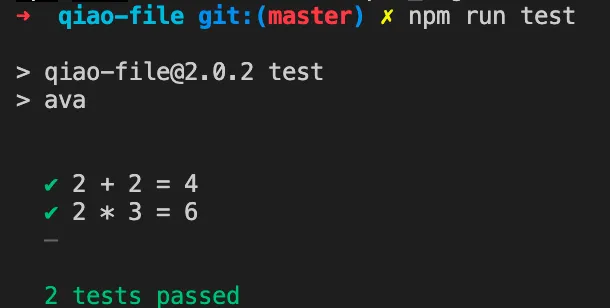
Execution Context (t)
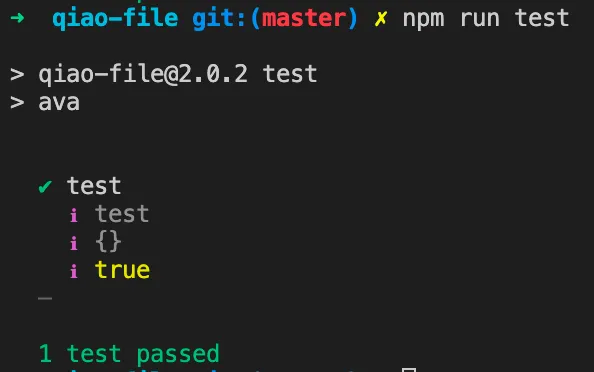
The t parameter in the test callback is the execution context:
title: the test case titlecontext: the test case contextpassed: whether the test case passedlogmethod: prints logs, replacingconsole.log
// ava
const test = require("ava");

// test
test("test", (t) => {
  t.log(t.title);
  t.log(t.context);
  t.log(t.passed);
  t.pass();
});
Assertions
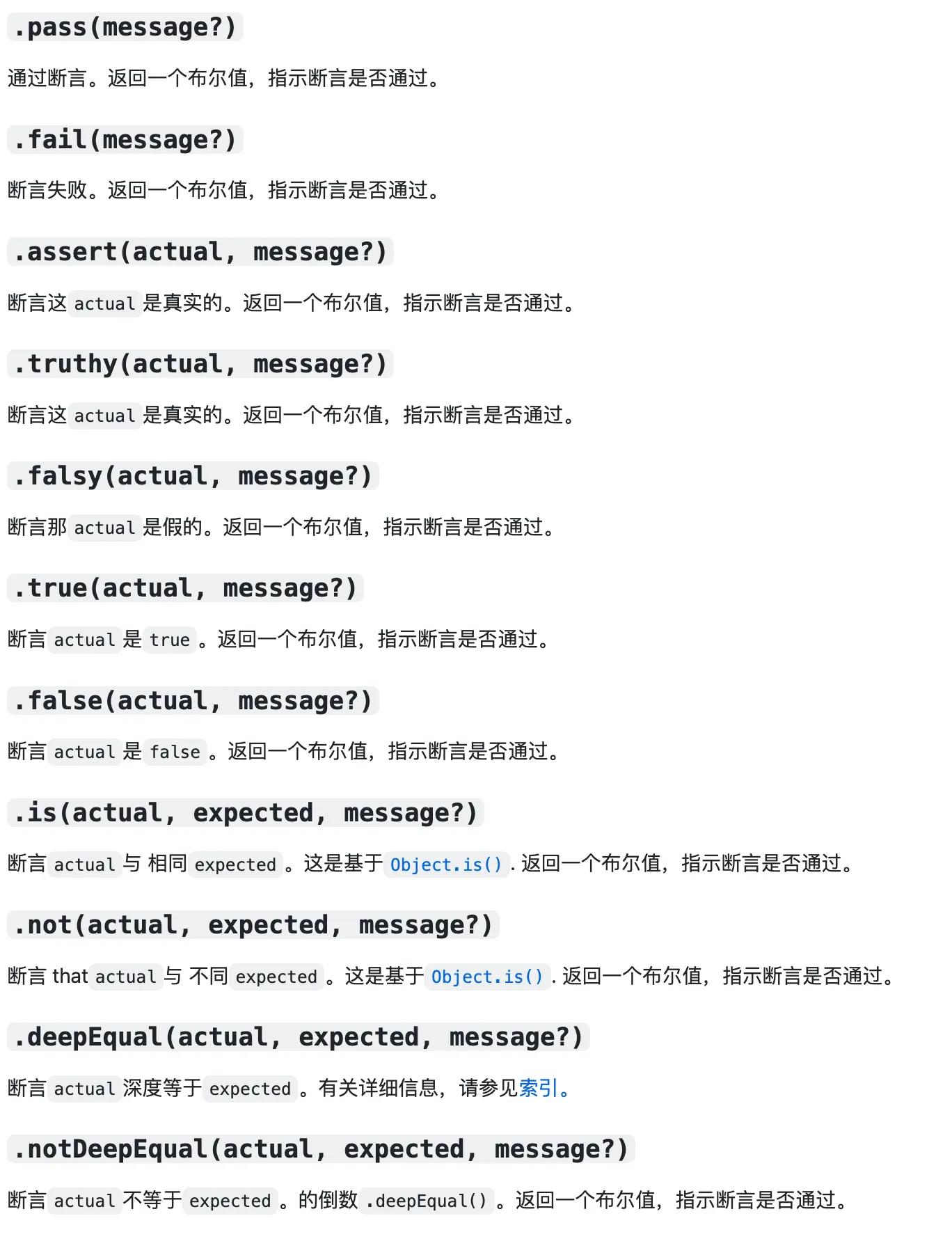
AVA supports common assertions:
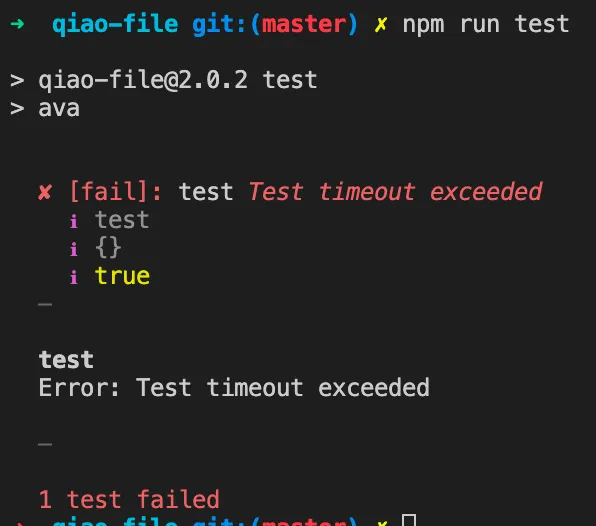
Setting Timeouts
// ava
const test = require("ava");

// test
test("test", async (t) => {
  t.timeout(1);

  await hello();
  t.pass();
});

function hello() {
  return new Promise((resolve) => {
    setTimeout(() => {
      resolve();
    }, 1000);
  });
}
Summary
AVA is lightweight but very convenient to use:
- Powerful configuration file
- Powerful test cases
- Powerful hooks and macros
- Powerful assertions
- Powerful CLI
Feel free to explore further:
Related Articles
Getting Started with Mantine UI
Preface: In 2023, which UI framework should you use for frontend development? Key requirements: PC and mobile support, dark/light theme switching, rich components, and React support. After comparing React UI libraries on GitHub, Mantine UI stands out for its extensive component library.
Using npm Workspaces for Frontend Monorepos
Migrating from lerna bootstrap to npm workspaces for monorepo dependency management — comparing lerna.json vs package.json config, node_modules location, and local package linking.
Initializing a Frontend Monorepo Project
Preface: This article documents the process of initializing a frontend Monorepo project, covering LICENSE, git configuration, package.json, commitizen, commitlint, rollup, ava, lerna, nx, prettier, eslint, and lint-staged.
Nx VS Lerna
Comparing NX and Lerna for monorepo management — task execution, local caching, distributed caching, dependency visualization, version management, and npm publishing.
The Powerful Build System: NX
A hands-on guide to NX build system — covering project creation, build configuration, task execution, dependency graph, local caching, nx-cloud, and distributed caching.