
StableDiffusionWebUI: Linux Installation
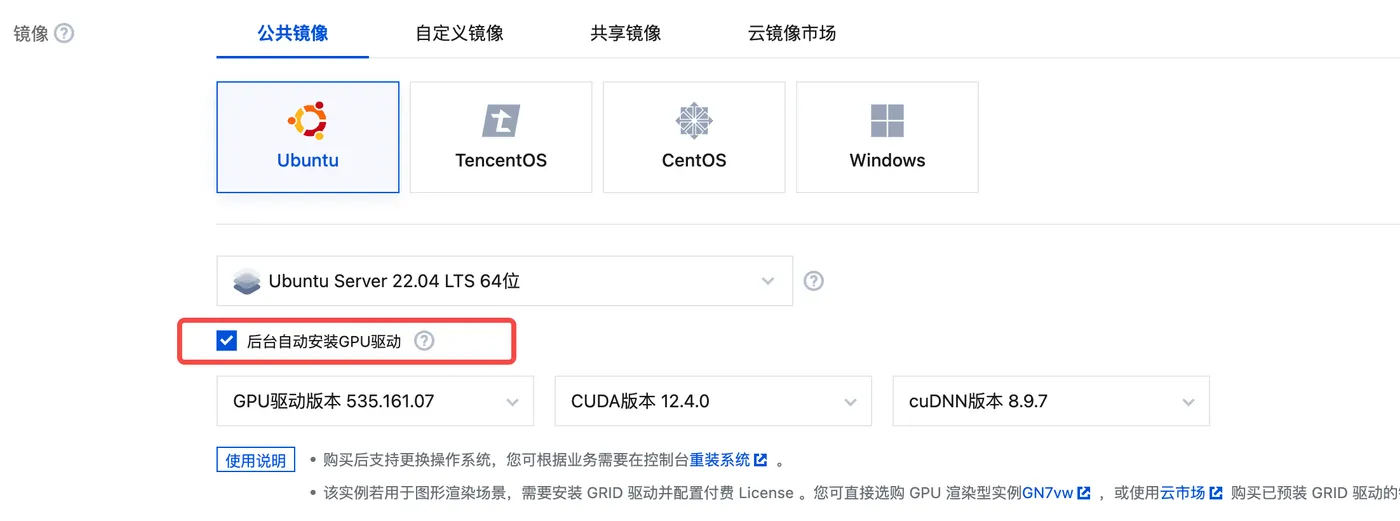
Table of Contents

Preface
The previous section covered how to install Stable Diffusion on Mac: StableDiffusionWebUI: Mac Installation
The Linux installation is quite similar.
This section introduces how to install SD on Linux.
Server
Since the installation process requires many dependencies,
it is recommended to use a Hong Kong spot GPU server for the installation.
After installation, create a server image and sync it to other regions.
Make sure to check the option to automatically install GPU drivers when configuring the server. This avoids many subsequent issues.
This way, the GPU drivers will be automatically installed when you first enter the server.
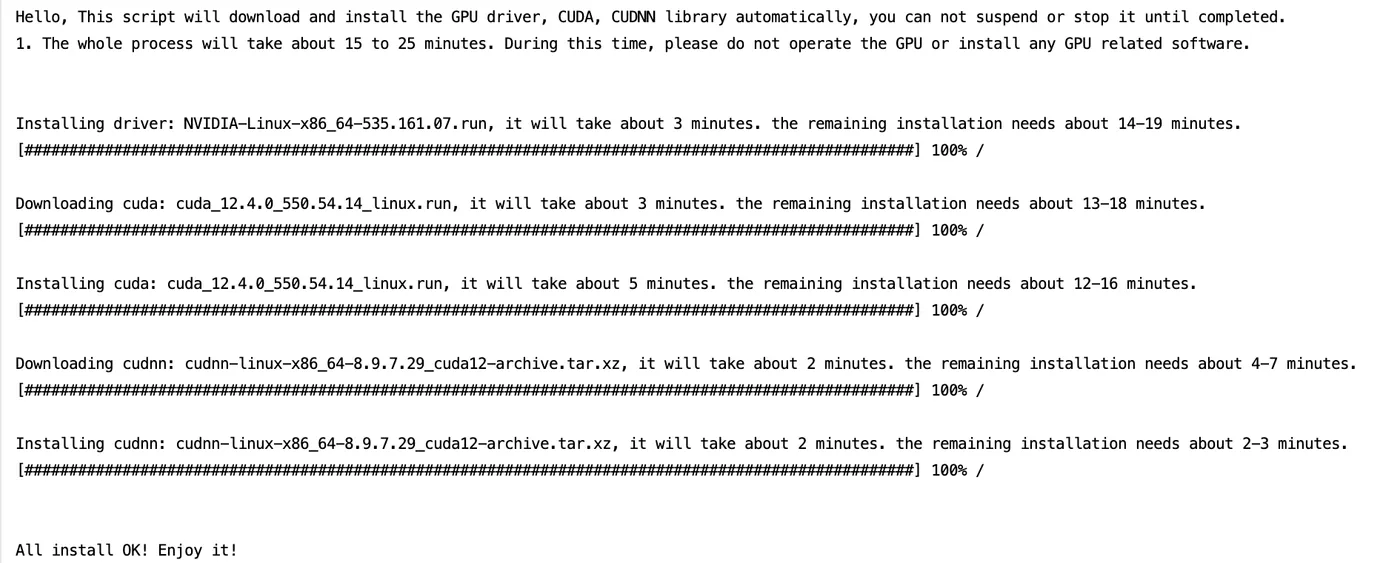
If the drivers are not installed automatically, you can install them manually:
https://cloud.tencent.com/document/product/560/8048?from_cn_redirect=1
Installation
Update Server Software
It is best to update first to avoid unexpected issues.
sudo apt update
sudo apt upgrade
Install Dependencies
sudo apt install wget git python3 python3-venv libgl1 libglib2.0-0Install tcmalloc
During the subsequent installation, you will be prompted whether to install tcmalloc to improve memory allocation. You can install it in advance.
sudo apt install google-perftoolsDownload Installation Script
mkdir sdwebui && cd sdwebui
wget -q https://raw.githubusercontent.com/AUTOMATIC1111/stable-diffusion-webui/master/webui.sh
sudo chmod +x webui.sh
Run the Script
# For the first launch, run without additional parameters to let sdwebui install dependencies
./webui.sh
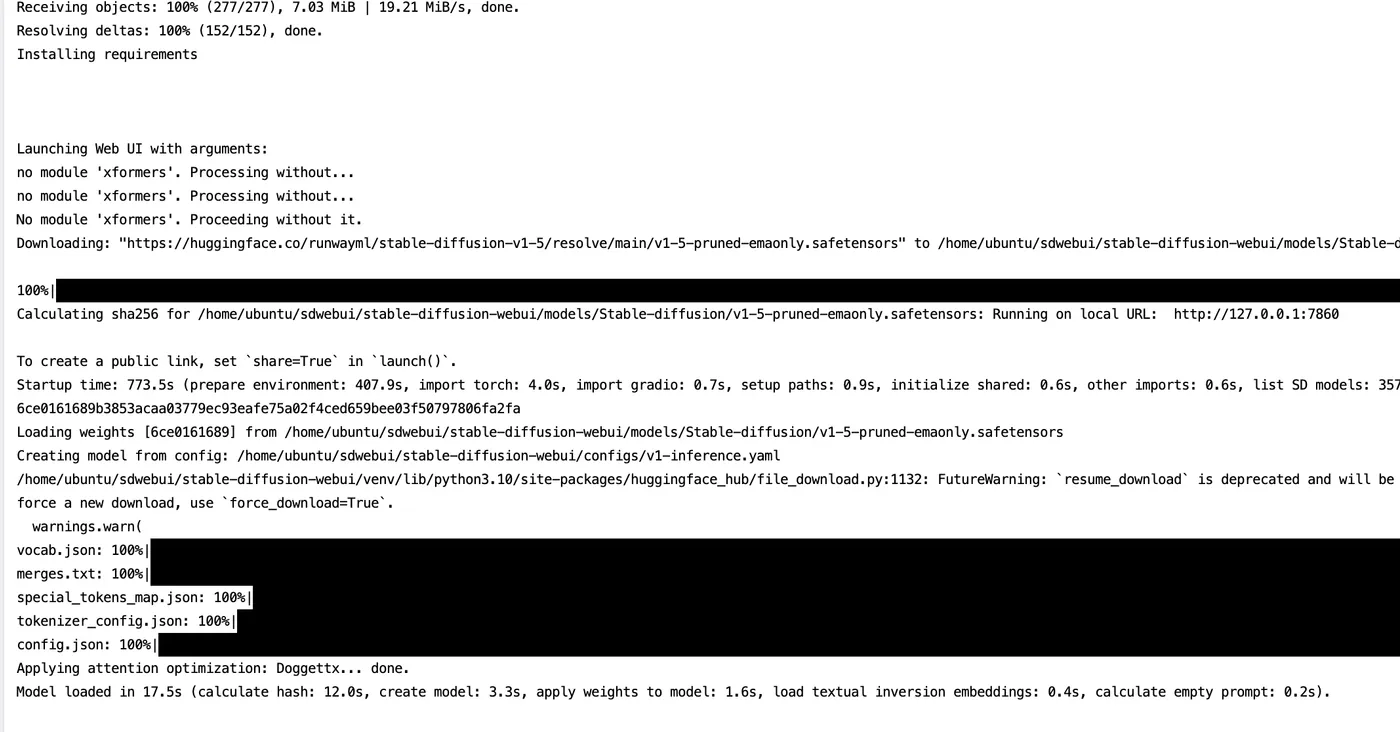
Startup Complete
After a long wait, sdwebui starts successfully. Subsequent startups will be much faster.
SDWebUI
|—Link: https://sdwebui.ai/?from=vq
|—Authentic Stable Diffusion WebUI V1.10.1~
|—Top-tier 4090 GPU, premium members get exclusive single 4090 card for image generation~
|—Supports Mac client, Windows client, and Web online usage~
|—Innovative instant model transfer feature, instantly use local models~
|—Supports txt2img, img2img, extras, and PNG info
|—Supports CLIP interrogation and DeepBooru interrogation
|—Supports Hires.fix with 21 built-in upscaling models
|—Supports ADetailer with 11 built-in repair models
|—Supports ControlNet with 44 built-in preprocessors and 68 built-in models
|—Supports super-resolution upscaling (Tiled Diffusion, Demo Fusion, Tiled VAE)
|—Supports old photo restoration with 21 built-in upscaling models, plus GFPGAN and CodeFormer restoration models
|—Built-in 2 common Styles, 11 popular Checkpoint models, 7 popular LoRA models, 14 common embeddings
|—Built-in oldsix prompt plugin
|—Built-in 23-lesson beginner tutorial
Related Articles
sdwebui.ai - Ready-to-Use Native sdwebui
sdwebui.ai sdwebui.ai is a ready-to-use native online sdwebui. URL: https://www.sdwebui.ai/ Authentic Stable Diffusion WebUI V1.10.1 Top-tier 4090 GPU, premium members get exclusive single 4090 for image generation Supports Mac client, Windows client, and Web online usage
StableDiffusionWebUI: Detail Repair (ADetailer)
Using ADetailer to fix facial and hand details in Stable Diffusion — installation, usage, parallel repair, and model comparison.
SodaArt - Restore Old Photos in Three Steps
Environment Setup Open https://sodaart.ai/, download the Mac or Windows client, install and open it locally, or click Online Generation to open the web version directly. Step 1: Log in to the homepage Use your phone number + verification code to log in, then click Online Generation. Step 2: Upload old photos in the Extras tab Under Online Generation - Extras tab, upload your old photos. Step 3: Configure
StableDiffusionWebUI: Old Photo Restoration (GFPGAN)
Preface: One of the use cases for sdwebui is old photo restoration. Common old photo restoration tools existed before sdwebui, including GFPGAN and CodeFormer. However, combining them with Hires.fix in sdwebui yields even better results.
StableDiffusionWebUI: Image Info (PNG Info)
Preface: PNG Info is a built-in feature of sdwebui that is essential in everyday image generation workflows. It allows you to upload an image, read its meta information, parse the generation parameters, and conveniently send them to other features like txt2img, img2img, and inpainting.