
Building a Node.js Web Server in One Article

Preface
There are many server-side frameworks for Node.js, such as Express, Koa, etc.
This article builds a Node.js web server from scratch.
http
To implement a Node.js web server, you need the http module.
https://nodejs.org/dist/latest-v16.x/docs/api/http.html
Let’s get straight to the point — start a web server using the http module:
// http
const http = require('http');

// server
const server = http.createServer();

// request
server.on('request', (request, response) => {
  console.log('request');
});

// listen
server.listen(8080);
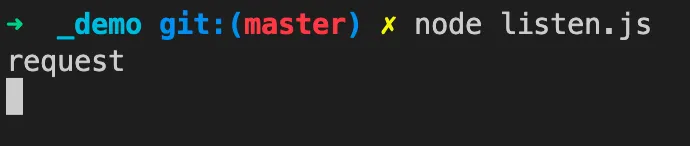
After starting, visit http://localhost:8080/ locally.
You’ll see the console log, confirming the simplest web server is running.
res.end
Although we received the request, there’s no response — the browser keeps spinning.
We can respond using the response object provided by http:
// http
const http = require('http');

// server
const server = http.createServer();

// request
server.on('request', (request, response) => {
  console.log('request');

  response.end('hello world');
});

// listen
server.listen(8080);
Request again, and you can see the response:

parseurl
Now we have a simple Node.js web server
that returns text to the browser.
Next, we need to parse the URL the user visits.
The parseurl npm package is recommended for this:
https://www.npmjs.com/package/parseurl
This library parses the URL into a JS object:
// http
const http = require('http');

// server
const server = http.createServer();

// request
server.on('request', (request, response) => {
  console.log('request');

  const url = require('parseurl')(request);
  console.log('url:', url);

  response.end('hello world');
});

// listen
server.listen(8080);
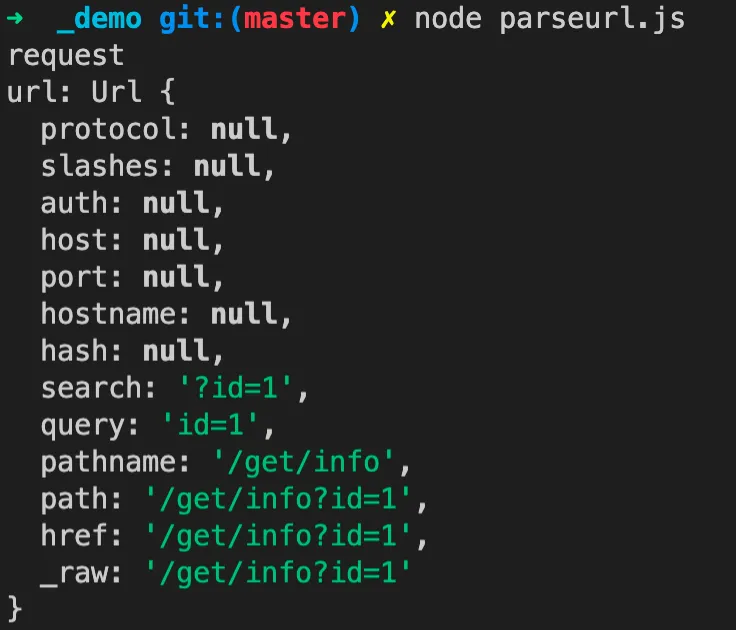
Then request a complex URL: http://localhost:8080/get/info?id=1
The console output shows the URL parsed into a JS object:
query
After parsing the URL, you can see the query parameter is returned.
For example, with the request URL: http://localhost:8080/get/info?id=1,
id=1 is the query.
The qs npm package is recommended for parsing:
https://www.npmjs.com/package/qs
Parsing code:
// http
const http = require('http');

// server
const server = http.createServer();

// request
server.on('request', (request, response) => {
  console.log('request');

  const url = require('parseurl')(request);
  const query = require('qs').parse(url.query);
  console.log('query:', query);

  response.end('hello world');
});

// listen
server.listen(8080);
Request again, and the console shows the query parsed into a JS object:

headers
How to get the headers from a request?
You can use rawHeaders from the request object:
// http
const http = require('http');

// server
const server = http.createServer();

// request
server.on('request', (request, response) => {
  console.log('request');

  console.log('headers:', request.rawHeaders);

  response.end('hello world');
});

// listen
server.listen(8080);
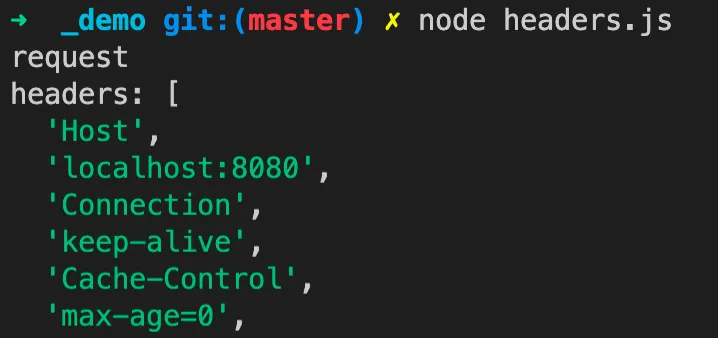
Request again, and the console outputs
the headers array — odd indices are keys, even indices are values:
cookies
Next, let’s get cookies.
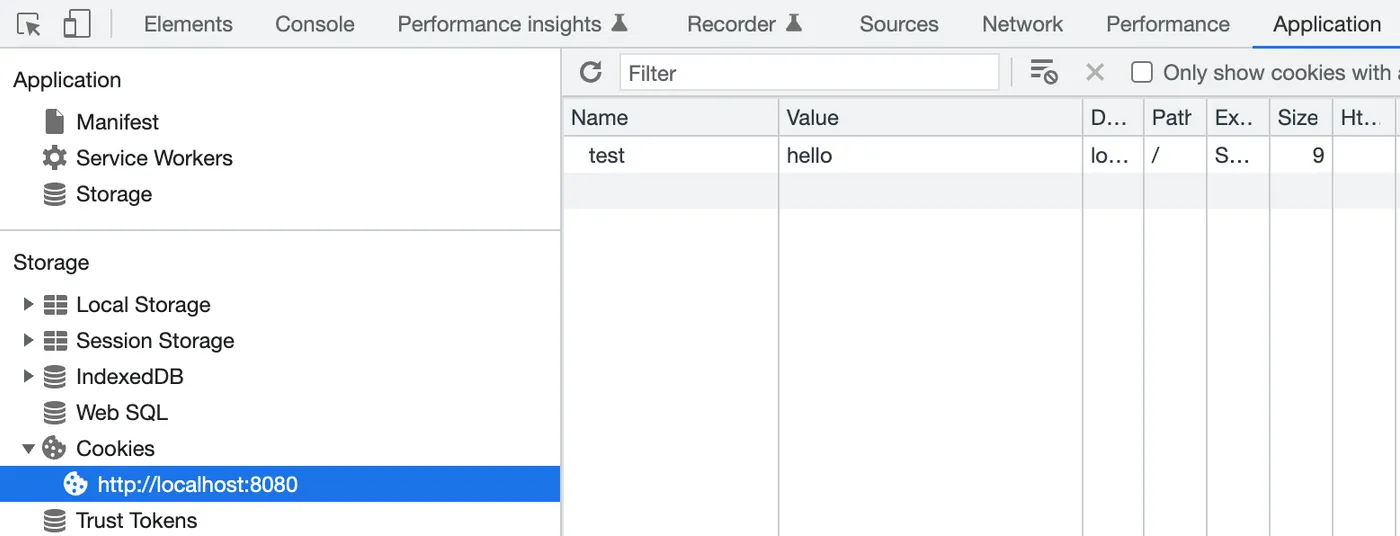
First, manually set a cookie in the browser devtools —
key is test, value is hello:
Request again, and the console shows that headers now include Cookie:
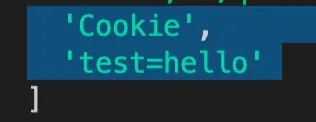
The cookie npm package is recommended for parsing:
https://www.npmjs.com/package/cookie
Code:
// http
const http = require('http');

// server
const server = http.createServer();

// request
server.on('request', (request, response) => {
  console.log('request');

  const cookies = 'test=hello';
  const obj = require('cookie').parse(cookies);
  console.log('cookies:', obj);

  response.end('hello world');
});

// listen
server.listen(8080);
Request again, and the console shows the cookie parsed into a JS object:

useragent
Similarly, you can parse the useragent.
First, get the useragent from headers.
The qiao-ua npm package is recommended for parsing:
https://www.npmjs.com/package/qiao-ua
Parsing code:
// http
const http = require('http');

// server
const server = http.createServer();

// request
server.on('request', (request, response) => {
  console.log('request');

  const ua =
    'Mozilla/5.0 (Macintosh; Intel Mac OS X 10_15_7) AppleWebKit/537.36 (KHTML, like Gecko) Chrome/106.0.0.0 Safari/537.36';
  const obj = require('qiao-ua')(ua);
  console.log('user-agent', obj);

  response.end('hello world');
});

// listen
server.listen(8080);
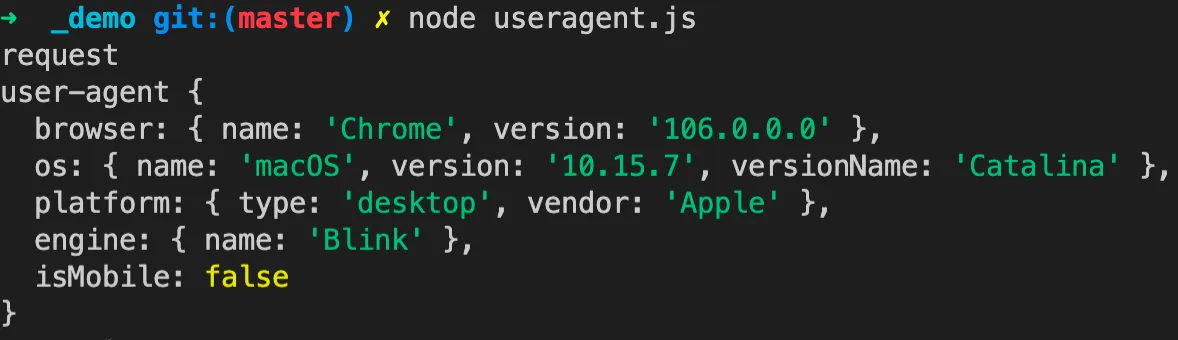
After requesting, the console shows the useragent parsed into a JS object,
returning browser info, OS info, platform info, engine info, whether it’s mobile, etc.
body
The most common HTTP request methods are GET and POST.
GET request parameters can be obtained by parsing the query as shown above.
POST request parameters typically require parsing the body.
The most common way to send a POST request is through a form.
Common form content types:
-
application/x-www-form-urlencoded — default format
-
multipart/form-data — used for file uploads
-
application/json — JSON format
Let’s first parse formats other than the second one.
The raw-body npm package is recommended:
https://www.npmjs.com/package/raw-body
Code:
// http
const http = require('http');

// raw body
const getRawBody = require('raw-body');

// server
const server = http.createServer();

// request
server.on('request', async (request, response) => {
  console.log('request');

  // headers
  const headers = handleHeaders(request);

  // content type
  const contentType = headers['content-type'];

  // options
  const options = {
    length: headers['content-length'],
    limit: '1mb',
    encoding: true,
  };

  // body str
  const bodyString = await getRawBody(request, options);
  console.log(contentType, bodyString);

  response.end('hello world');
});

// listen
server.listen(8080);

// handle headers
function handleHeaders(request) {
  const headers = {};

  // check
  const rawHeaders = request.rawHeaders;
  if (!rawHeaders || !rawHeaders.length) return headers;

  // handle
  rawHeaders.forEach((h, i) => {
    if (i % 2 == 0) headers[h.toLowerCase()] = rawHeaders[i + 1];
  });
  return headers;
}
This time we need to send a POST request. You can use apipost: https://www.apipost.cn/
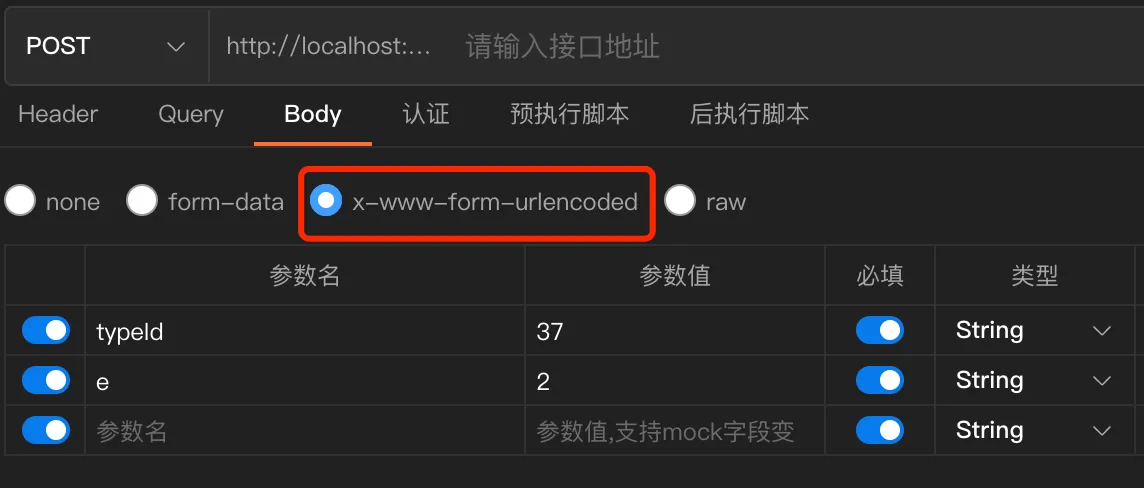
After sending the POST request, the console outputs the content-type and body:
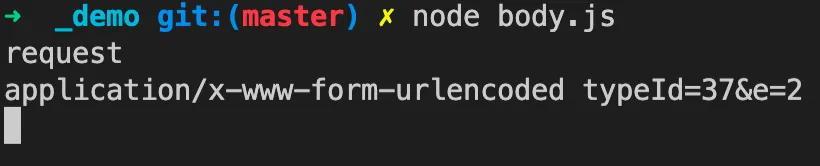
Now you can parse the body based on the content-type:
// body str
let body;
const bodyString = await getRawBody(request, options);
if (contentType.indexOf('application/x-www-form-urlencoded') > -1) {
  body = require('qs').parse(bodyString);
}
if (contentType.indexOf('application/json') > -1) {
  body = JSON.parse(bodyString);
}
console.log(contentType, bodyString, body);
Request again, and the console outputs the content-type, bodyString, and parsed body:

upload
The second body format mentioned above is special.
multipart/form-data is the format used for file uploads.
The qiao-z-upload npm package is recommended for parsing upload bodies:
https://www.npmjs.com/package/qiao-z-upload
Code:
// body
if (contentType.indexOf('multipart/form-data') > -1) {
  const body = await require('qiao-z-upload').uploadSync(request);
  console.log(contentType, body);
}
After parsing, it returns files and fields:
{
    fields: fields,
    files: files
}
CORS
Cross-origin requests are common. How to handle them?
Just set the corresponding headers in the response.
Here we return * for all, but in practice you can customize as needed:
// http
const http = require('http');

// server
const server = http.createServer();

// request
server.on('request', (request, response) => {
  console.log('request');

  response.writeHead(200, {
    'Access-Control-Allow-Origin': '*',
    'Access-Control-Allow-Methods': '*',
    'Access-Control-Allow-Headers': '*',
  });

  response.end('hello world');
});

// listen
server.listen(8080);
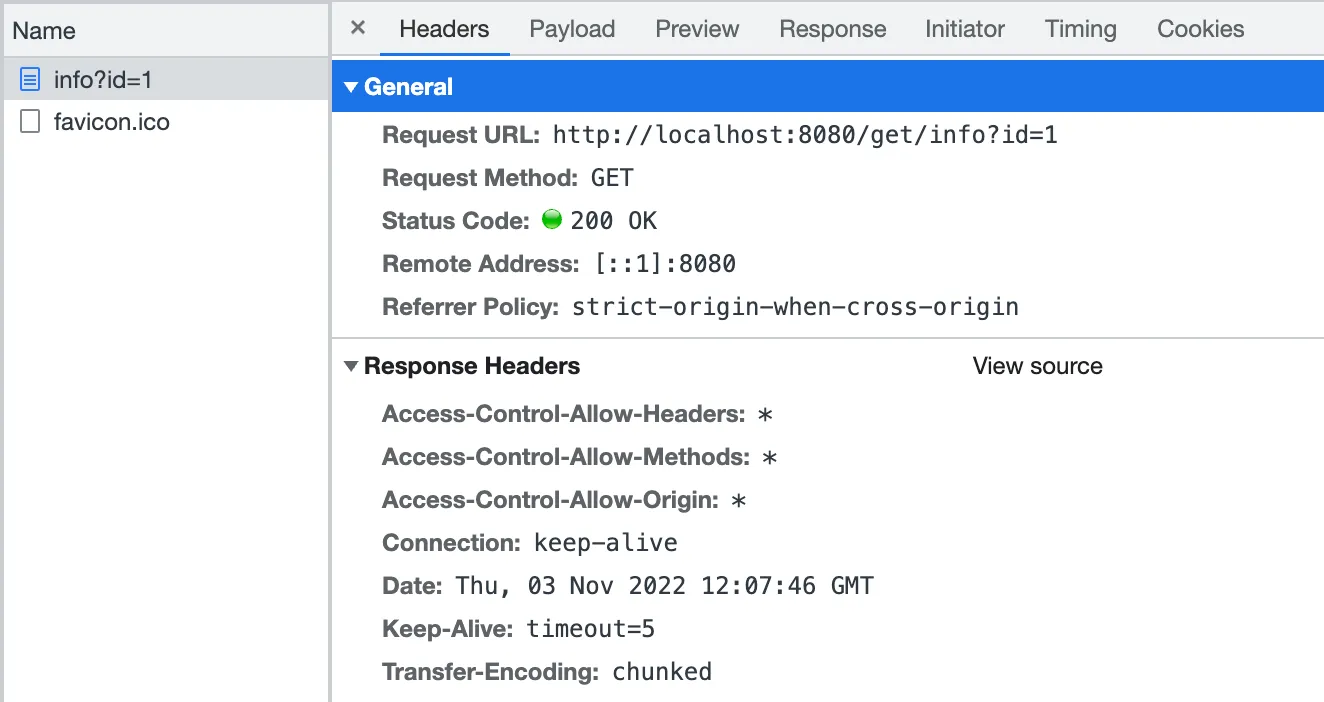
Request again, and in devtools you can see
the response headers now include the CORS information:
redirect
How to redirect a request:
// http
const http = require('http');

// server
const server = http.createServer();

// request
server.on('request', (request, response) => {
  console.log('request');

  const url = 'https://insistime.com/';

  response.writeHead(302, { Location: url });
  response.end();
});

// listen
server.listen(8080);
Request http://localhost:8080 again,
and it redirects directly to https://insistime.com/
send
How to return a text response:
// http
const http = require('http');

// server
const server = http.createServer();

// request
server.on('request', (request, response) => {
  console.log('request');

  response.writeHead(200, { 'Content-Type': 'text/plain' });
  response.end('hello world');
});

// listen
server.listen(8080);
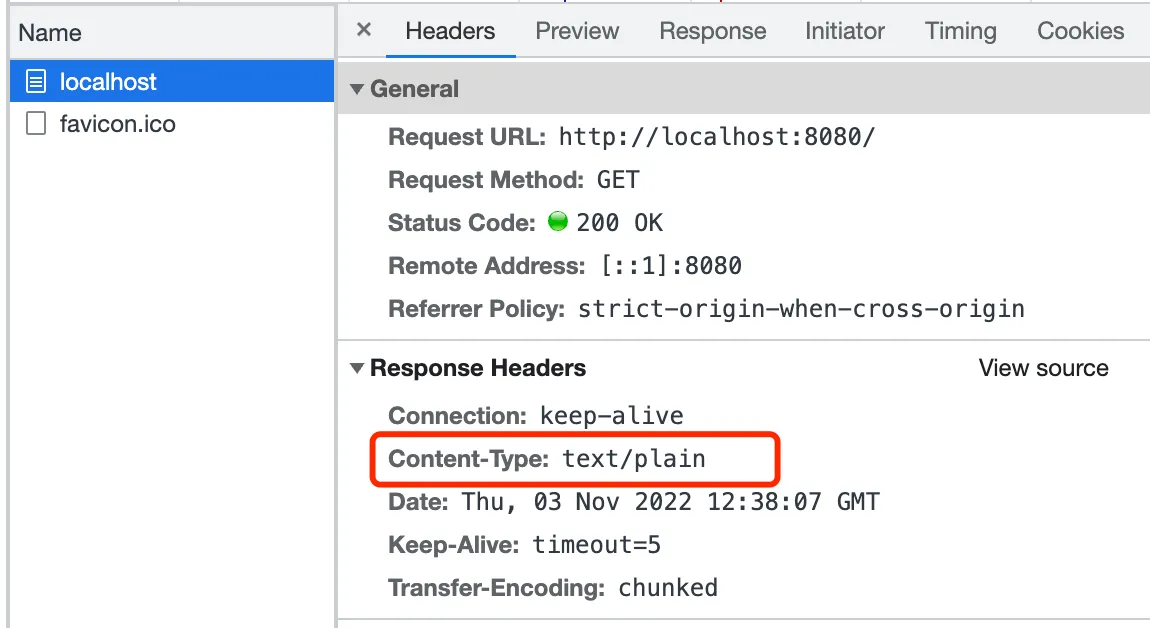
Request again, and the devtools response headers show:
json
How to return a JSON response:
// http
const http = require('http');

// server
const server = http.createServer();

// request
server.on('request', (request, response) => {
  console.log('request');

  const obj = {
    name: 'jack',
  };
  const json = JSON.stringify(obj);

  response.writeHead(200, { 'Content-Type': 'application/json' });
  response.end(json);
});

// listen
server.listen(8080);
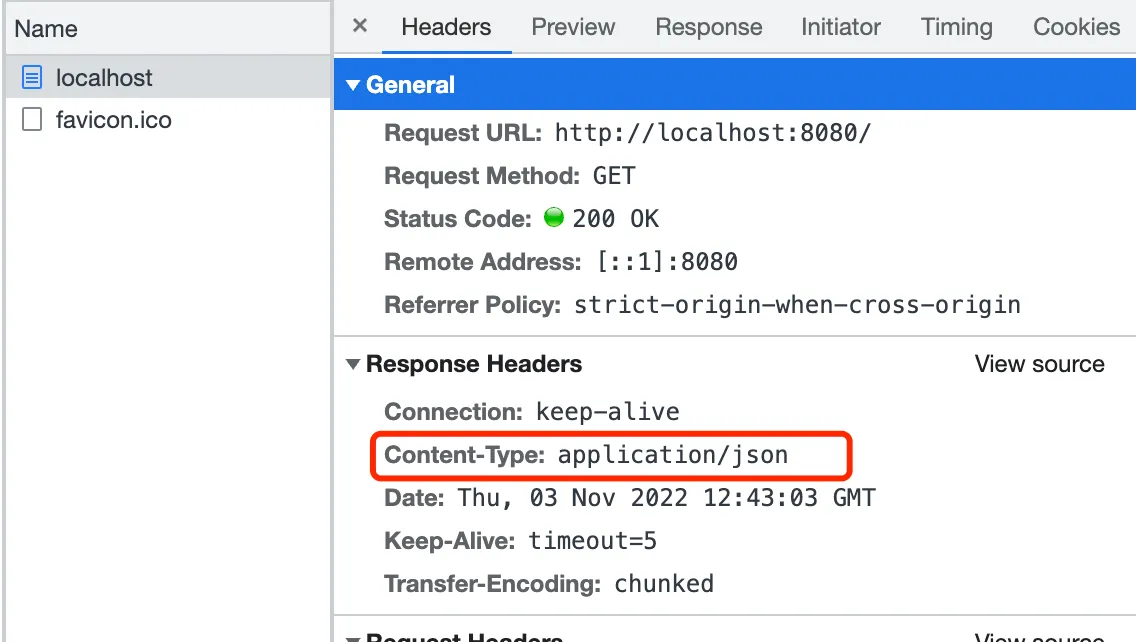
Request again, and the devtools response headers show:
render
How to render a file? The most common case is rendering HTML:
// http
const http = require('http');

// server
const server = http.createServer();

// request
server.on('request', (request, response) => {
  console.log('request');

  const htmlPath = require('path').resolve(__dirname, '../views/index.html');
  const html = require('fs').readFileSync(htmlPath, { encoding: 'utf8' });

  response.writeHeader(200, { 'Content-Type': 'text/html' });
  response.write(html);
  response.end();
});

// listen
server.listen(8080);
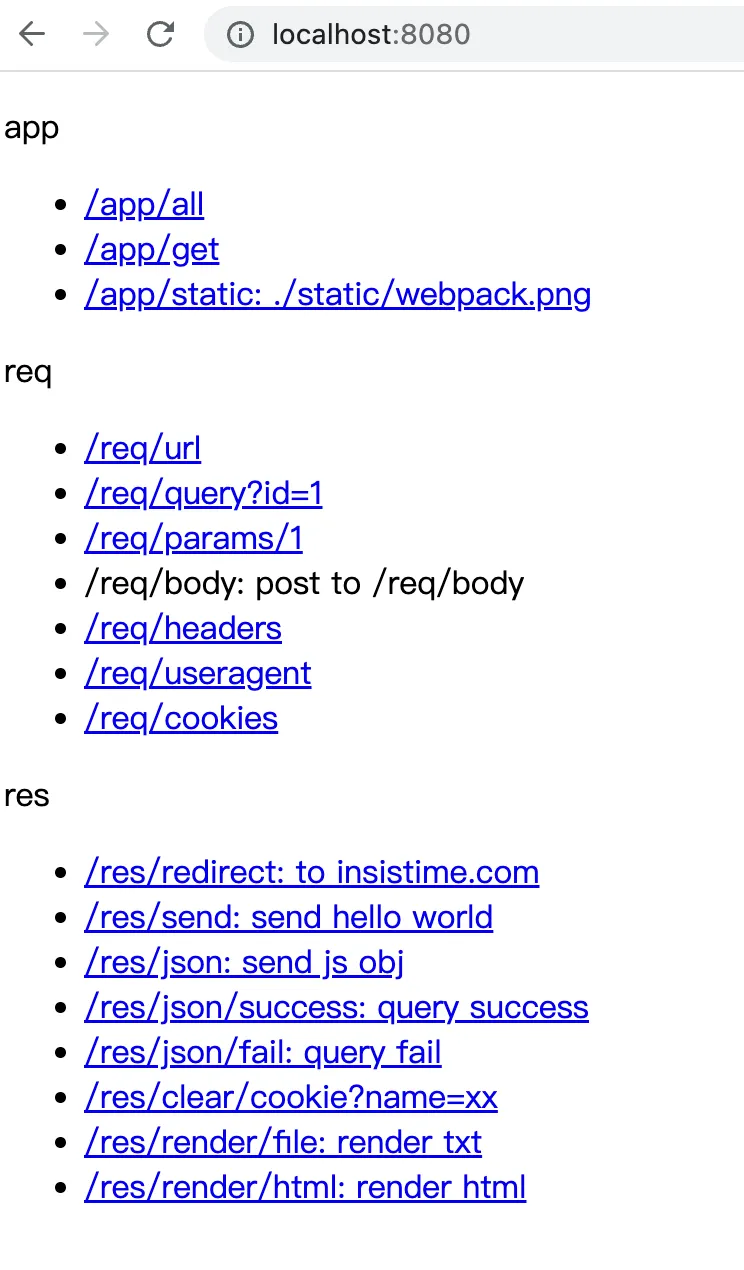
Request again, and you can see the HTML page is returned:
qiao-z
A wrapper npm package, feel free to use it: https://qiao-z.vincentqiao.com/#/
Installation
npm i qiao-zStart Server
// app
const app = require('qiao-z')();

// listen
app.listen(5277);
Register Routes
The recommended file structure:
|--server
    |--controller
        |--IndexController.js
    |--config.json
|--views
    |--index.html
|--app.js
|--package.json
Files ending with Controller.js are automatically registered. For example:
// index controller
// Register GET request
// /* means all requests are routed here
module.exports = function (app) {
  // index
  app.get('/*', function (req, res) {
    res.render('./views/index.html');
  });
};
Template Rendering
Supports template rendering. More: https://qiao-z.vincentqiao.com/#/guides/pages
const data = {
  user: {
    name: 'jack',
  },
};
res.render('./views/index.html', data);
Static Files
Supports serving static files, with higher priority than other requests:
app.static('/static', './static');GET Requests
Supports GET requests, /* wildcard, query parsing, and params parsing:
// all get request
app.get('/*', function (req, res) {
  res.render('./views/index.html');
});

// url/:code
app.get('/url/:code', function (req, res) {
  // req.params
  console.log(req.params.code);

  // render
  res.render('./views/index.html');
});

// url?code=1
app.get('/url', function (req, res) {
  // req.query
  console.log(req.query.code);

  // render
  res.render('./views/index.html');
});
POST Requests
Supports POST requests with body parsing:
// post
app.post('/url', function (req, res) {
  // req.body
  console.log(req.body);

  // render
  res.render('./views/index.html');
});
Supports POST requests with file upload parsing (requires qiao-z-upload):
// config
const config = require('./server/config.json');

// qz
const qz = require('qiao-z');

// options
const options = {
  // upload — handles file upload requests, returns file info to req.body
  upload: require('qiao-z-upload'),
};

// app
const app = qz(options);

// listen
app.listen(config.port);
CORS Requests
Supports cross-origin requests:
// config
const config = require('./server/config.json');

// qz
const qz = require('qiao-z');

// options
const options = {
  // cros — whether to enable cross-origin requests
  // cros: true is equivalent to
  // cros: {
  //     'Access-Control-Allow-Origin': '*',
  //     'Access-Control-Allow-Methods': '*',
  //     'Access-Control-Allow-Headers': '*',
  // }
  cros: true,

  // cros — custom
  cros: {
    'Access-Control-Allow-Origin': 'xx',
    'Access-Control-Allow-Methods': 'xx',
    'Access-Control-Allow-Headers': 'xx',
  },
};

// app
const app = qz(options);

// listen
app.listen(config.port);
Request Parsing
Parses the request:
-
URL parsing: req.url
-
Headers parsing: req.headers
-
Cookies parsing: req.cookies
-
Useragent parsing: req.useragent
Response
-
Redirect: res.redirect
-
Send text: res.send
-
Send JSON: res.json
-
Template rendering: res.render
Summary
-
Introduction to the http module
-
Starting a Node.js web server
-
Parsing URL
-
Parsing query
-
Parsing headers
-
Parsing cookies
-
Parsing useragent
-
Parsing body
-
Parsing file upload body
-
Cross-origin requests
-
Request redirect
-
Text response
-
JSON response
-
Rendering HTML
-
Minimal Node.js web server framework: qiao-z, https://qiao-z.vincentqiao.com/#/