
Syncing Gitlab Code to Github
Background
The company’s code has always been on the internal Gitlab,
including daily code commits, code reviews, project management, personnel management, etc.
Now there is a new business that needs to be deployed on AWS overseas,
which means we need to pull code from the internal Gitlab on Alibaba Cloud to AWS overseas.
Common solutions:
- Cross-border dedicated line from domestic Gitlab to overseas AWS
- Manually sync code to Github, etc.
- Automatically sync code to Github, etc.
Option 1 is unnecessary — too expensive.
Between options 2 and 3, option 3 is obviously preferred.
Solution
Daily code management and personnel management still stay on the internal Gitlab.
Use Gitlab’s mirroring feature to automatically sync code to Github.
AWS pulls code from Github.
Sync Setup
Create a Github Project
First, create a new account on Github, e.g., xx-robot.
If the project to sync is the internal Gitlab’s test project,
then create a corresponding test project under this Github account.
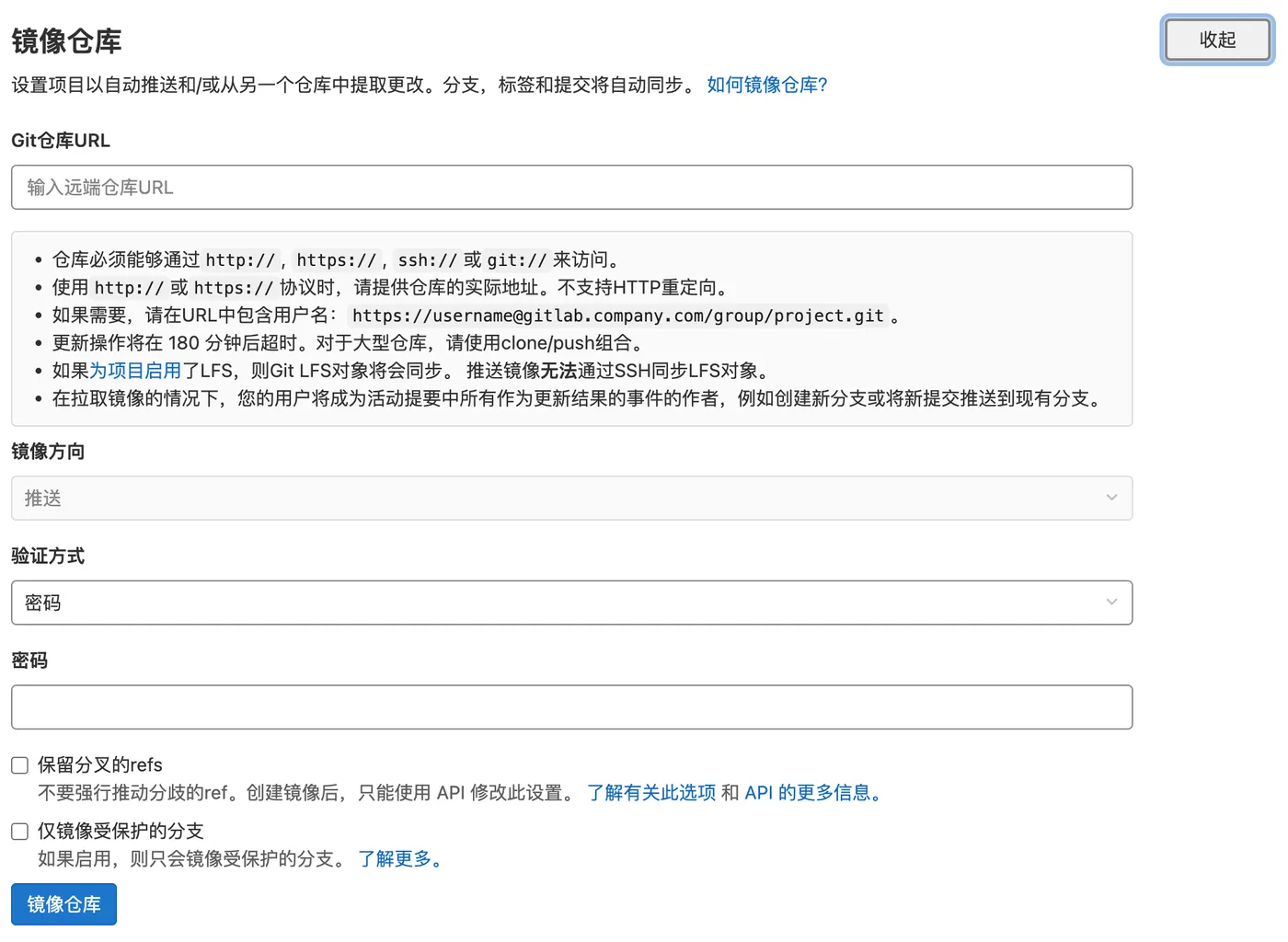
Configure Gitlab Mirroring
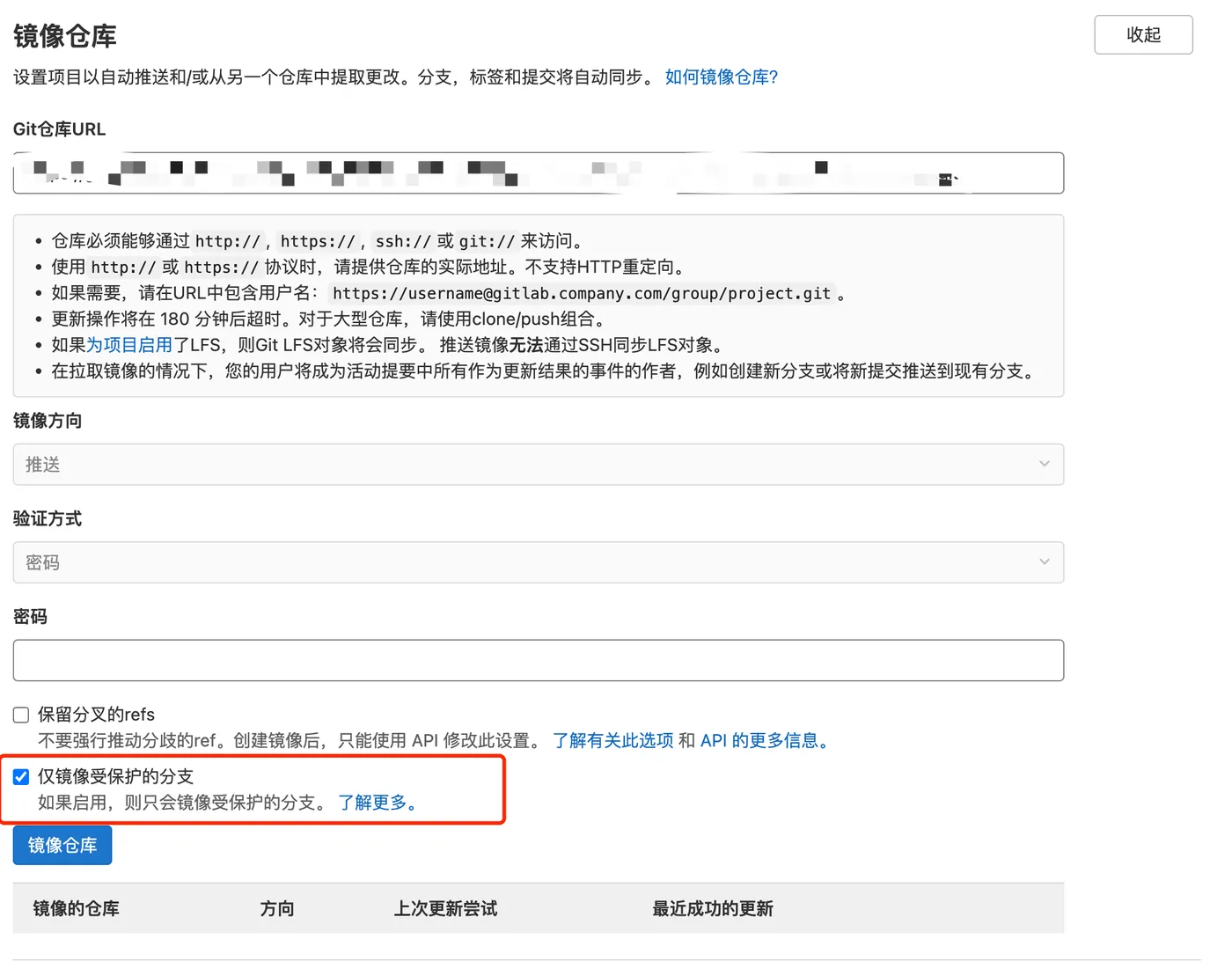
Go to Gitlab - test project - Settings - Repository - Mirroring repositories to configure,
Note the Github authentication method here.
Since Github has disabled pulling code with personal username + password,
you need to use Github’s personal access token instead.
Github Token
In Github Settings, select Developer Settings
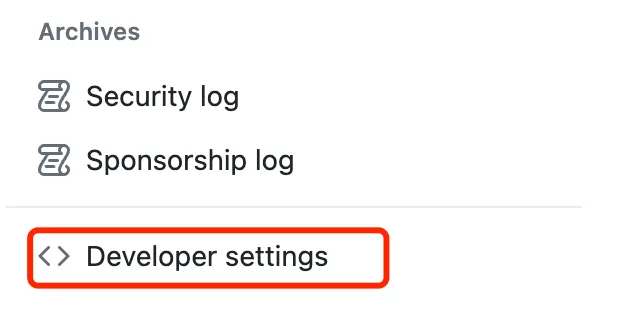
Then select Generate token under Personal Access Tokens

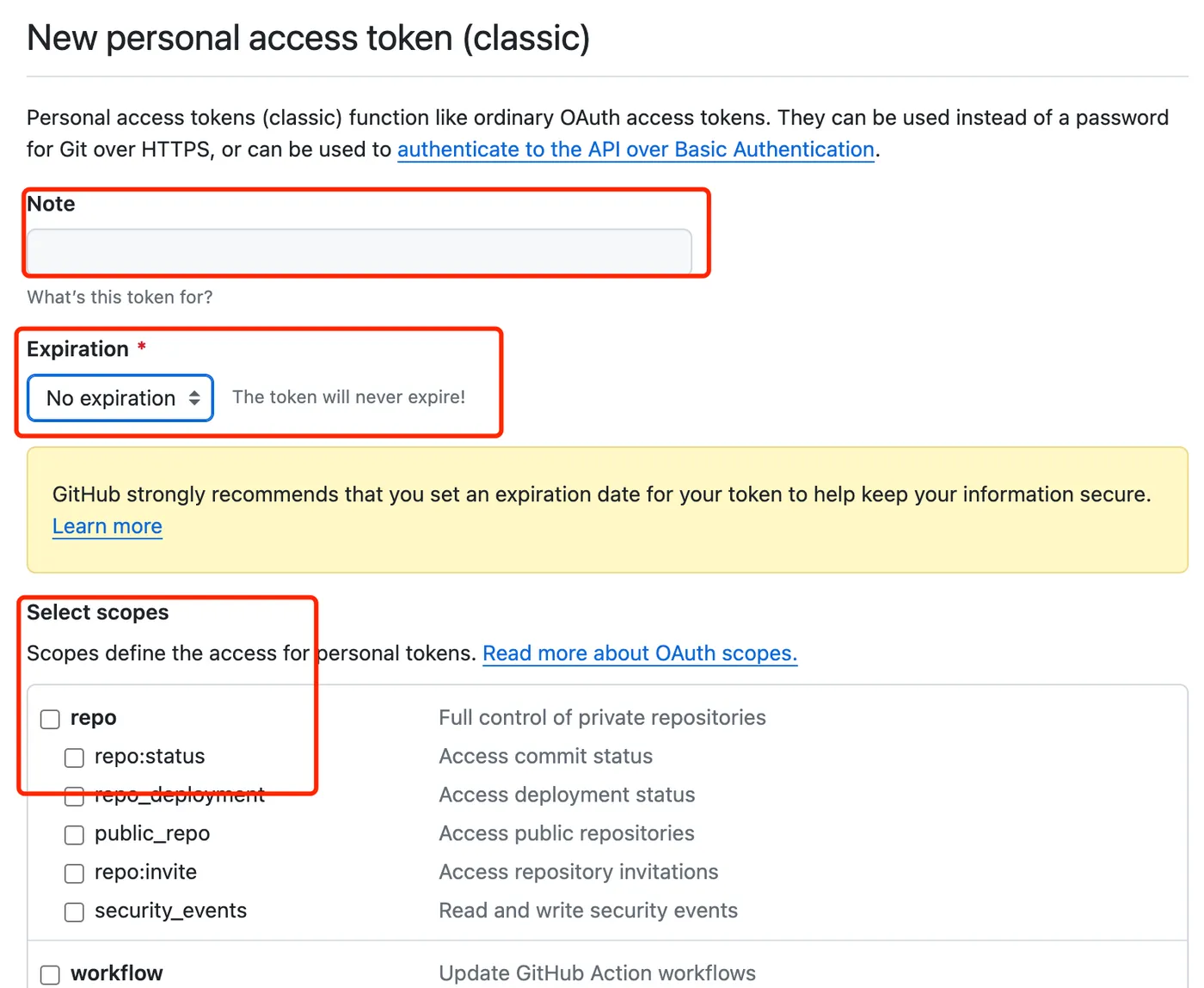
Enter any name for the note,
choose the expiration time based on your needs — here we select no expiration,
select permissions based on your needs — here we select all,
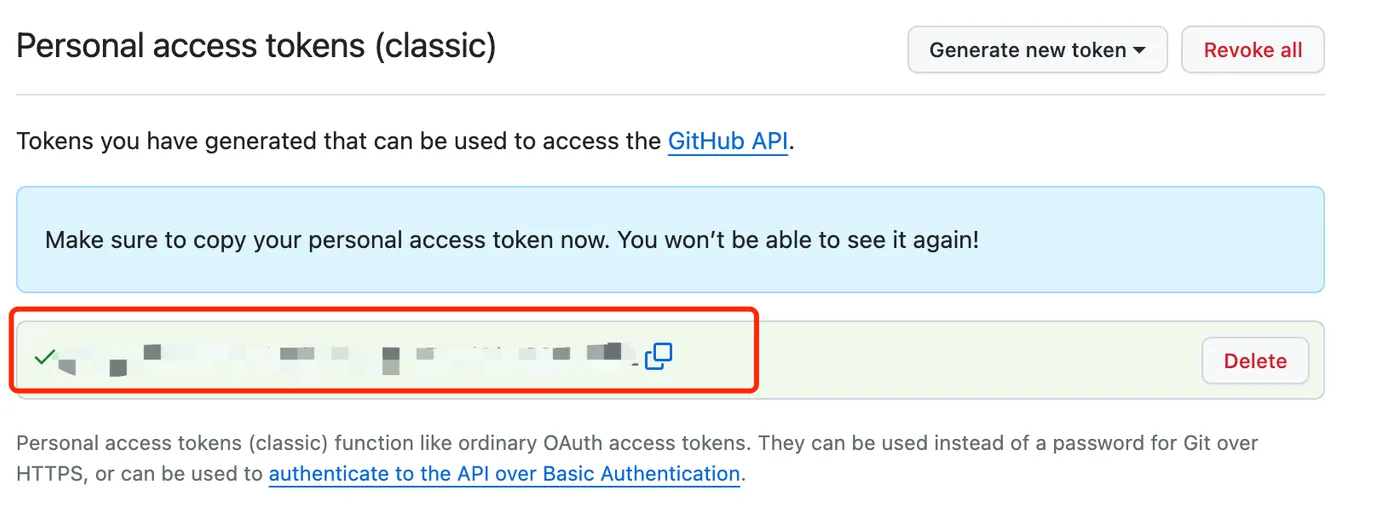
Copy the generated token,
Gitlab Mirror URL
Using the token copied above, along with the username and repo name, construct a URL as follows:
https://${token}@github.com/${username}/${reponame}.gitEnter the constructed URL into the mirror repository field,
leave the password empty,
you can choose to mirror only protected branches,
Trigger Sync
At this point, the Gitlab to Github sync is complete, as shown below:

You can click the refresh button on the right to trigger a sync,
or any subsequent push to a protected branch will automatically trigger a sync.