
AWS-CodePipeline

Preface
AWS CodePipeline is a CI/CD pipeline tool,
similar to open-source Jenkins and other cloud pipeline services.
Creating a Pipeline
URL: https://us-west-2.console.aws.amazon.com/codesuite/codepipeline/start?region=us-west-2
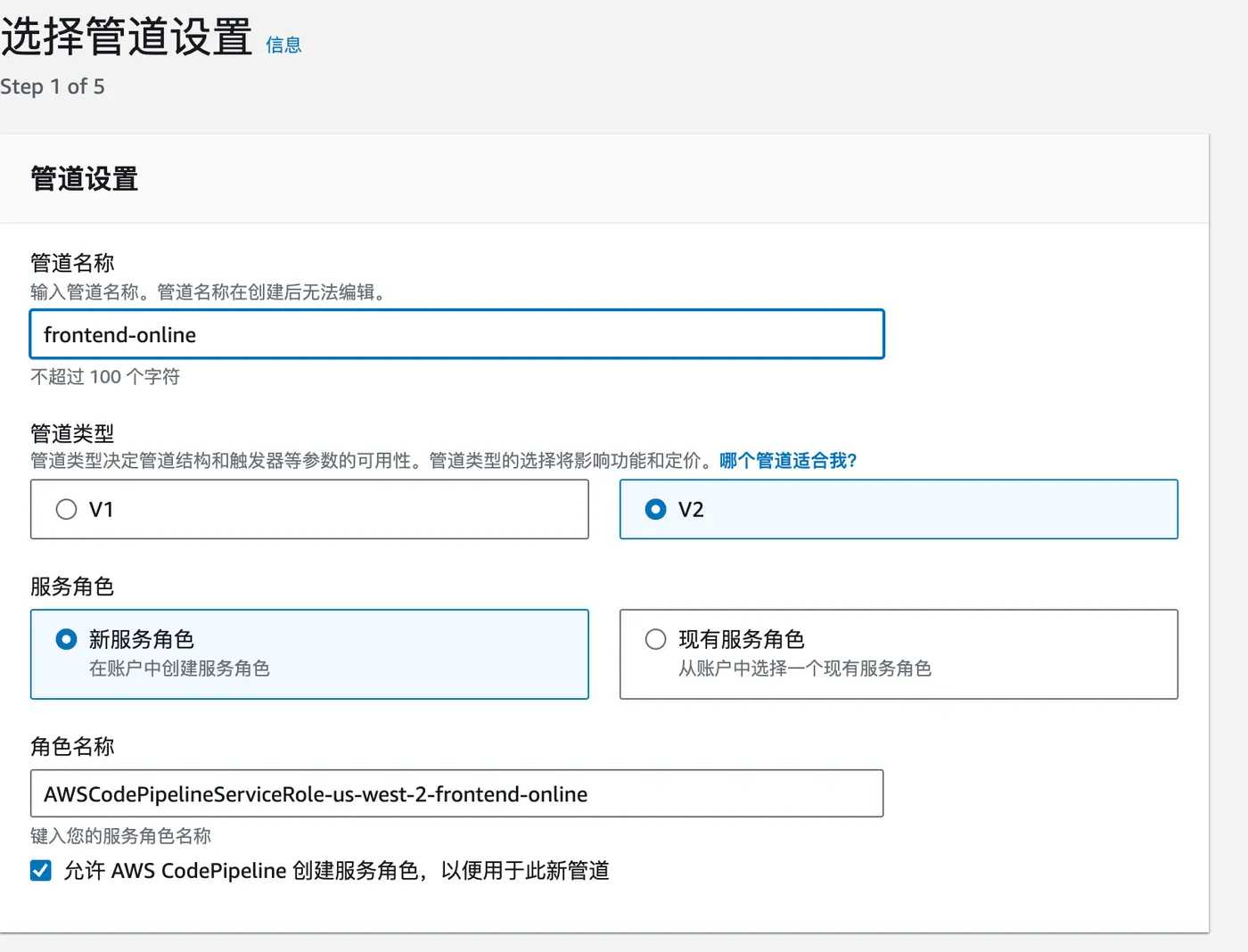
Step 1: Click “Create pipeline”, enter a name, and leave the rest as default.
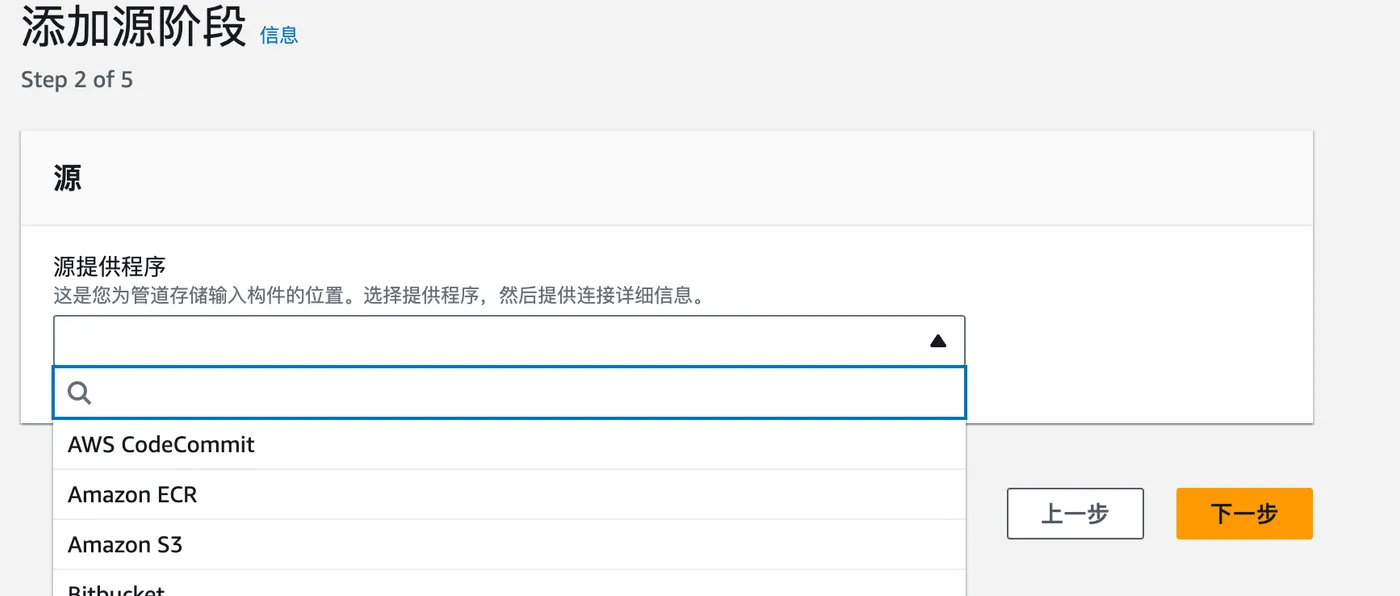
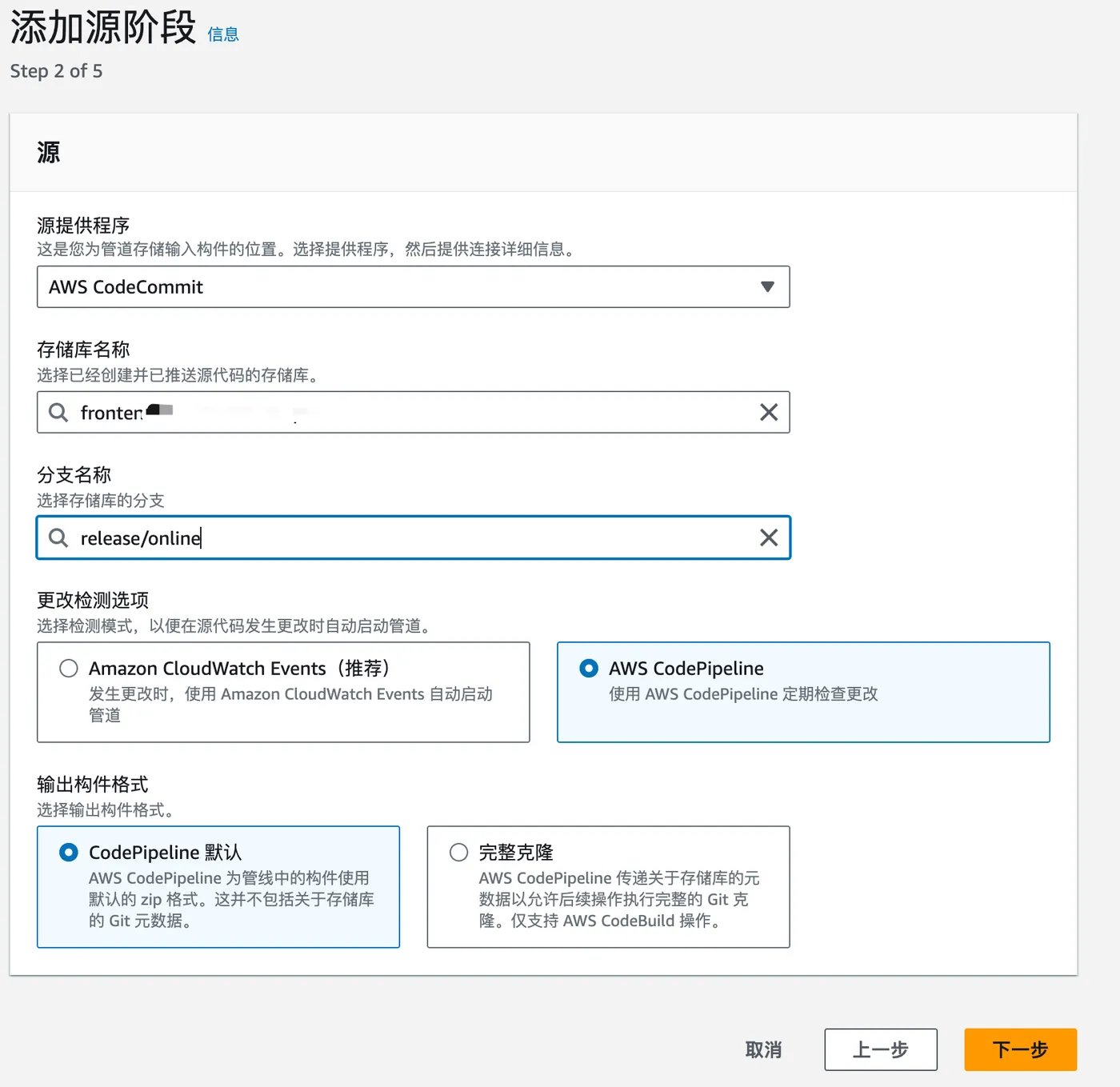
Step 2: Choose the source. Here we select a CodeCommit repository.
Then select the repository and branch. Leave the rest as default.
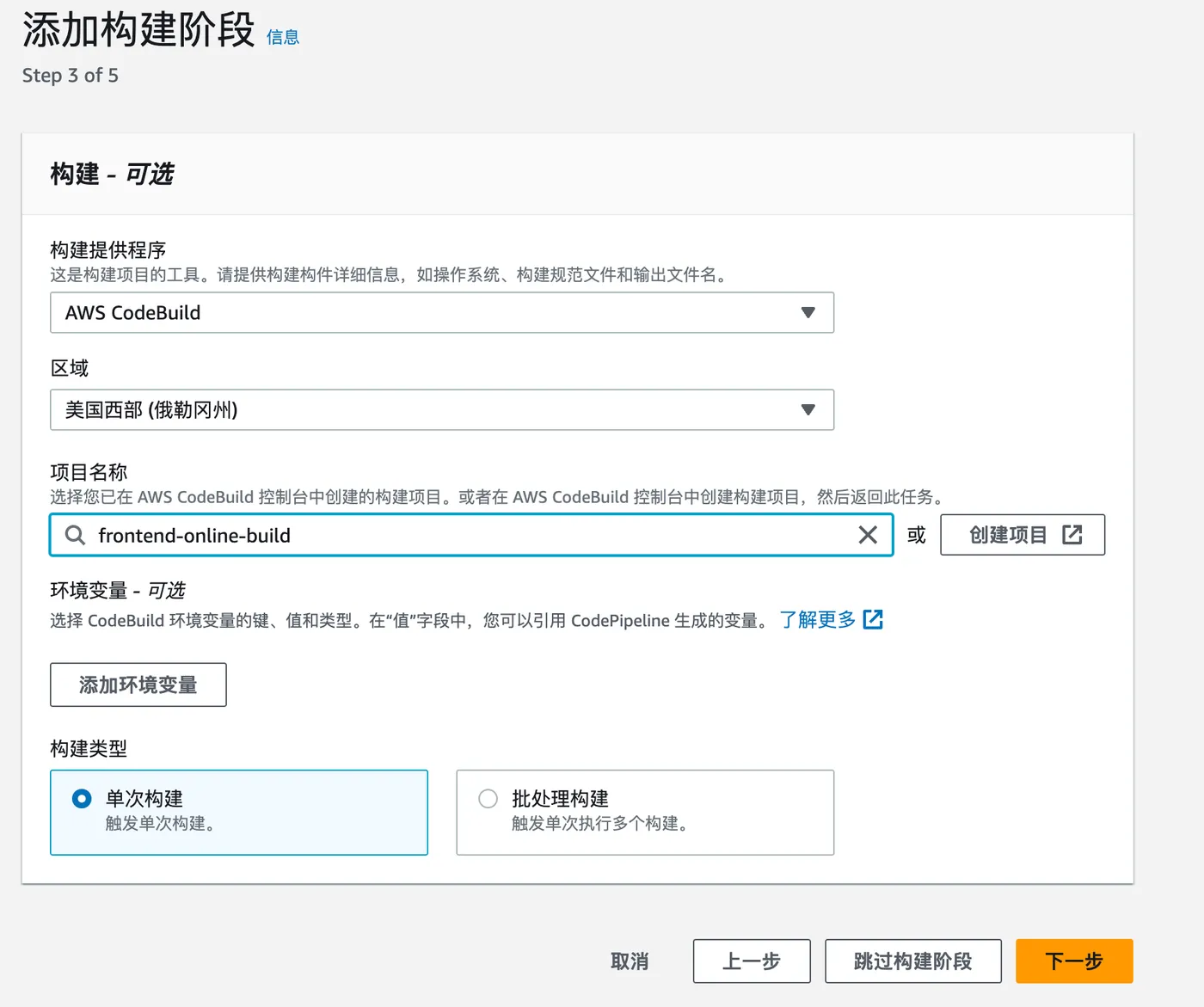
Step 3: Choose the build tool.
Here we select AWS CodeBuild with a previously created build project. For details, see: https://blog.insistime.com/aws-codebuild
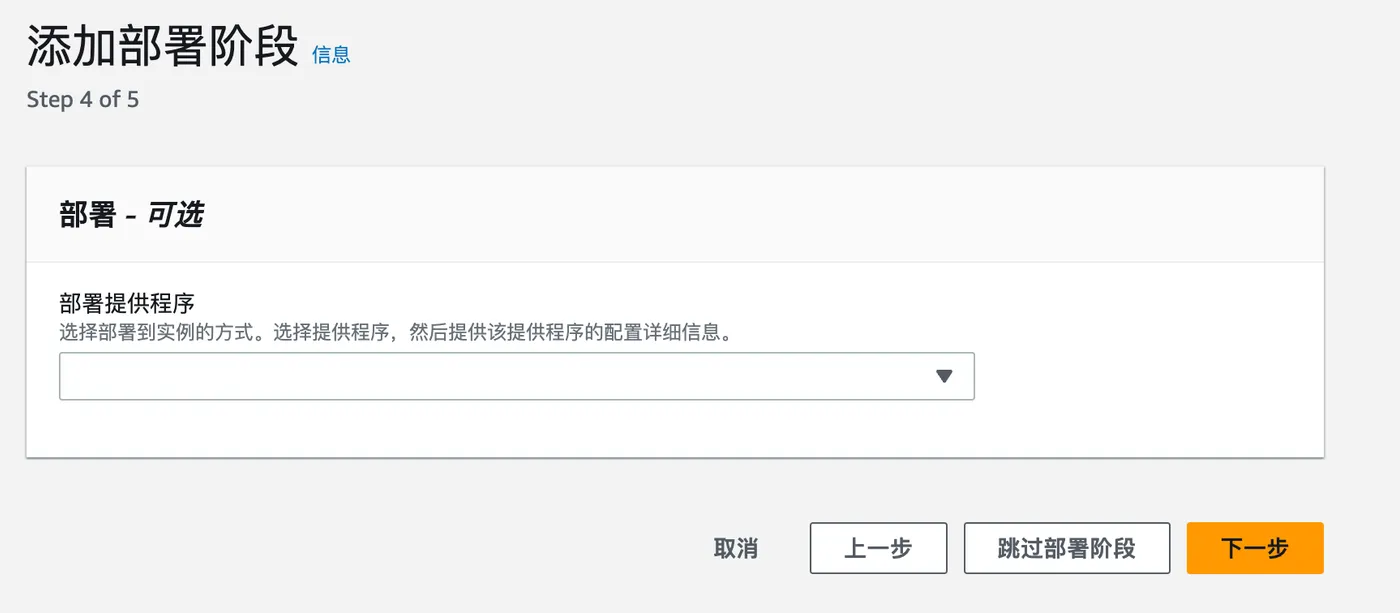
Step 4: Deploy.
Skip this step for now.
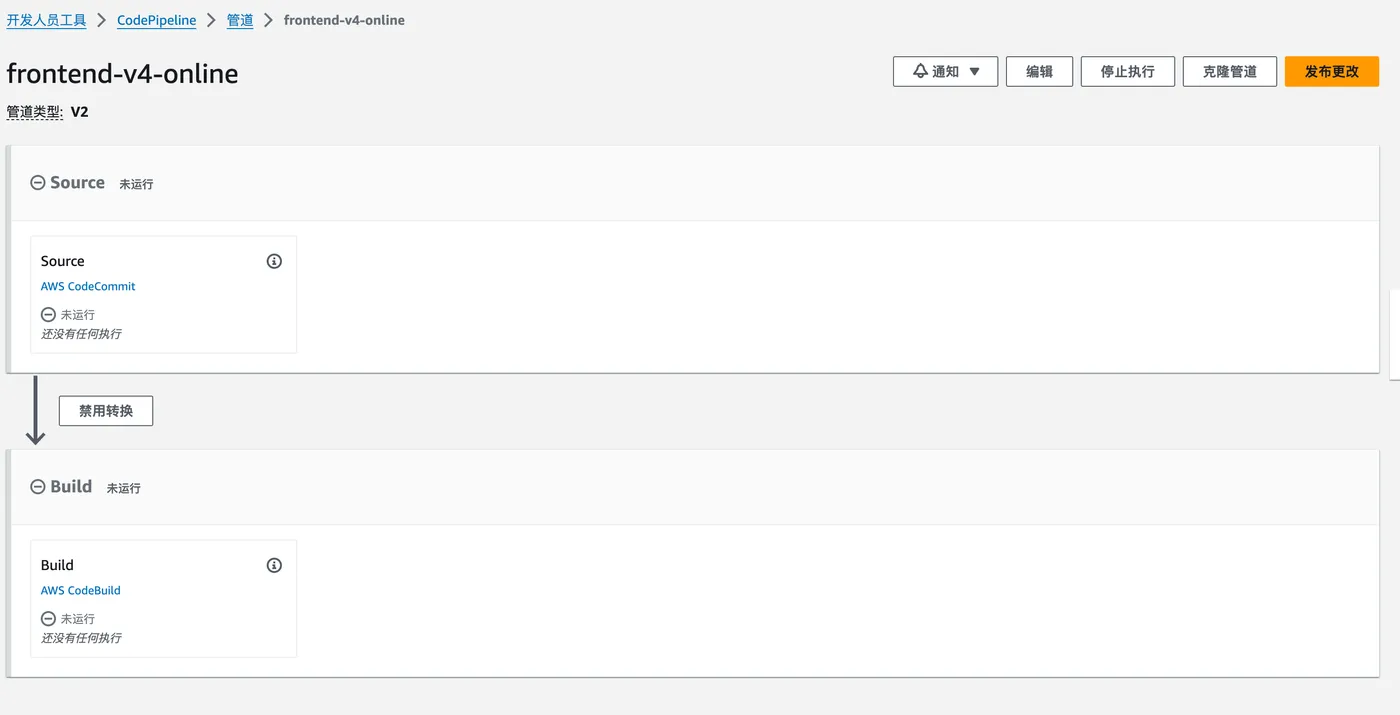
After reviewing everything, the pipeline is created successfully.
Related Articles
Running Multiple WeChat Clients on Mac
Preface: Many people have multiple WeChat accounts. On mobile, you can use two phones or Android multi-app features. This article explains how to run multiple WeChat clients on Mac by creating aliases to the WeChat executable inside the app bundle.
Installing MySQL on Mac
Introduction: This article covers how to install MySQL on Mac. Steps include downloading the DMG installer from the official website, installing it, and configuring the environment variables.
Grant MySQL Access to a Specific IP
AWS - Image Conversion with Lambda@Edge and CloudFront
Chinese cloud providers offer convenient image format and size conversion via URL parameters for their OSS/COS storage. AWS does not provide this out of the box — you need to write Lambda@Edge functions yourself. This article provides a complete guide on implementing image conversion with Lambda@Edge.
AWS-CodeArtifact
AWS CodeArtifact is a managed artifact repository that can host npm, Maven, and other packages.