
Electron in Practice: Package Size Optimization
Preface
The previous articles covered developing an Electron app through to Mac packaging.
Related articles:
Electron in Practice: Local Database SQLite
Electron in Practice: Managing Electron Projects with Monorepo
Electron in Practice: Mac Packaging
Electron in Practice: Registering an Apple Developer Account
Electron in Practice: Mac App Signing and Notarization
Electron in Practice: DMG Installer Customization
This article covers application package size optimization.
Package Structure
To discuss package size optimization,
we first need to look at the package structure.
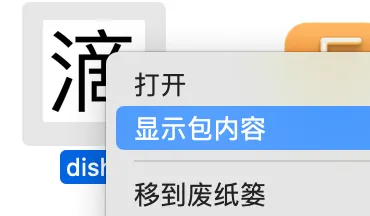
On Mac, find a package, right-click, and select “Show Package Contents”.
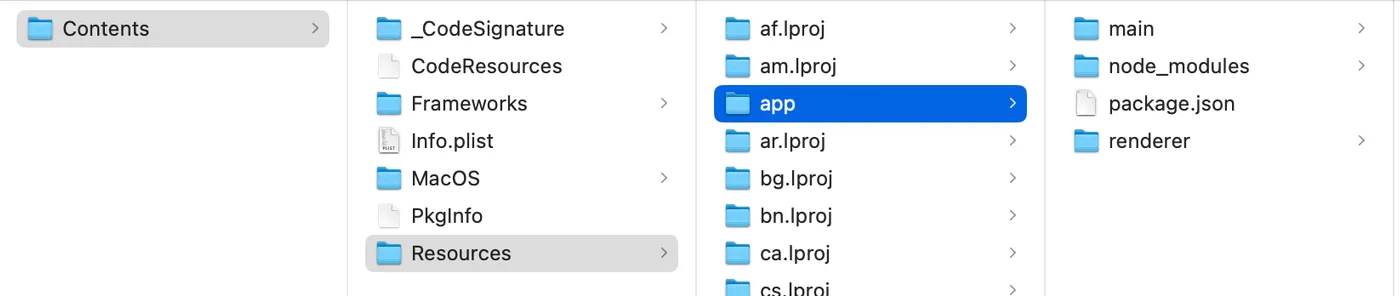
You can see that Contents-Resources-app contains the actual code resources.
The rest are Electron-related environment resources.
Currently the app folder is 11.8M in size.
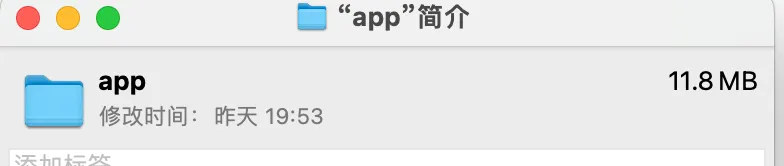
The node_modules folder within it is 11.7M.
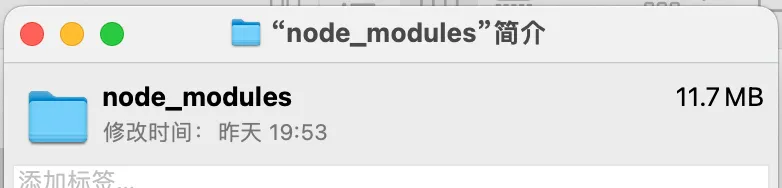
So the simplest way to reduce package size is to not include node_modules.
node_modules
Currently the app folder contains the following:
main: main process code
renderer: renderer process code
package.json: configuration file
node_modules: packages that the main process code depends on
In this article, the renderer process code was already built,
and the build output was copied to the renderer folder under dishi-main.
Electron in Practice: Managing Electron Projects with Monorepo
This means the renderer folder above is already a build artifact.
Now we need to also turn the main folder (main process code) into a build artifact.
This way, the node_modules folder is no longer needed.
The approach chosen here is ES6 + rollup for bundling.