
docker-nginx

Preface
There are many Docker images for nginx.
This article packages a business nginx into a Docker image.
Choosing the nginx Version
alpine
Alpine is a minimal Linux distribution, with an image size of only 7.73M.
nginx also has an alpine-based version.
This article uses the alpine-based version.
stable
nginx has stable and latest versions. Here we choose the stable version.
slim
After choosing nginx-stable-alpine, there are still slim and perl variants.
Here we choose slim, the minimal variant.
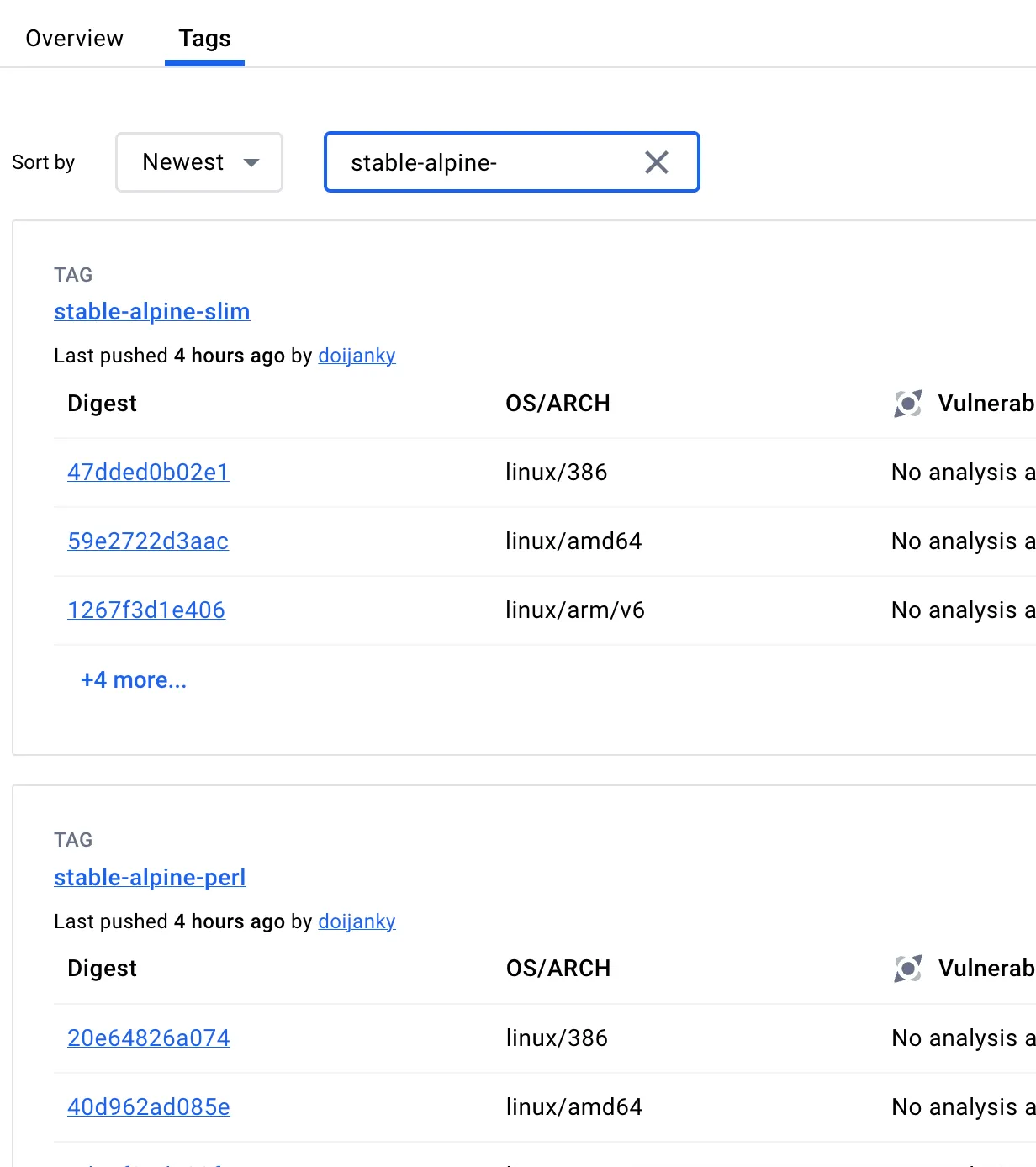
The final version is: nginx:stable-alpine-slim
Dockerfile
The final Dockerfile is as follows:
-
Use the nginx version above
-
Remove the default startup scripts from the image
-
Copy your business nginx folder to /etc/nginx
FROM nginx:stable-alpine-slim

RUN rm -rf /docker-entrypoint.d
RUN rm -rf /etc/nginx
COPY ./nginx /etc/nginx
WORKDIR /etc/nginx

CMD ["nginx", "-g", "daemon off;"]
EXPOSE 80
Adapting for Docker
Migrating from a server-based nginx to a Docker nginx requires a few changes.
Docker run command
Note that you need to map both port 80 and port 443.
docker run -d -p 80:80 -p 443:443 --cpus="2" --memory="200m" --restart="always" --name="insistime-nginx" registry.cn-beijing.aliyuncs.com/insistime/insistime-nginx:$versionUpdate IP addresses
Change all local IPs in your nginx configs,
such as localhost or 127.0.0.1,
to the server’s internal IP.
Update paths
Update log paths to /var/log/nginx.
Update SSL certificate paths to ensure they are accessible inside the container.