
JumpServer

Table of Contents

Preface
JumpServer is a popular open-source bastion host.
If you have many servers to manage
and need security auditing,
JumpServer is a great choice.
Installation
Installation is straightforward. The recommended approach is online installation.
Link: https://community.fit2cloud.com/#/products/jumpserver/getstarted
You need a server with 4 cores and 8 GB RAM. Run the following command as root:
curl -sSL https://resource.fit2cloud.com/jumpserver/jumpserver/releases/latest/download/quick_start.sh | bashThe installation will start automatically after running the command.
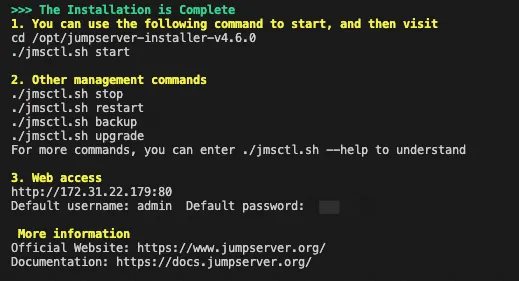
Once complete, you’ll see a prompt
with instructions on how to get started with JumpServer.
Configuration
The configuration file is located at:
/opt/jumpserver/config/config.txtFor example, to modify the Nginx config and add a custom domain:
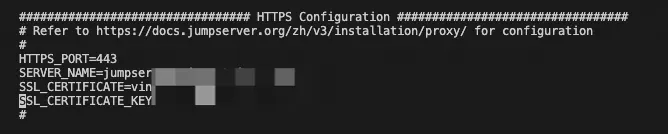
After modifying the configuration file, restart the service:
cd /opt/jumpserver-installer-v4.6.0
./jmsctl.sh restart
Interface
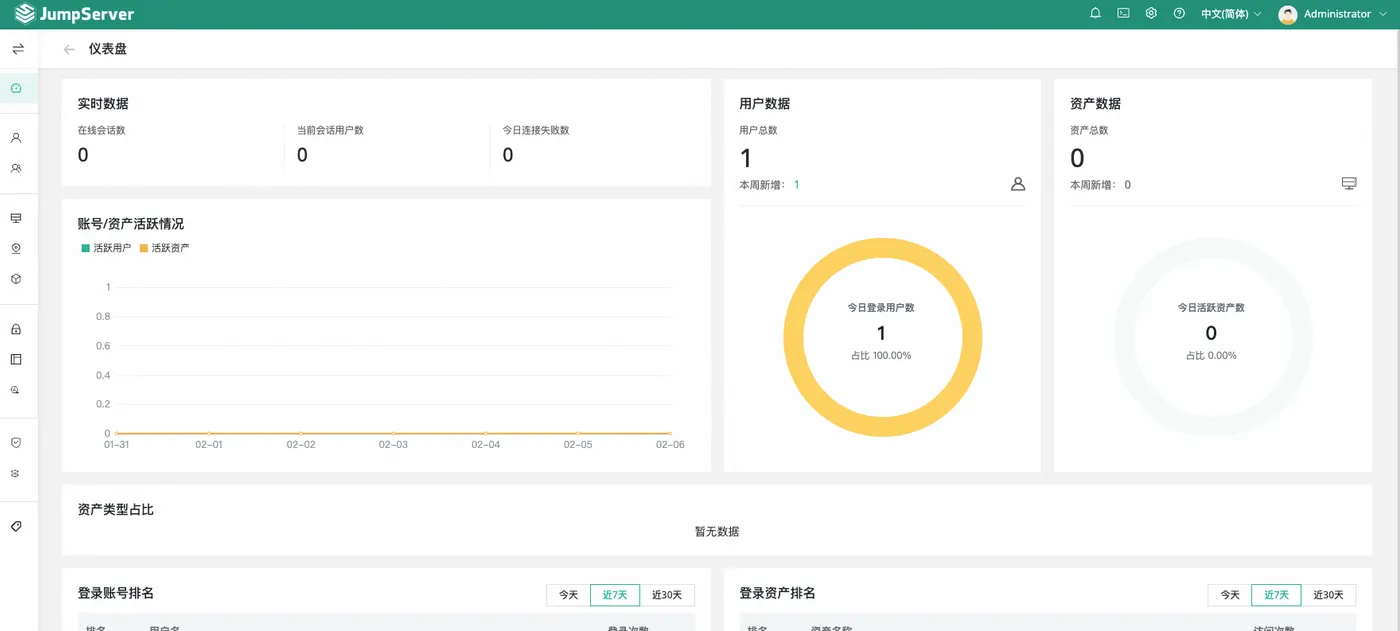
After updating the configuration, you can access the web interface:
Assets
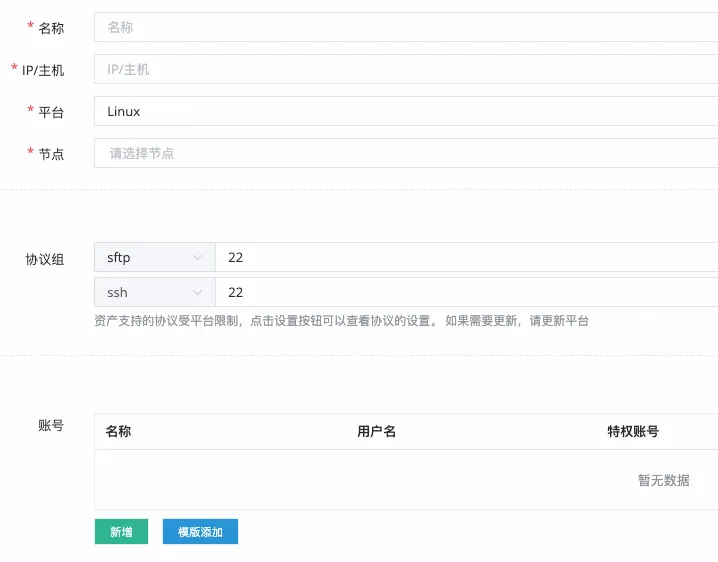
Add assets in the asset list:
Grant users access to the asset in the asset authorization settings:

Connecting
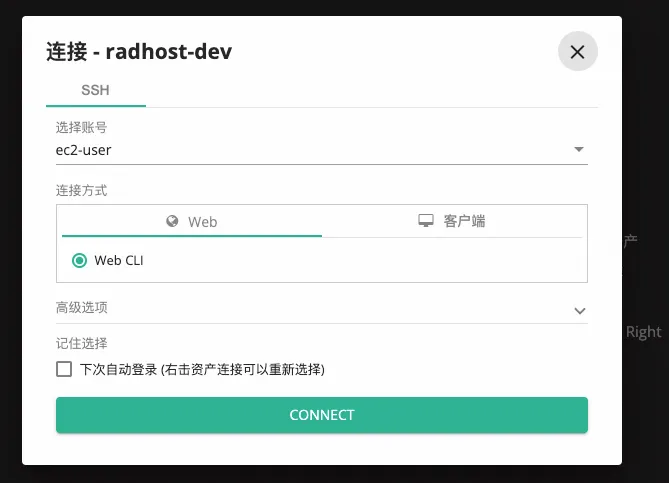
Authorized users can connect to assets from their workspace:
Related Articles
mysql-exporter
Preface: Building a monitoring system with Prometheus + Grafana. This article covers monitoring MySQL. Steps include modifying the MySQL exporter config file, installing MySQL exporter, granting MySQL permissions, modifying the Prometheus config file, and adding a Grafana dashboard.
redis-exporter
Setting up Redis monitoring with Prometheus and Grafana using redis-exporter — installation, Prometheus config, and Grafana dashboard setup.
prometheus+grafana
Setting up a monitoring system with Prometheus and Grafana — covering Prometheus server, node-exporter, Grafana dashboard configuration, and Docker deployment.
docker-nginx
Preface There are many Docker images for nginx. This article packages a business nginx into a Docker image. Choosing the nginx version alpine Alpine is a minimal Linux distribution, with an image size of only 7.73M. nginx also has an alpine-based version. This article uses the alpine-based version. stable ngi
Docker Private Registry
Preface After becoming proficient with Docker locally, the next step is to push local Docker images to a remote registry for easy access elsewhere. Common commands The previous section covered common Docker commands, see: https://blog.insistime.com/dockercmds Official Docker Hub Docker offici