
AWS-CodeBuild
Preface
AWS CodeBuild is used to build code.
Creating a Project
URL
https://us-west-2.console.aws.amazon.com/codesuite/codebuild/start?region=us-west-2
Enter the Name
Click the “Create project” button on the right and enter the project name.

Select the Build Source
Here we select CodeCommit, then choose the corresponding repository and branch.

Select the Environment
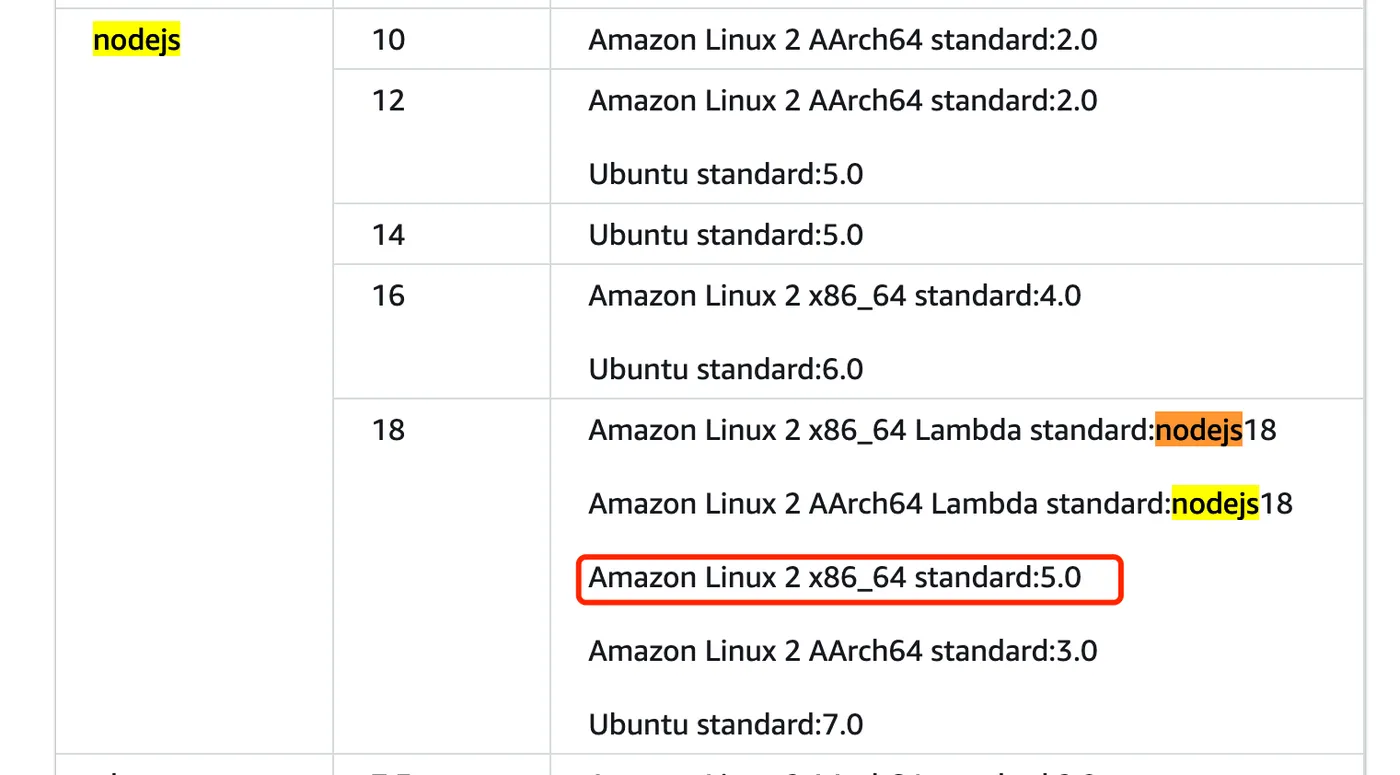
This is a frontend project, so we selected an EC2 environment with Node.js 18.
You can check the runtime-to-environment mapping here: https://docs.aws.amazon.com/codebuild/latest/userguide/available-runtimes.html
For pricing of different environments, see: https://aws.amazon.com/cn/codebuild/pricing/
For example, if you need Node.js 18, only certain environments support it.
However, Lambda threw errors during npm i, so we switched to EC2 which worked.
Configure the Build Script
You can use a YAML file or write it inline.
For the buildspec reference, see: https://docs.aws.amazon.com/zh_cn/codebuild/latest/userguide/build-spec-ref.html
version: 0.2

#env:
#variables:
# key: "value"
# key: "value"
#parameter-store:
# key: "value"
# key: "value"
#secrets-manager:
# key: secret-id:json-key:version-stage:version-id
# key: secret-id:json-key:version-stage:version-id
#exported-variables:
# - variable
# - variable
#git-credential-helper: yes
#batch:
#fast-fail: true
#build-list:
#build-matrix:
#build-graph:
phases:
  install:
    runtime-versions:
      nodejs: 18
    commands:
  pre_build:
    commands:
      - npm i
      - npx nx reset
  build:
    commands:
      - npm run release:online
  #post_build:
  #commands:
  # - command
  # - command
#reports:
#report-name-or-arn:
#files:
# - location
# - location
#base-directory: location
#discard-paths: yes
#file-format: JunitXml | CucumberJson
artifacts:
  files:
    - packages/_server/**/*
  name: server-$CODEBUILD_BUILD_ID-$(date +%Y-%m-%d)
#cache:
#paths:
# - paths
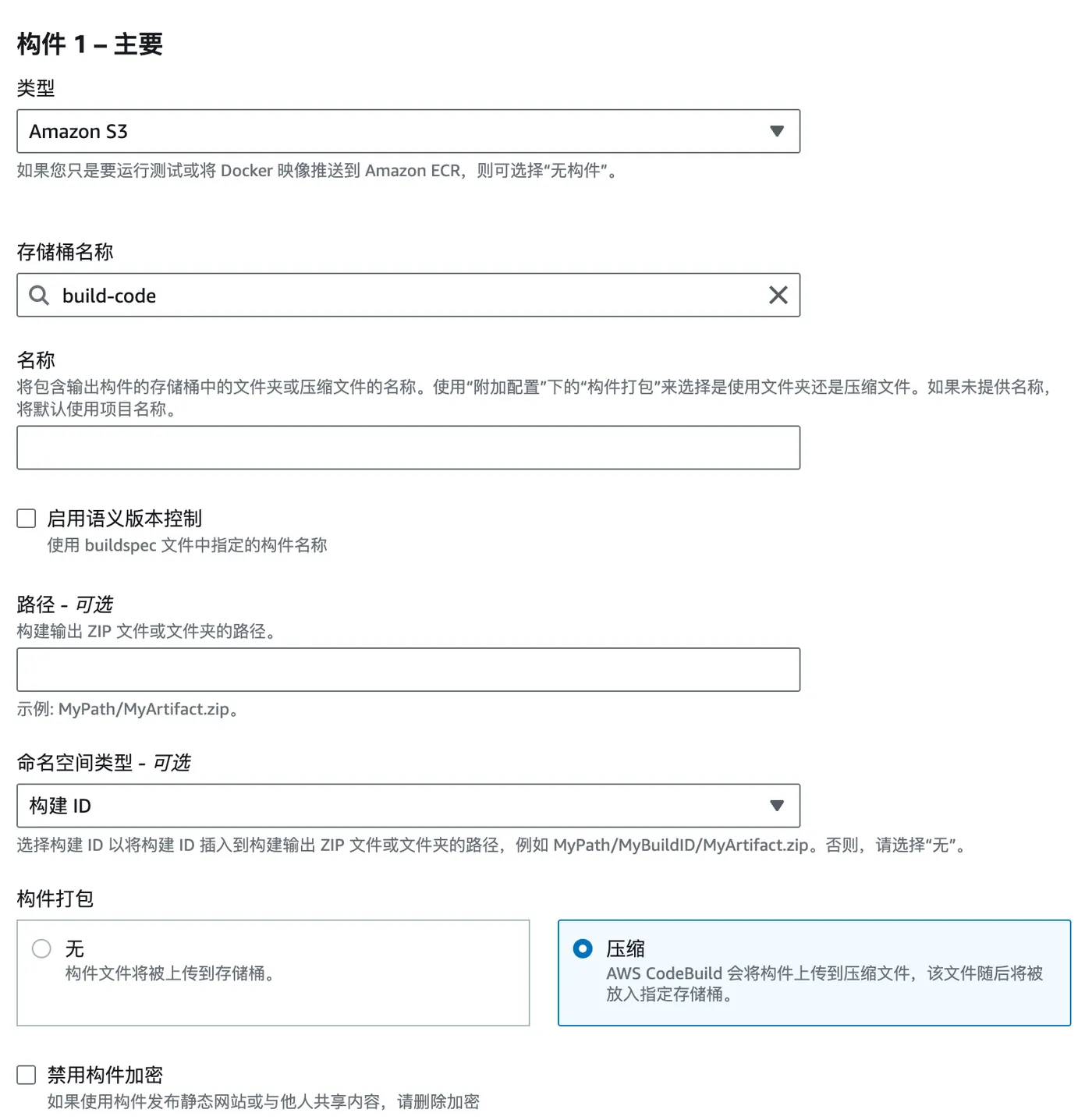
Select the Artifact Storage Location
Here we use AWS S3. For the S3 creation tutorial, see: https://blog.insistime.com/aws-s3
Artifacts are packaged as a zip and automatically uploaded to the specified S3 location.
For logs, CloudWatch is typically selected.
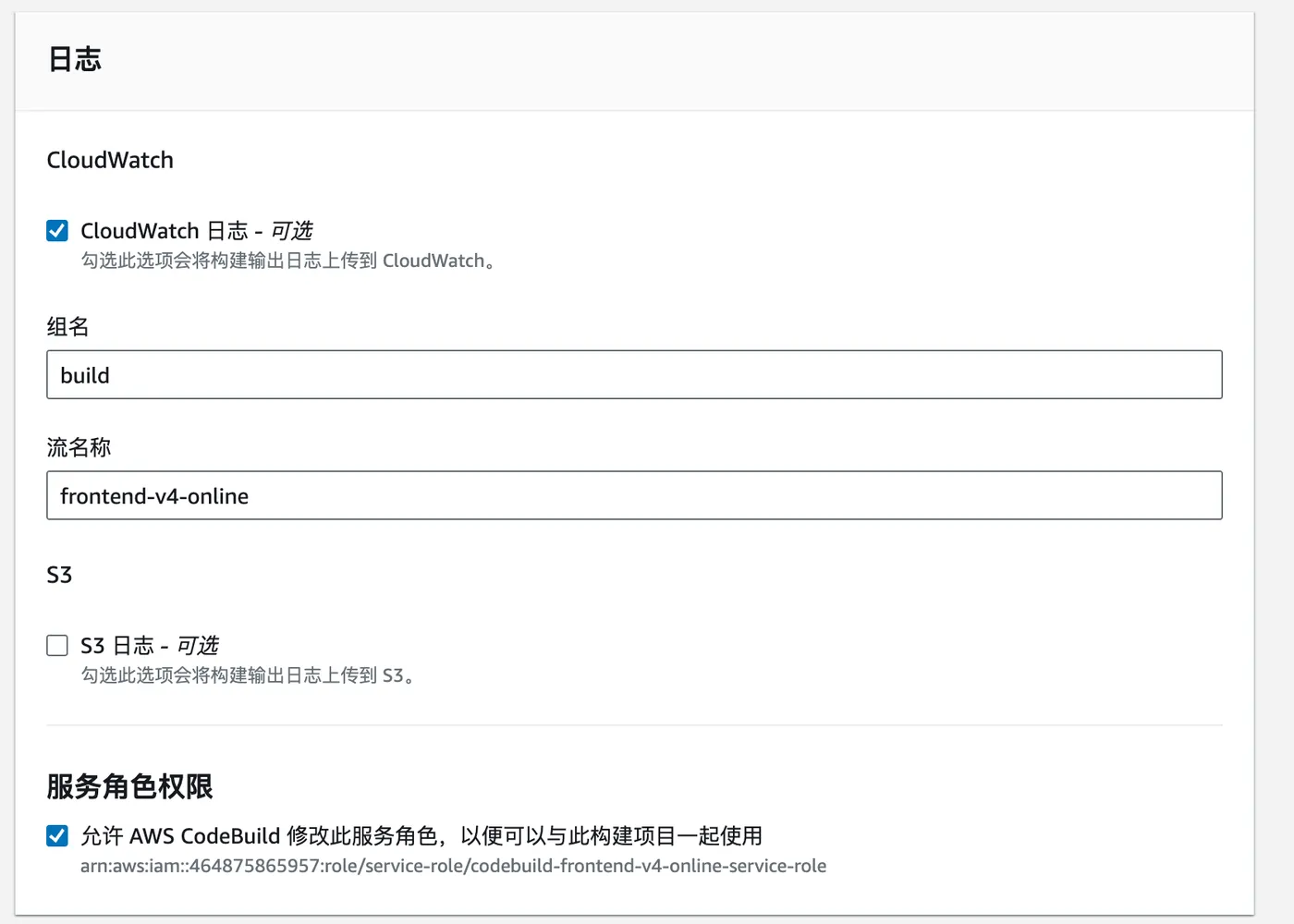
At this point, the AWS CodeBuild project is created successfully.
Starting a Build
After creation, click “Start build” to begin the build process.
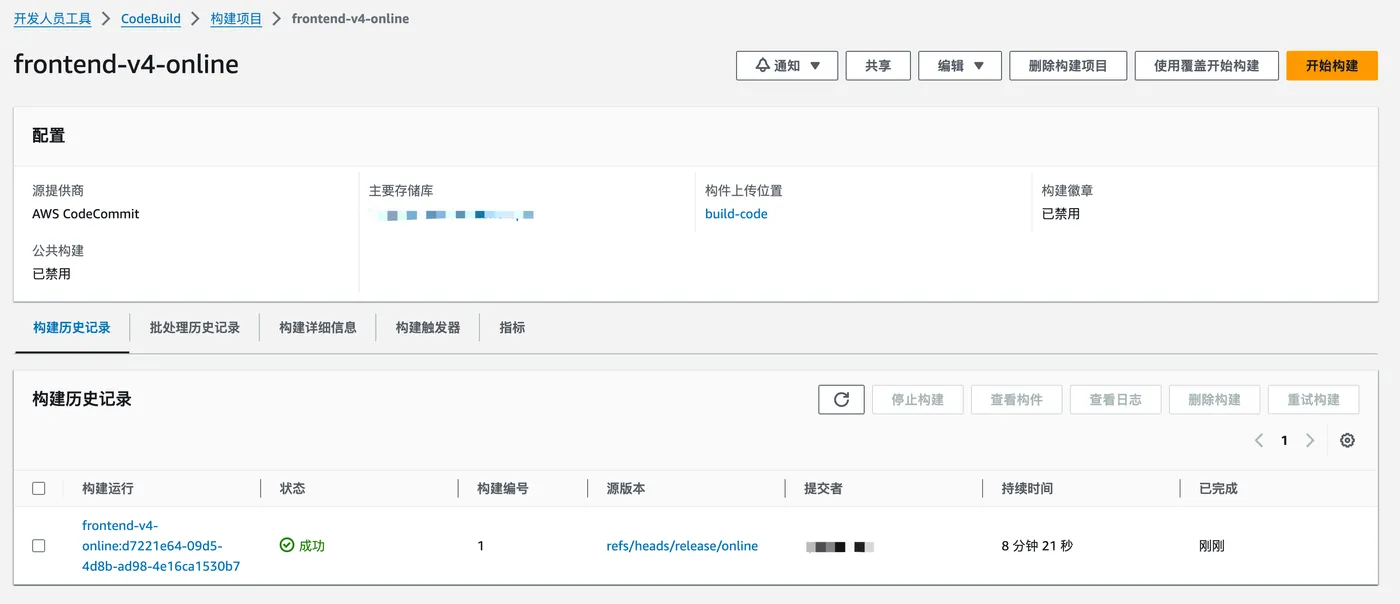
Click through to view the build logs.