
AWS-CodeBuild

【前言】
aws code build用来构建代码
【创建项目】
地址
https://us-west-2.console.aws.amazon.com/codesuite/codebuild/start?region=us-west-2
填写名称
点击右边的创建项目按钮,填写项目名称

选择构建来源
这里选code commit,然后选择对应的仓库和分支

选择环境
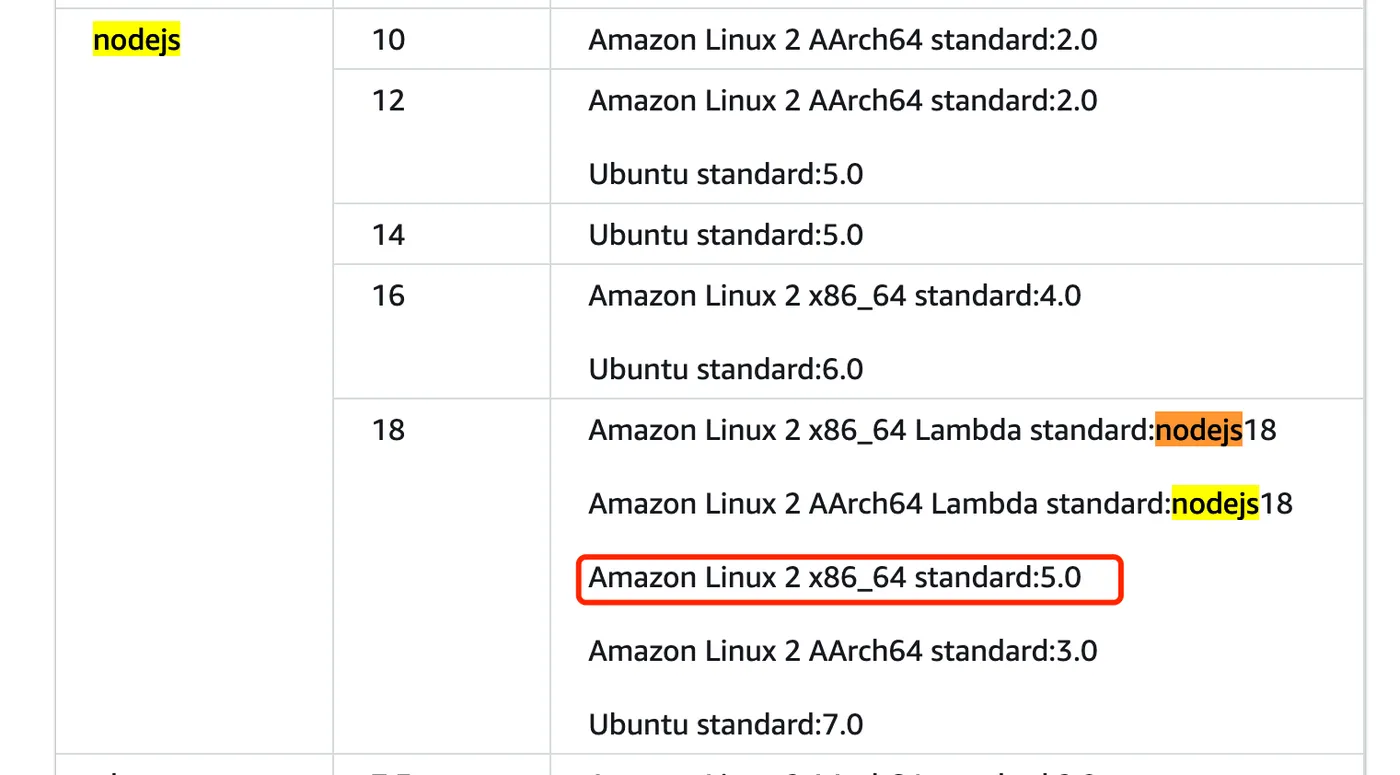
本文是前端项目,选择了有nodejs18对应的ec2环境
对应环境的runtime关系可以看这里, https://docs.aws.amazon.com/codebuild/latest/userguide/available-runtimes.html
不同环境的价格,详见: https://aws.amazon.com/cn/codebuild/pricing/
比如需要nodejs 18版本,只能选对应的几种环境,
但是lambda在使用过程中npm i报错,后面使用ec2后成功,
设置构建脚本
可以用yaml文件,也可以在线写
build脚本的规范,详见: https://docs.aws.amazon.com/zh_cn/codebuild/latest/userguide/build-spec-ref.html
version: 0.2

#env:
#variables:
# key: "value"
# key: "value"
#parameter-store:
# key: "value"
# key: "value"
#secrets-manager:
# key: secret-id:json-key:version-stage:version-id
# key: secret-id:json-key:version-stage:version-id
#exported-variables:
# - variable
# - variable
#git-credential-helper: yes
#batch:
#fast-fail: true
#build-list:
#build-matrix:
#build-graph:
phases:
  install:
    runtime-versions:
      nodejs: 18
    commands:
  pre_build:
    commands:
      - npm i
      - npx nx reset
  build:
    commands:
      - npm run release:online
  #post_build:
  #commands:
  # - command
  # - command
#reports:
#report-name-or-arn:
#files:
# - location
# - location
#base-directory: location
#discard-paths: yes
#file-format: JunitXml | CucumberJson
artifacts:
  files:
    - packages/_server/**/*
  name: server-$CODEBUILD_BUILD_ID-$(date +%Y-%m-%d)
#cache:
#paths:
# - paths
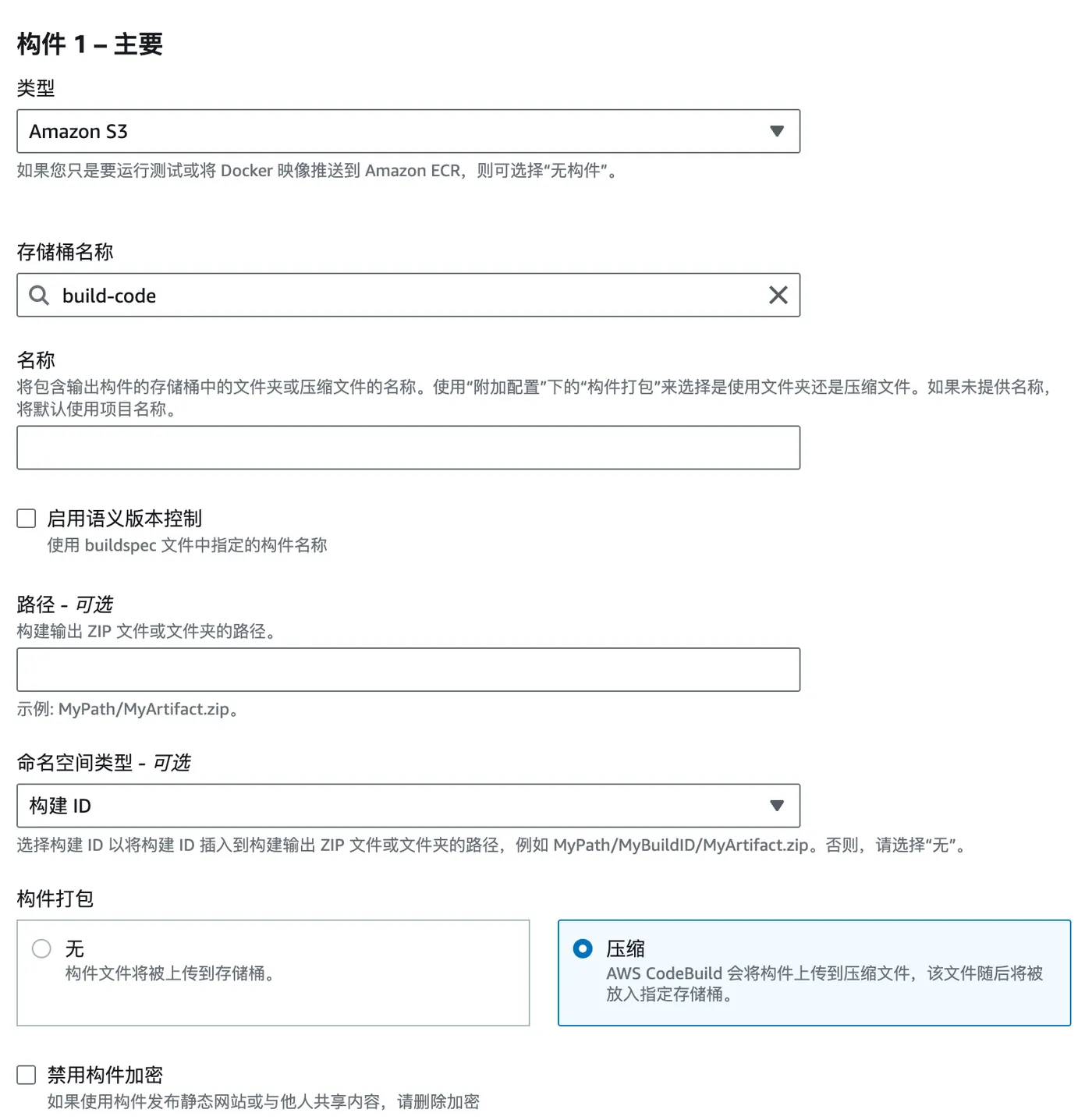
选择构件存储位置
这里是aws s3,创建教程: https://blog.insistime.com/aws-s3
构件打包为zip自动传到s3对应的位置
日志,一般选择cloud watch,如下
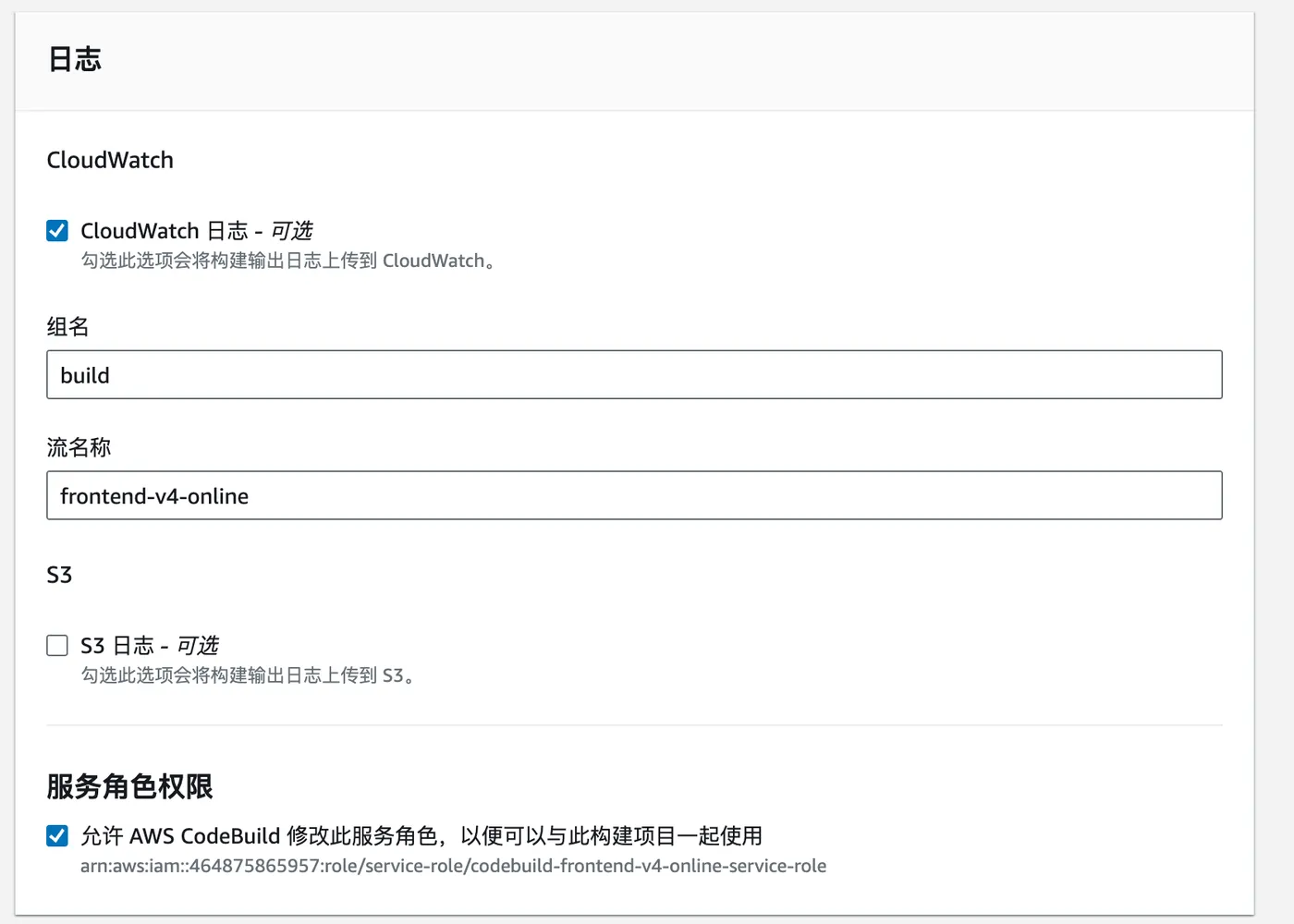
至此,一个aws code build项目创建成功
【开始构建】
创建好后,点击开始构建就会进行构建的过程
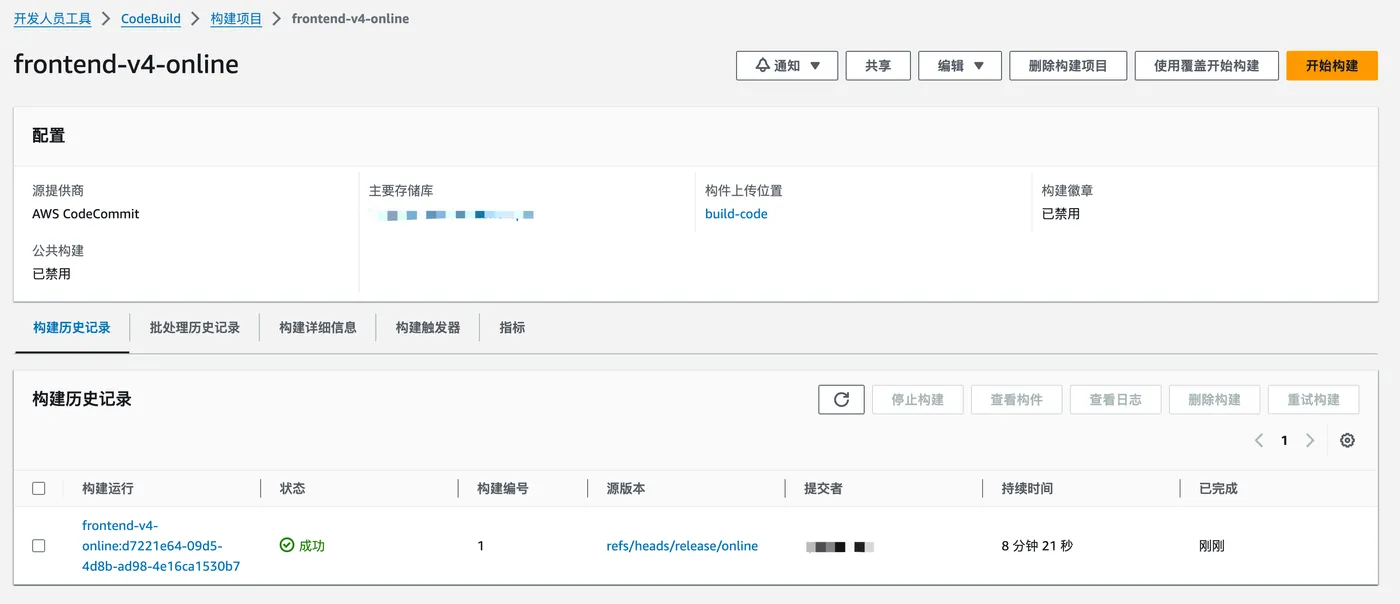
点击后可以看到对应的构建过程的日志
相关推荐
Mac上多开微信客户端
【前言】 在日常生活中很多人有多个微信, 手机端的话通过两个手机或者安卓手机多开应用可以实现多开微信, Mac电脑端如何多开微信呢, 常见的方法是一个客户端, 一个网页端: https://wx.qq.com/ , 但是网页端体验肯定没有客户端好, 本文介绍下如何在Mac上多开微信客户端。 【创建快
Mysql授权某个IP访问
AWS-使用Lambda@edge转换Cloudfront图片
【前言】 国内云厂商存放图片的oss或者cos可以很方便的转换图片格式和大小等, 一般都是在url后拼接转换参数即可, AWS居然没有提供这个服务,需要自己写lambda@edge函数实现, 本文完整的介绍下如果使用lambda@edge实现图片转换的功能。 【参考】 开始是想找github开源方案
AWS-CodeArtifact
【前言】 AWS CodeArtifact是托管构件的存储库,可以托管npm,maven等 【创建】 地址: https://uswest2.console.aws.amazon.com/codesuite/codeartifact/start?region=uswest2点击右侧的创建存储库按钮开
AWS-CertificateManager
【前言】 AWS Certificate Manager是AWS的证书托管系统, 如果配合AWS的LB一起使用,可以免费申请通配证书 【申请证书】 地址: https://uswest2.console.aws.amazon.com/acm/home?region=uswest2/welcome 点