Back to all posts 
AWS-CodePipeline
Tools
Preface
AWS CodePipeline is a CI/CD pipeline tool,
similar to open-source Jenkins and other cloud pipeline services.
Creating a Pipeline
URL: https://us-west-2.console.aws.amazon.com/codesuite/codepipeline/start?region=us-west-2
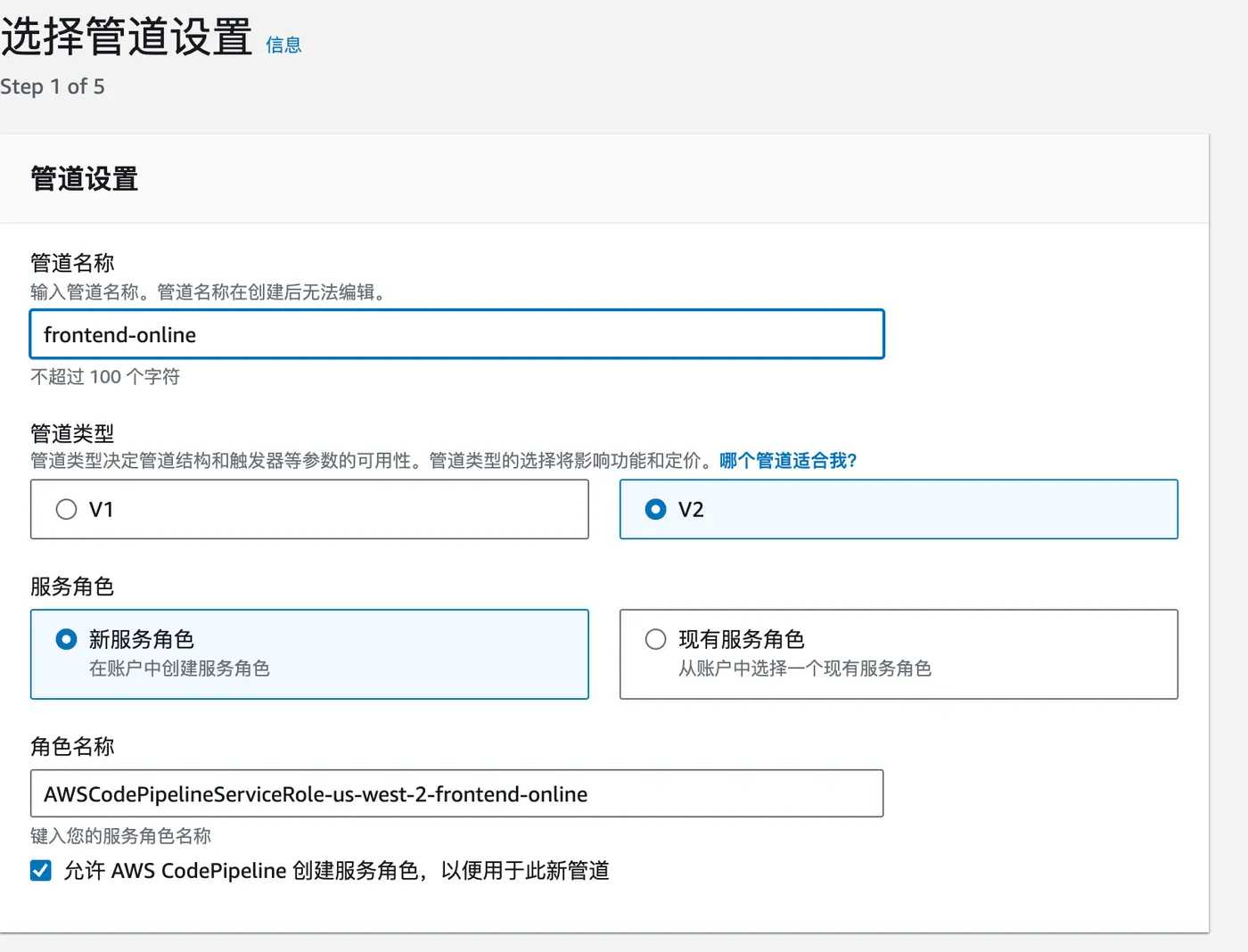
Step 1: Click “Create pipeline”, enter a name, and leave the rest as default.
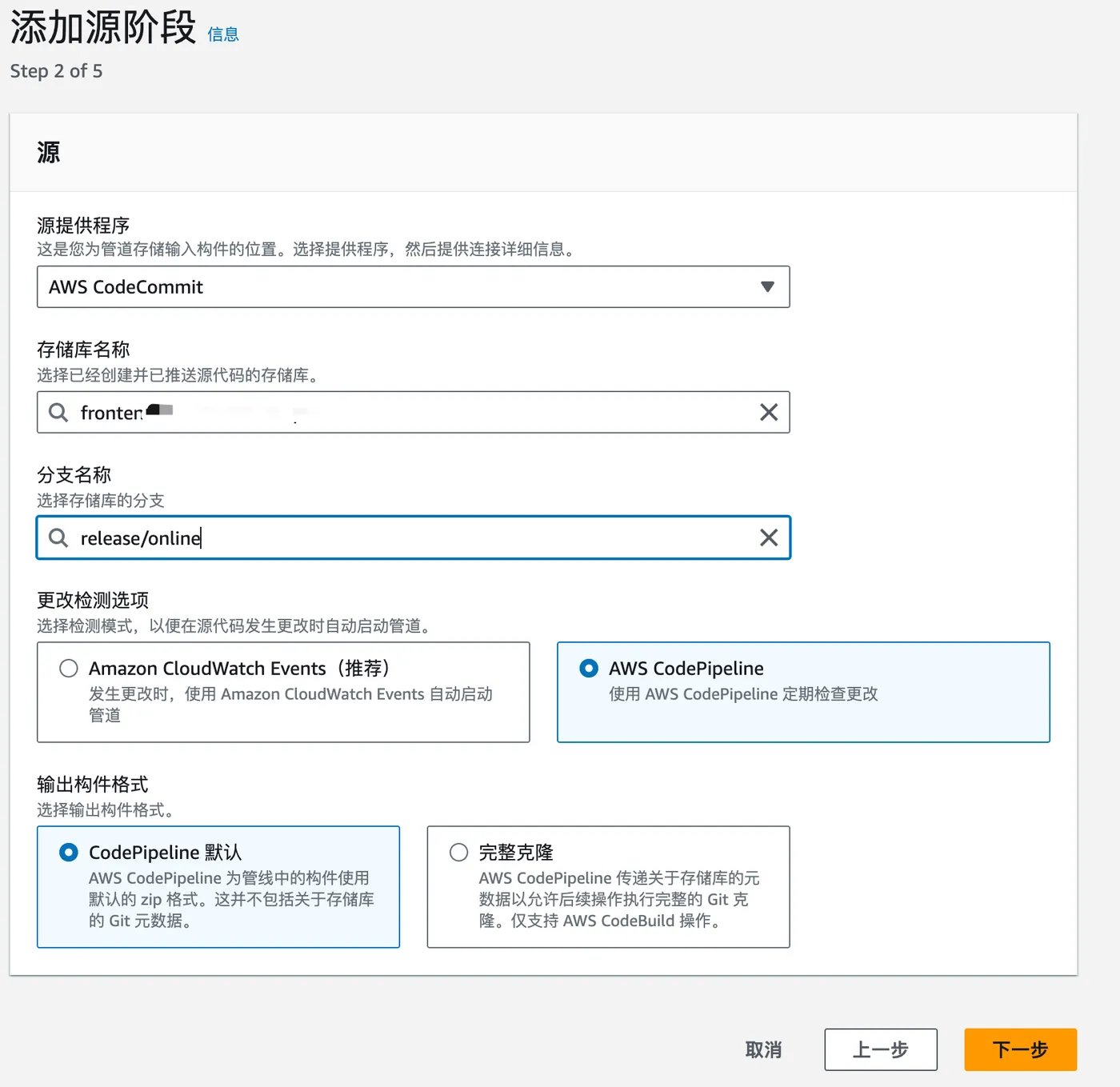
Step 2: Choose the source. Here we select a CodeCommit repository.
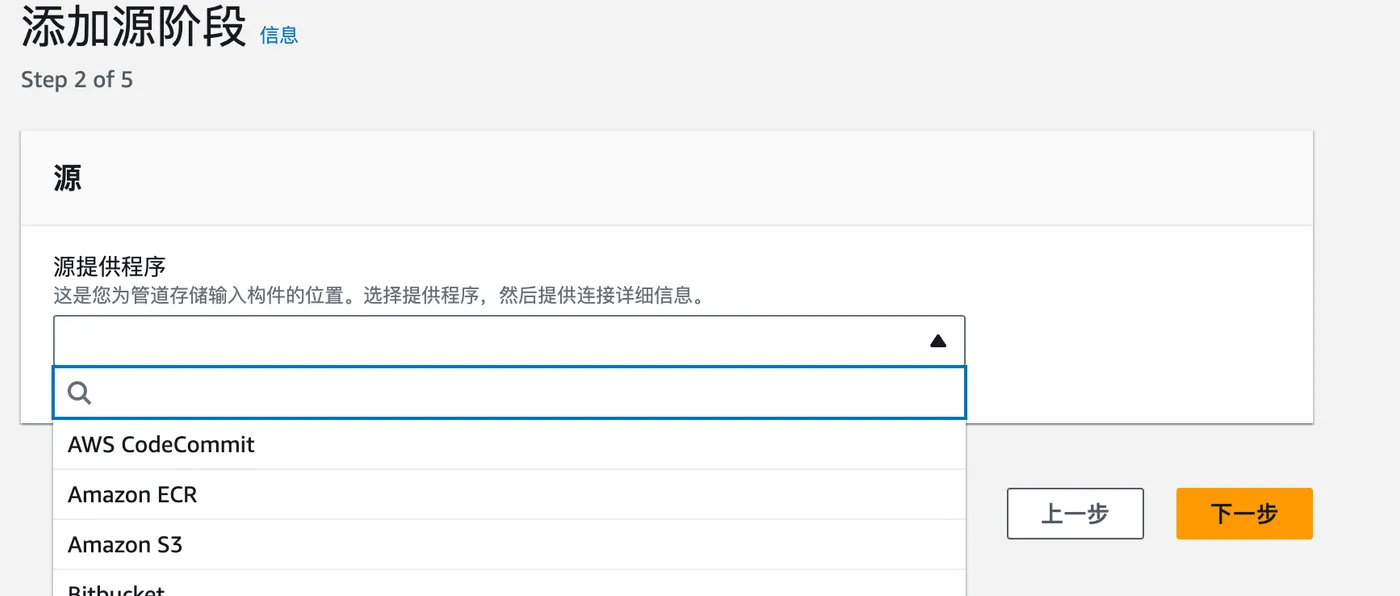
Then select the repository and branch. Leave the rest as default.
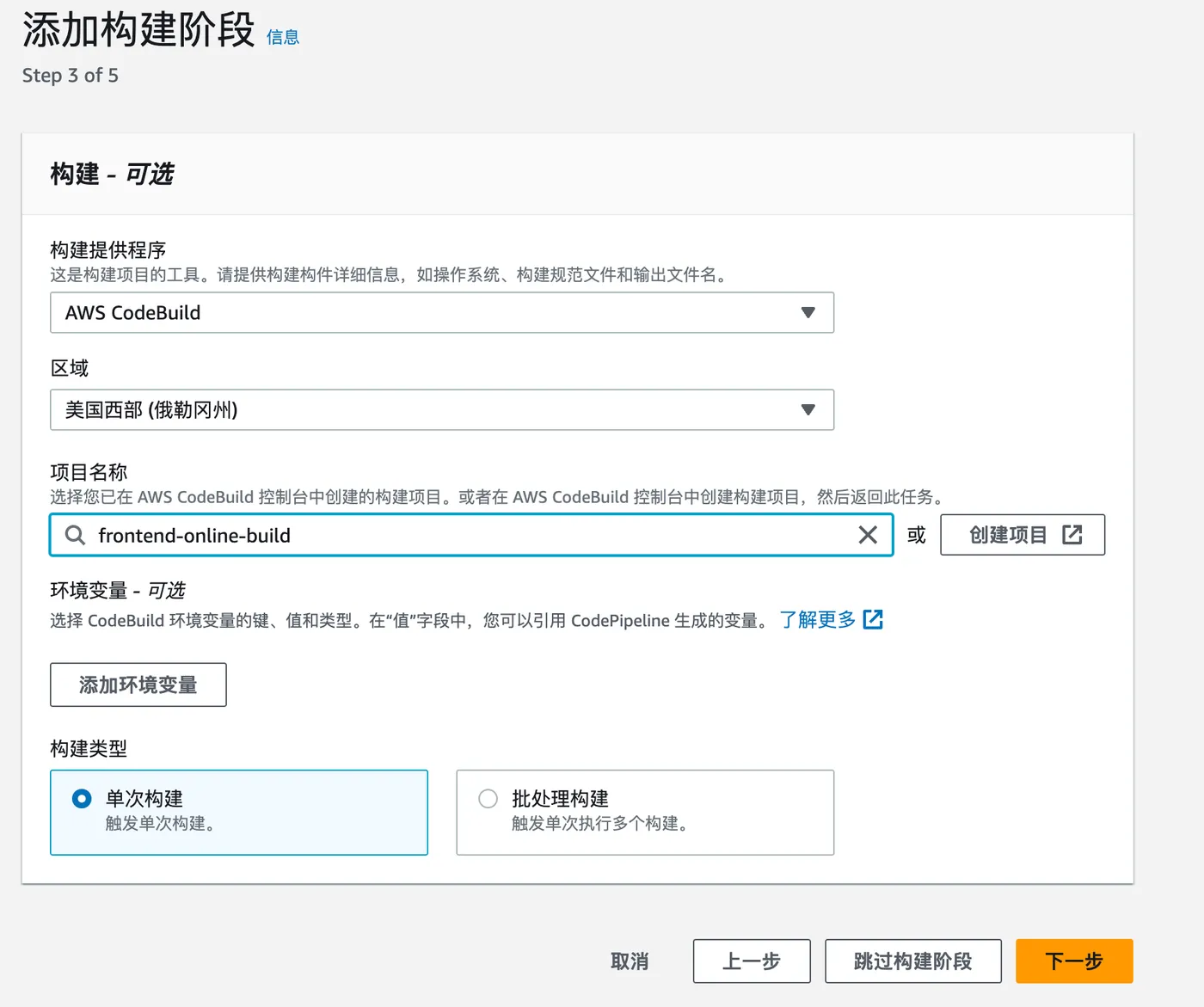
Step 3: Choose the build tool.
Here we select AWS CodeBuild with a previously created build project. For details, see: https://blog.insistime.com/aws-codebuild
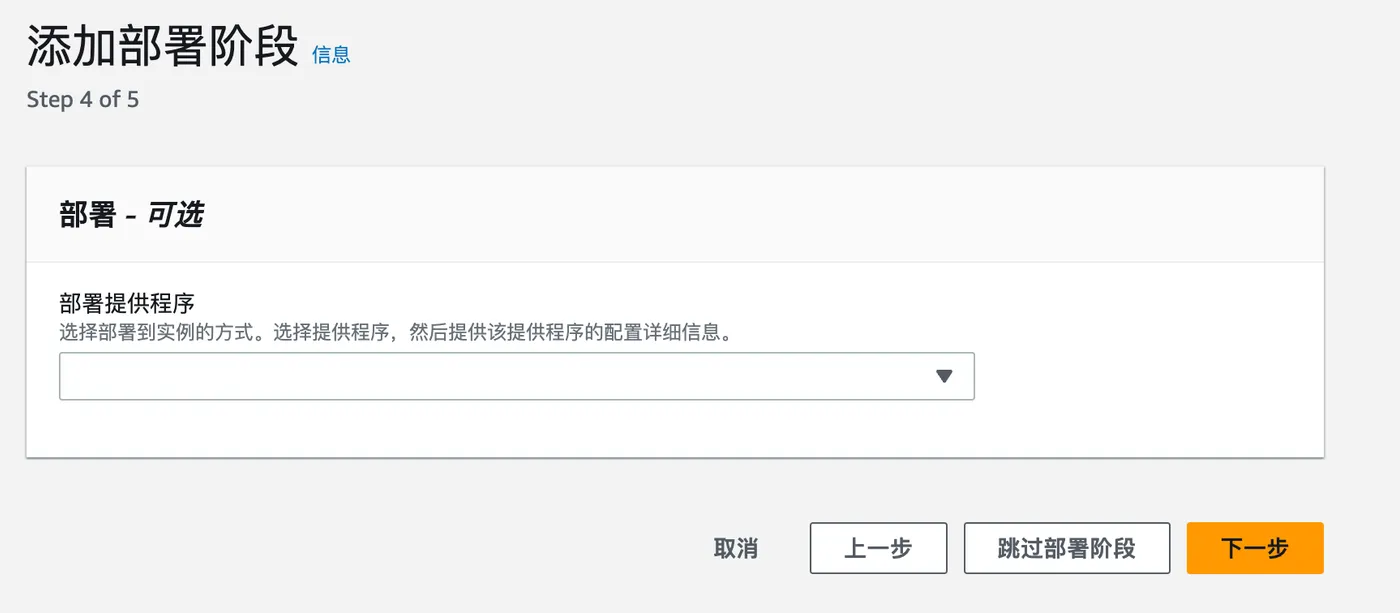
Step 4: Deploy.
Skip this step for now.
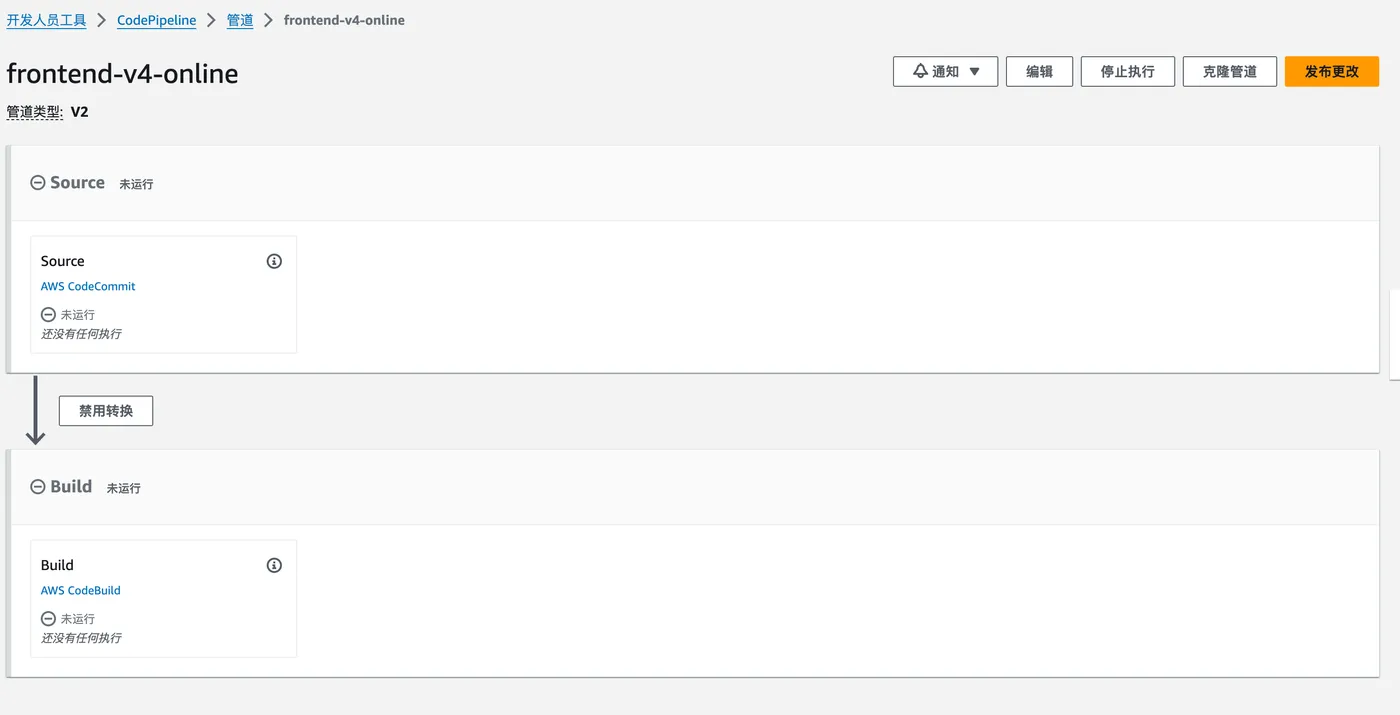
After reviewing everything, the pipeline is created successfully.